
Settings
The Settings page provides global configuration management for the GMSSH Client, including password protection, service configuration, general settings, and version information — helping you personalize client behavior and manage service connections.
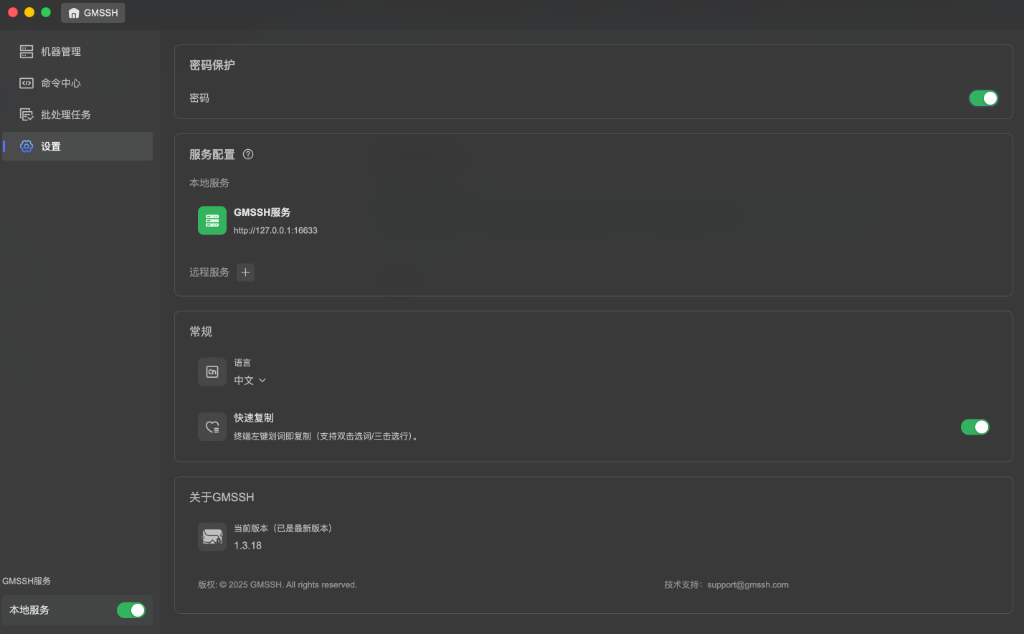
Password Protection
Password protection adds a security barrier to the GMSSH Client. When enabled, password verification is required each time the client is launched or restored from the background, preventing unauthorized access to your servers.
- Password Toggle: Enable/disable password protection via the right-side switch.
- Once enabled, set an access password. Subsequent client access will require verification.
Service Configuration
Service configuration determines how the GMSSH Client connects to backend services. Two modes are supported — local service and remote service — with flexible switching and management.
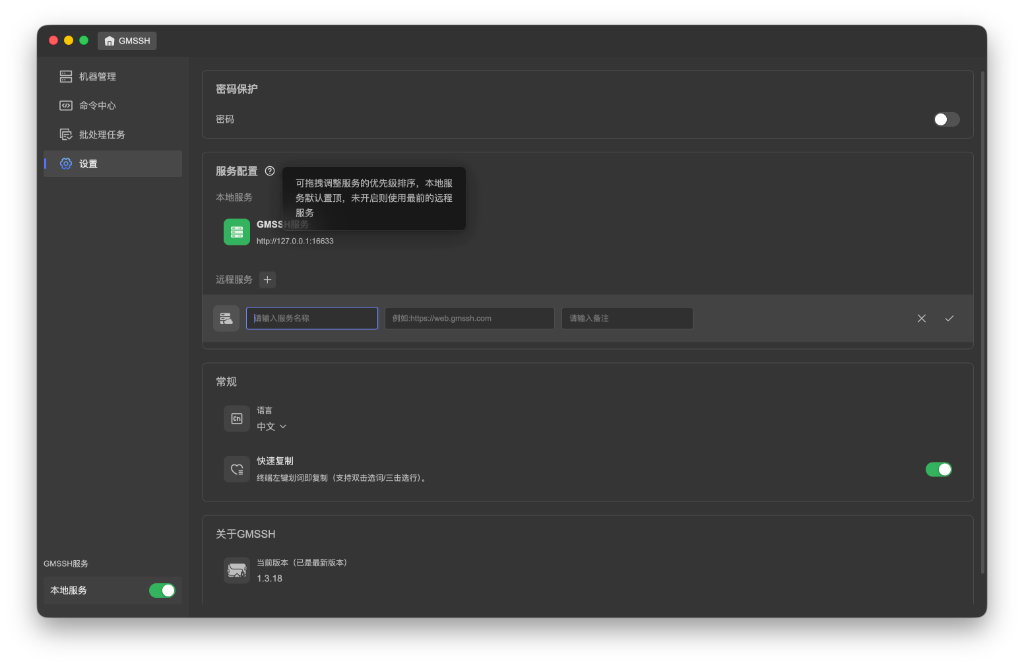
Tip
Drag to adjust service priority order. Local service is pinned at the top by default; if disabled, the topmost remote service is used.
Local Service
The local service is the built-in backend service of the GMSSH Client, running on the local machine by default.
- Service Address: Default
http://127.0.0.1:16633. Click the service entry to edit the port number, then click ✓ to confirm or ✕ to cancel. - Status Control: The "GMSSH Service → Local Service" toggle at the bottom of the page controls starting/stopping the local service.
Remote Service
Click the "+" button next to "Remote Service" to add a remote GMSSH service node, supporting connections to GMSSH services deployed in the cloud or on other servers.
| Field | Description | Example |
|---|---|---|
| Service Name | Custom display name for the remote service | My Cloud Service |
| Link | Access URL for the remote service | https://web.gmssh.com |
| Notes | Optional supplementary notes | — |
- Click ✓ to confirm, click ✕ to cancel.
- Added remote services can be reordered by dragging to adjust priority.
General
Language
Switch the client interface language via the dropdown menu:
- 中文 (Chinese, default)
- English
Quick Copy
- Description: Left-click text selection in terminal automatically copies (supports double-click word / triple-click line selection).
- Default: Enabled.
- When enabled, selecting text with the mouse in the terminal automatically copies to clipboard — no need for
⌘ + C.