
VPN Manager
GMSSH VPN Manager is a visual VPN service management tool for Linux servers. It covers User Certificates, Permissions, Permission Groups, Configuration, Logs, and User Monitoring.
Core Features
| Module | Purpose | Core Capabilities |
|---|---|---|
| User Certificates | User Management | VPN client certificate creation and management |
| Permissions | Access Control | User-level access permission configuration |
| Permission Groups | Group Management | Group-based permission policy management |
| Configuration | Global Settings | VPN service global parameter configuration |
| Logs | Operations Monitor | VPN service runtime log viewing |
| User Monitoring | Real-Time Monitor | Online user real-time status monitoring |
Initialization
Auto Install
On first launch, the system detects VPN Admin installation status. If not installed, automatic installation begins.
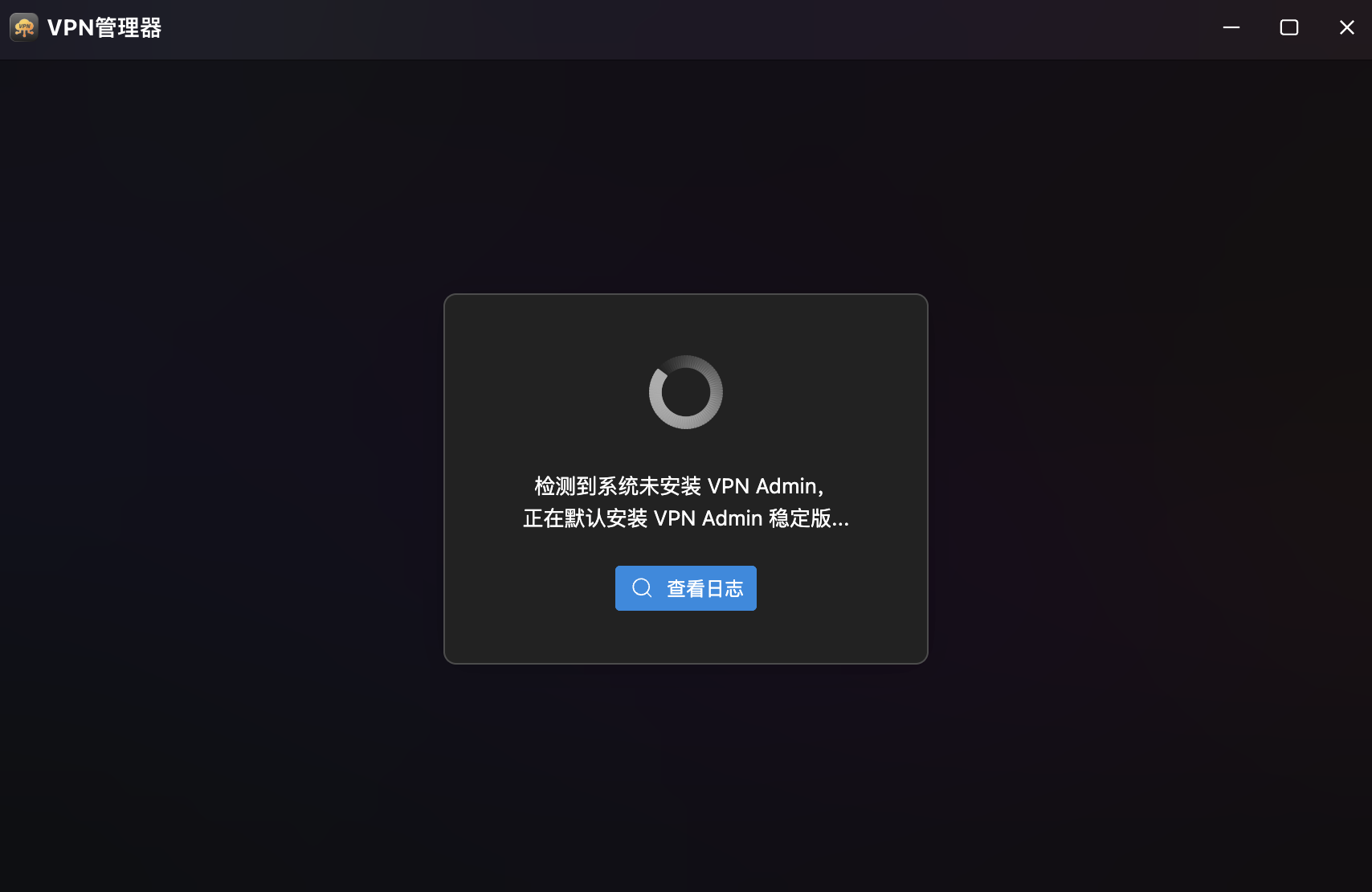
- Auto Detection & Install: Automatically installs VPN Admin stable version with progress display.
- View Logs: Click "View Logs" during installation to monitor progress.
Service Startup
After installation, if the VPN service is not running, the page guides you to start it.
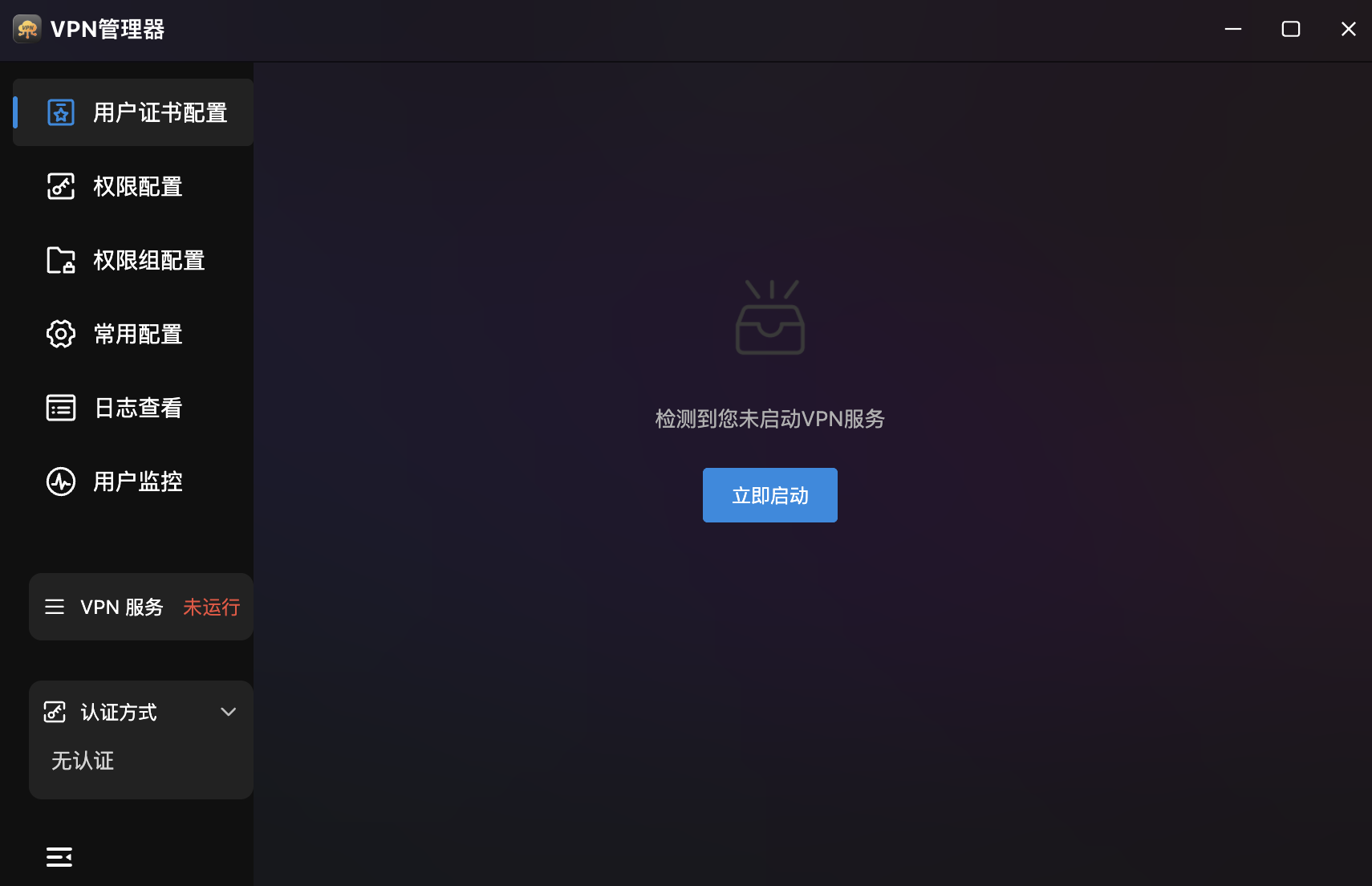
- Service Status: Bottom-left shows status ("Not Running" in red).
- Auth Method: Bottom-left shows current auth method (e.g., "No Auth").
- Start Now: Center prompt with "Start Now" button.
User Certificates
VPN Client Certificate Management. Create, download, and manage client certificates.
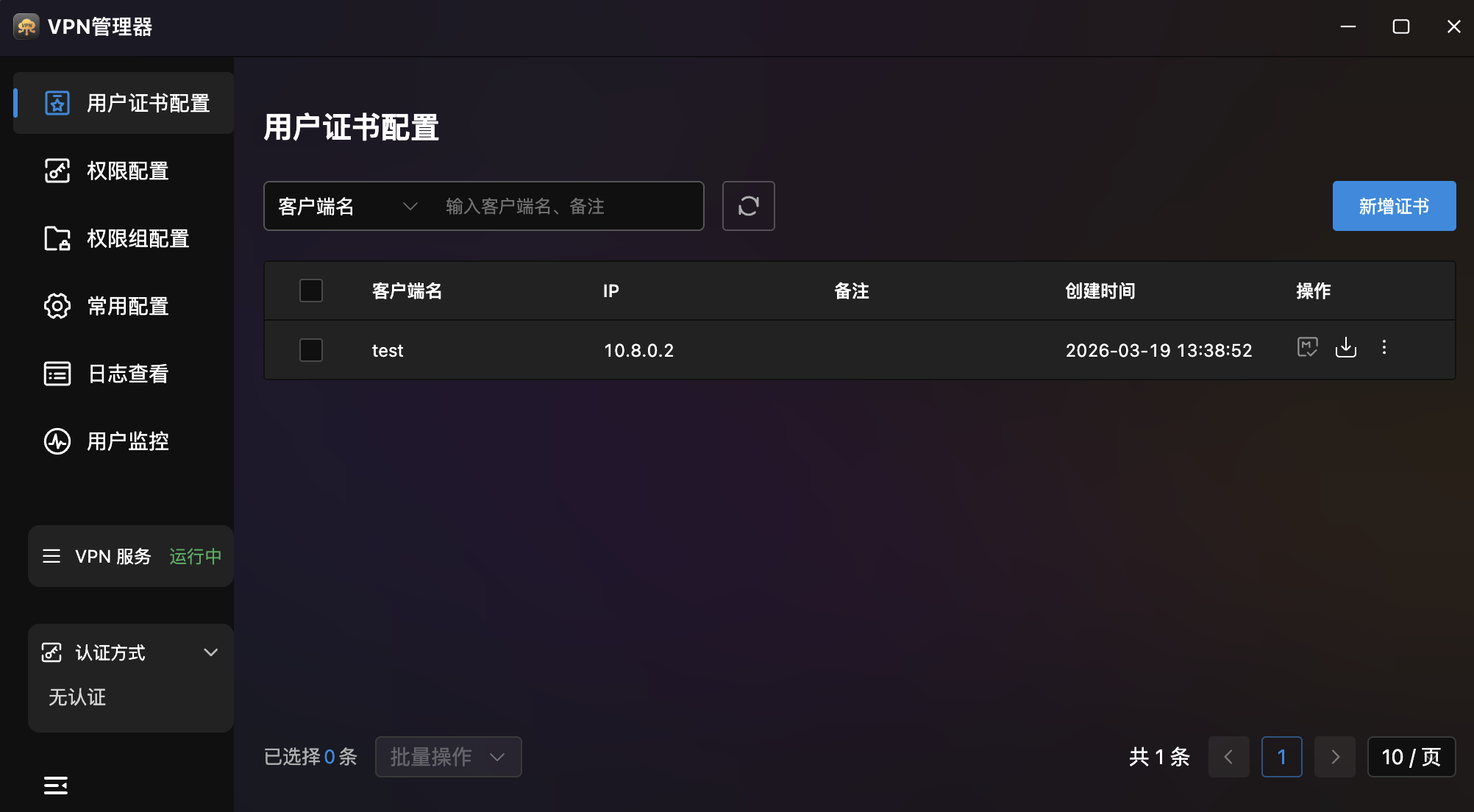
- Certificate List: Table showing client name, IP, notes, creation time, and actions.
- Search: Top search box with client name dropdown filter.
- Batch Operations: Bottom batch operations dropdown with pagination.
- Certificate Actions: Each record provides:
- Certificate Icon: View certificate details.
- Download: Download client certificate file.
- More Menu (⋮): View permissions, edit, delete.
Create Certificate
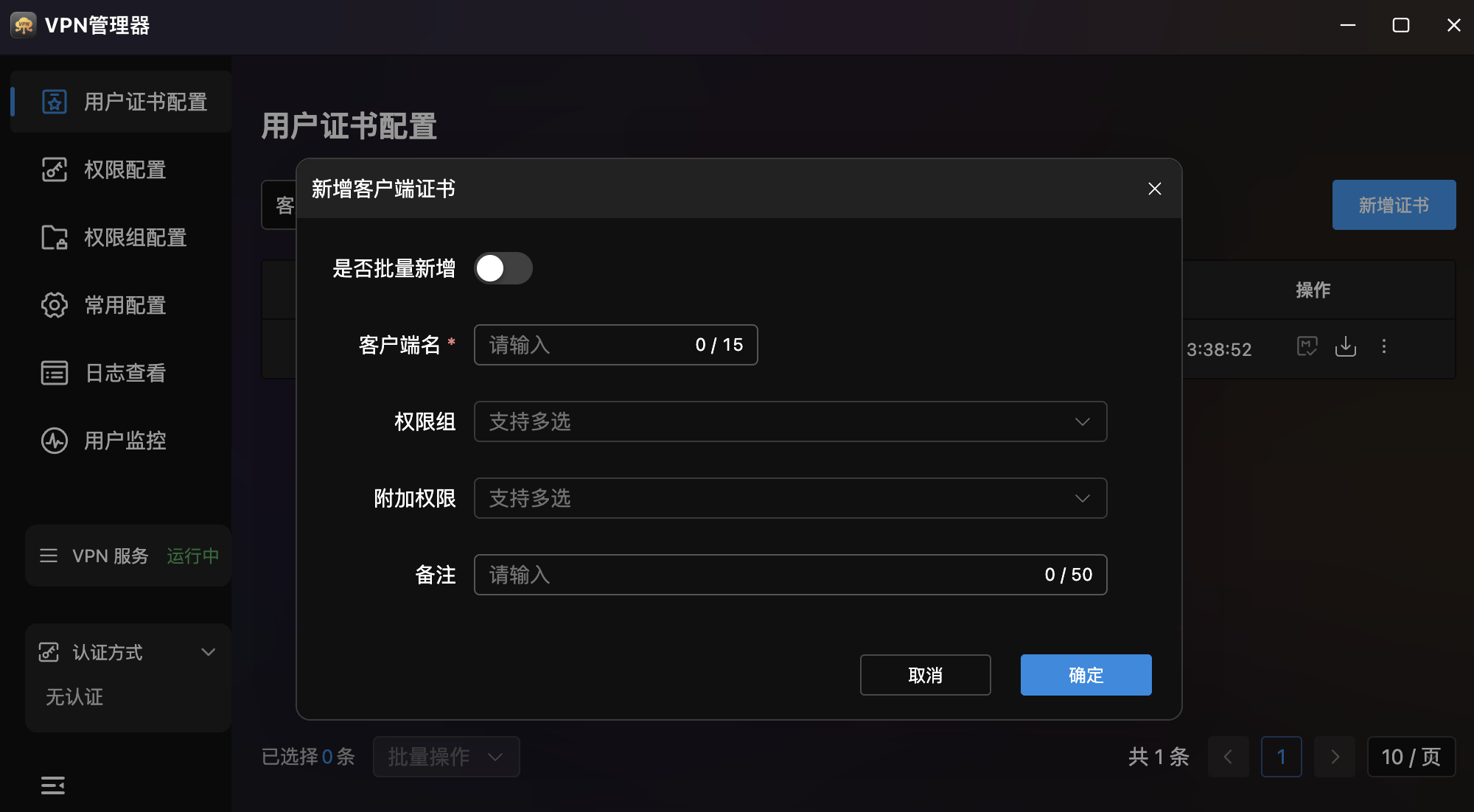
| Field | Description |
|---|---|
| Batch Create | Toggle for creating multiple certificates at once |
| Client Name | Client name (required, max 15 characters) |
| Permission Group | Dropdown for permission group selection (multi-select) |
| Additional Permissions | Dropdown for extra permissions (multi-select) |
| Notes | Notes (max 50 characters) |
Permissions
Fine-Grained VPN Access Control. Define target IPs and policies for VPN user access.
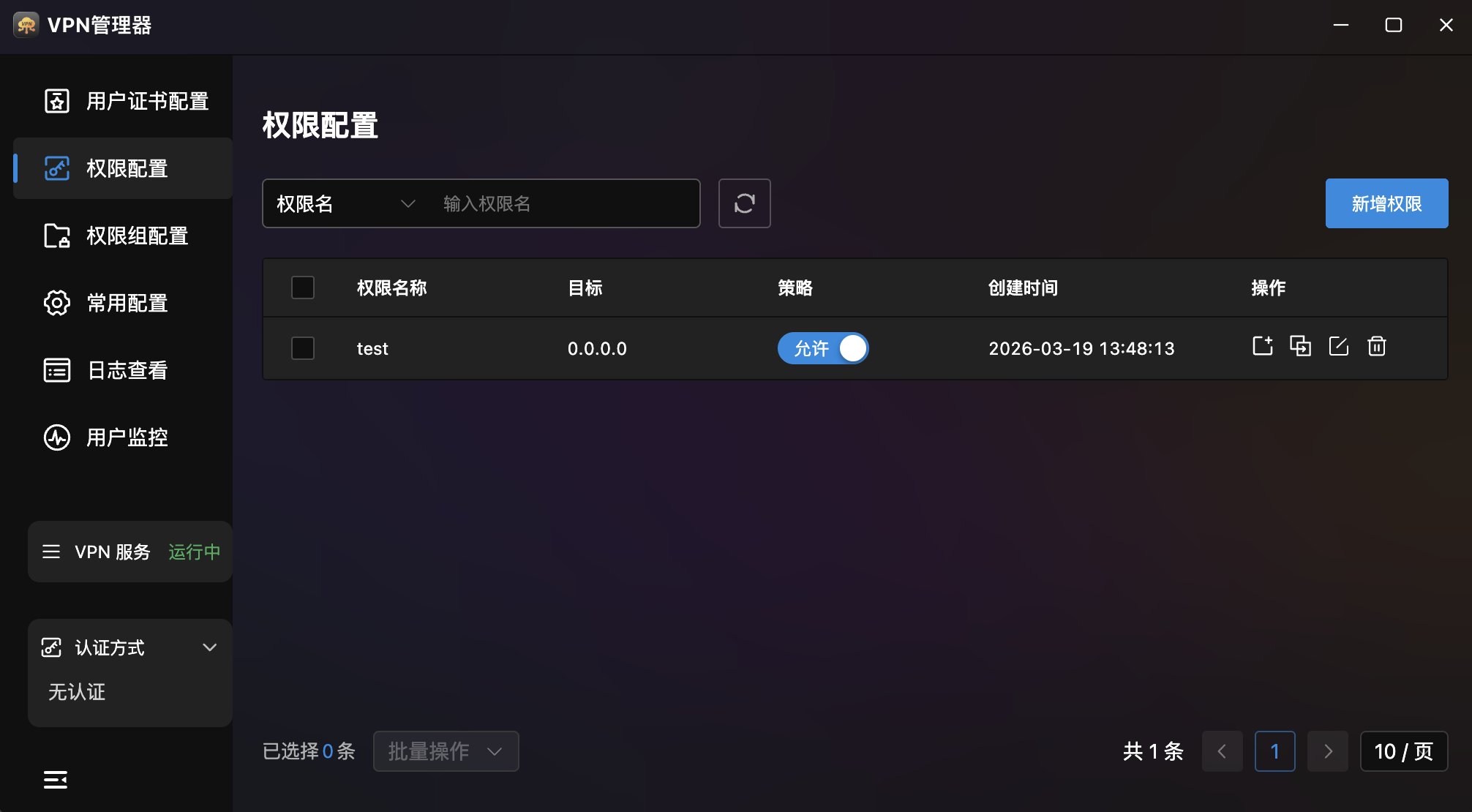
- Permission List: Table showing name, target, policy, creation time, and actions.
- Search: Top search box with permission name filter.
- Permission Actions: Four operations per record:
- Assign to User: Assign permission to specific users.
- Association Config: Manage permission-group associations.
- Edit: Modify permission info.
- Delete: Remove the permission rule.
Create Permission
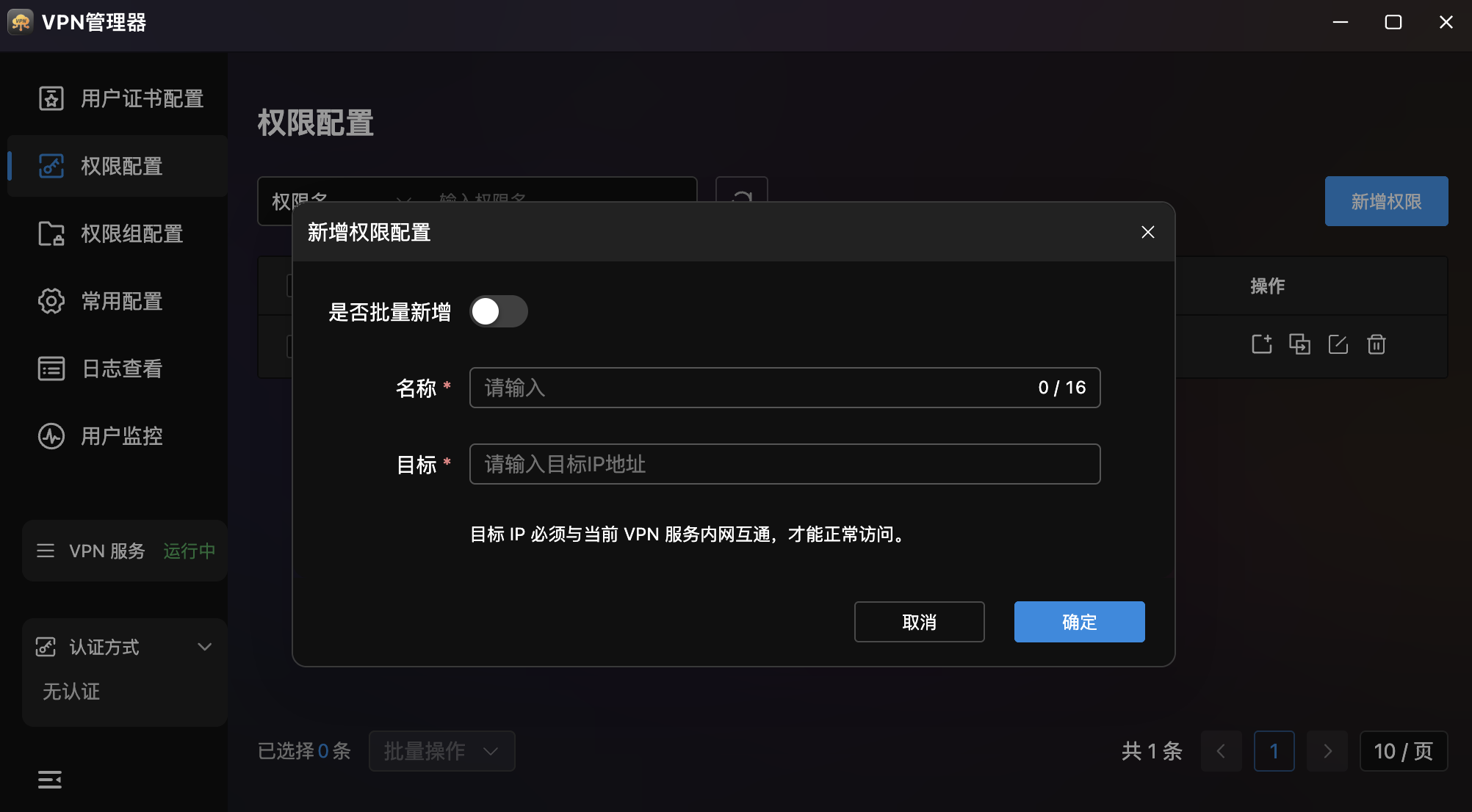
| Field | Description |
|---|---|
| Batch Create | Toggle for batch creation |
| Name | Permission name (required, max 16 characters) |
| Target | Target IP address (required), must be on the VPN internal network |
Permission Groups
Group-Based Batch Permission Management. Group multiple permissions together for batch assignment to users.
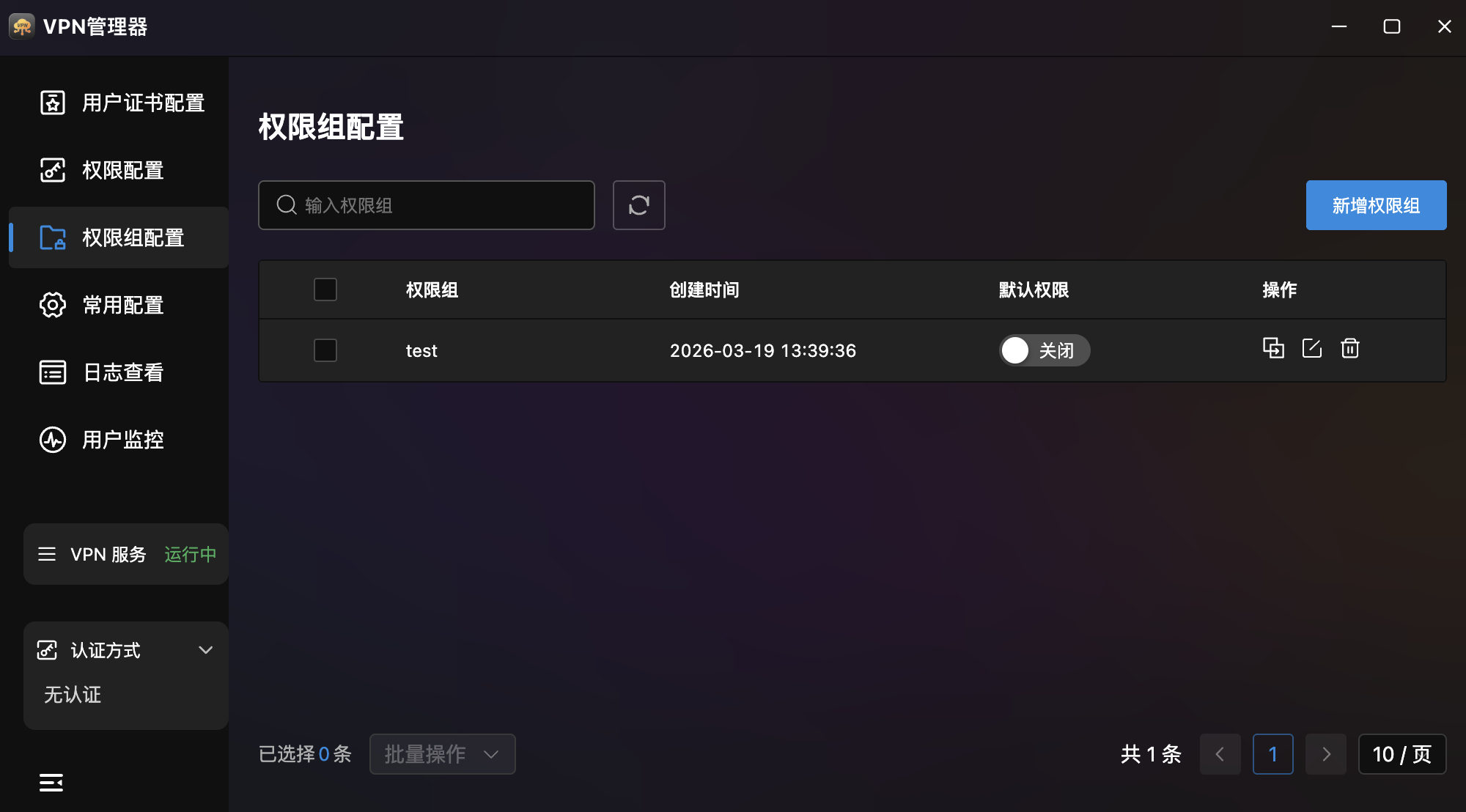
- Group List: Table showing name, creation time, default permission toggle, and actions.
- Search: Quick search for permission groups.
- Default Permission: Toggle per group — when set as default, new users automatically inherit the group's permissions.
- Actions: Association config, edit, and delete.
Association Config
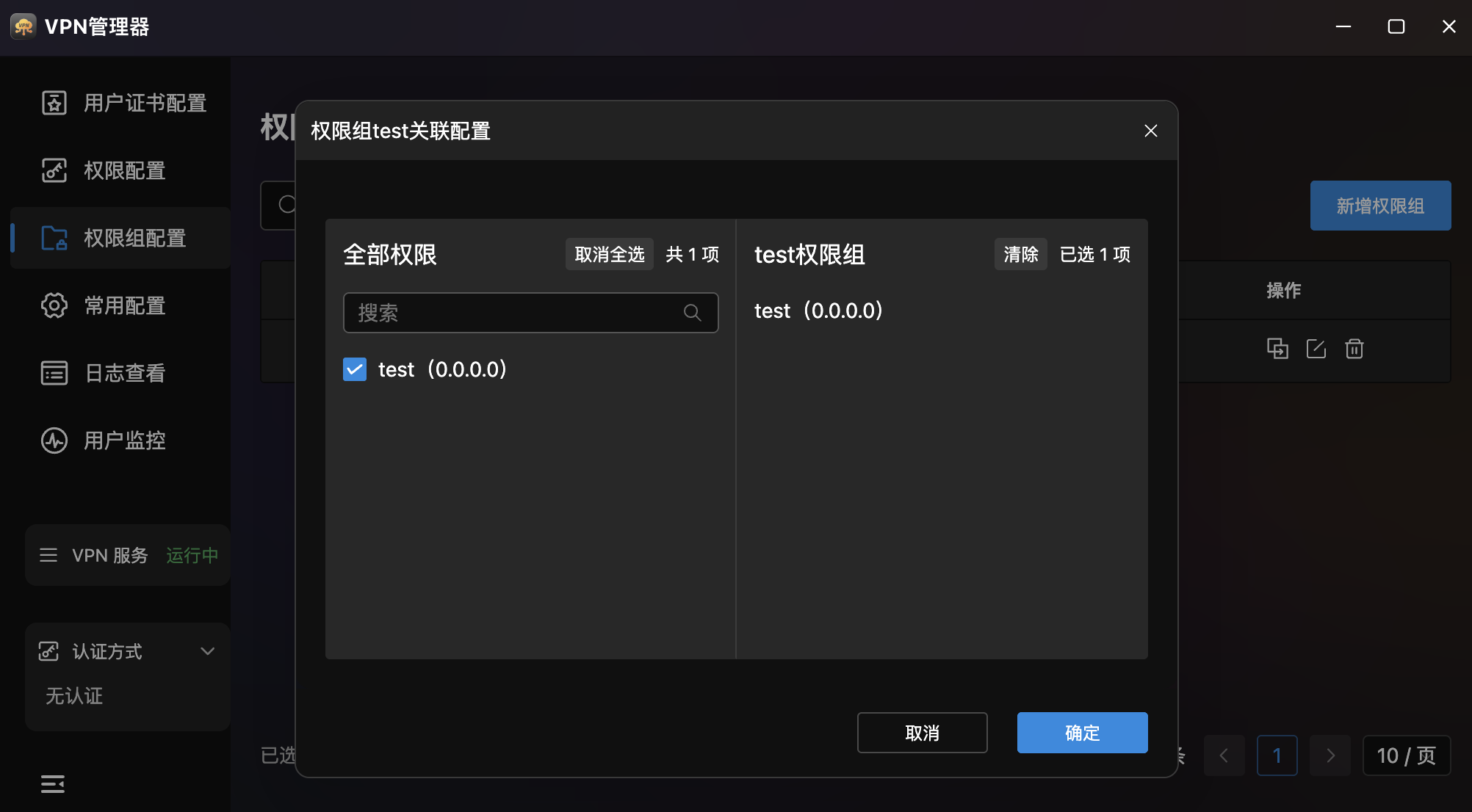
- All Permissions (left): Available permissions with search and select-all.
- Permission Group (right): Currently associated permissions.
- Operation: Move permissions from left to right, click "Confirm" to save.
Configuration
VPN Global Parameter Configuration. Visual adjustment of VPN service core parameters.
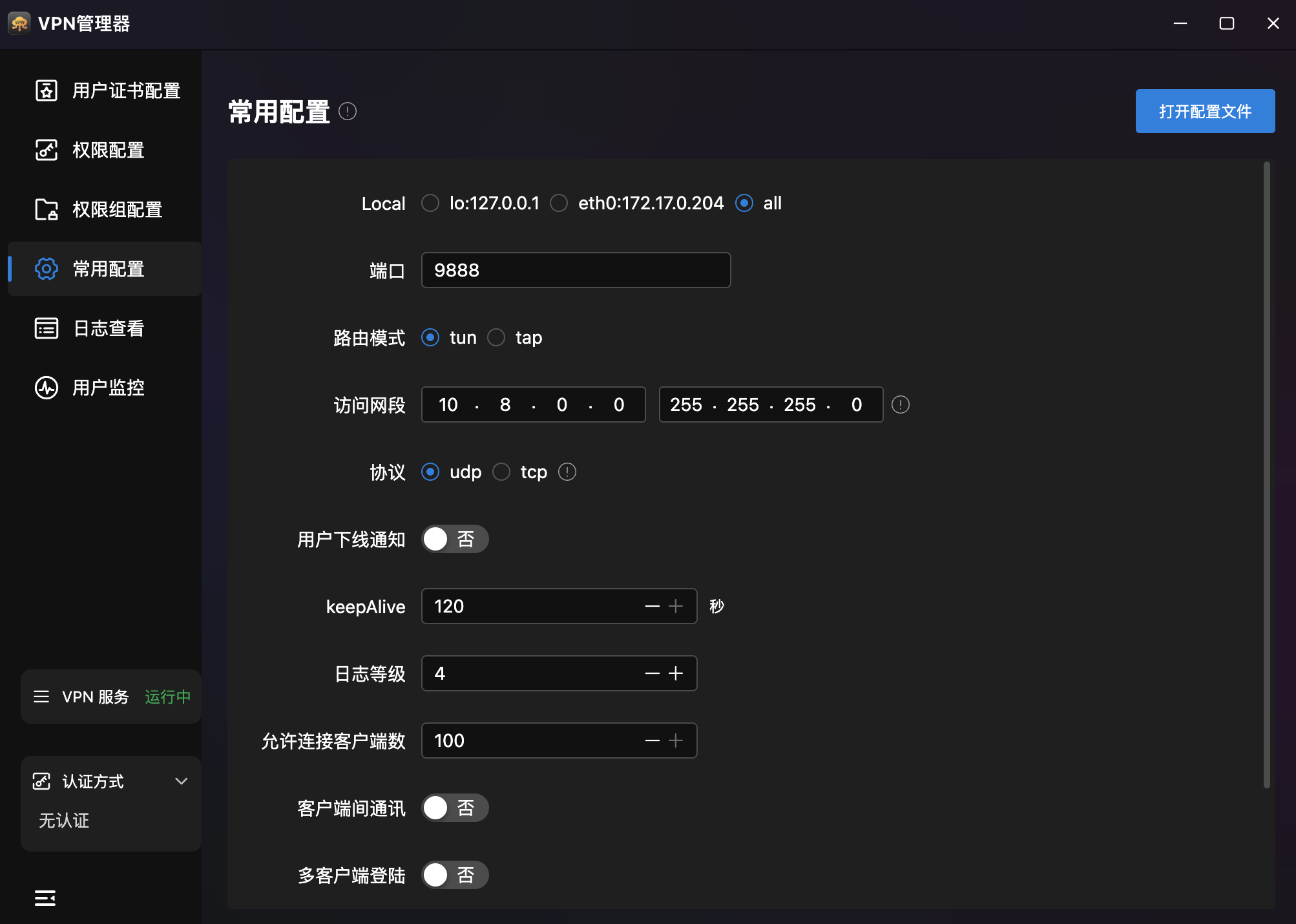
| Parameter | Example | Description |
|---|---|---|
| Routing Mode | tun | tun (Layer 3 routing) or tap (Layer 2 bridging) |
| Access Subnet | 10.8.0.0 / 255.255.255.0 | VPN internal network segment and mask |
| Protocol | udp | udp (recommended, better performance) or tcp |
| User Offline Notification | No | Send notification when users disconnect |
| keepAlive | 120 sec | Heartbeat keepalive interval |
| Log Level | 4 | Log verbosity level |
| Max Clients | 100 | Maximum simultaneous client connections |
| Inter-Client Communication | No | Allow VPN clients to communicate with each other |
| Multi-Client Login | No | Allow same certificate on multiple clients |
| Transport Compression | No | Enable data transmission compression |
- Open Config File: Top-right button for direct OpenVPN config editing.
- Save: Click "Save" to restart service with new settings.
Logs
VPN Runtime Log Viewer. View complete VPN service status logs.
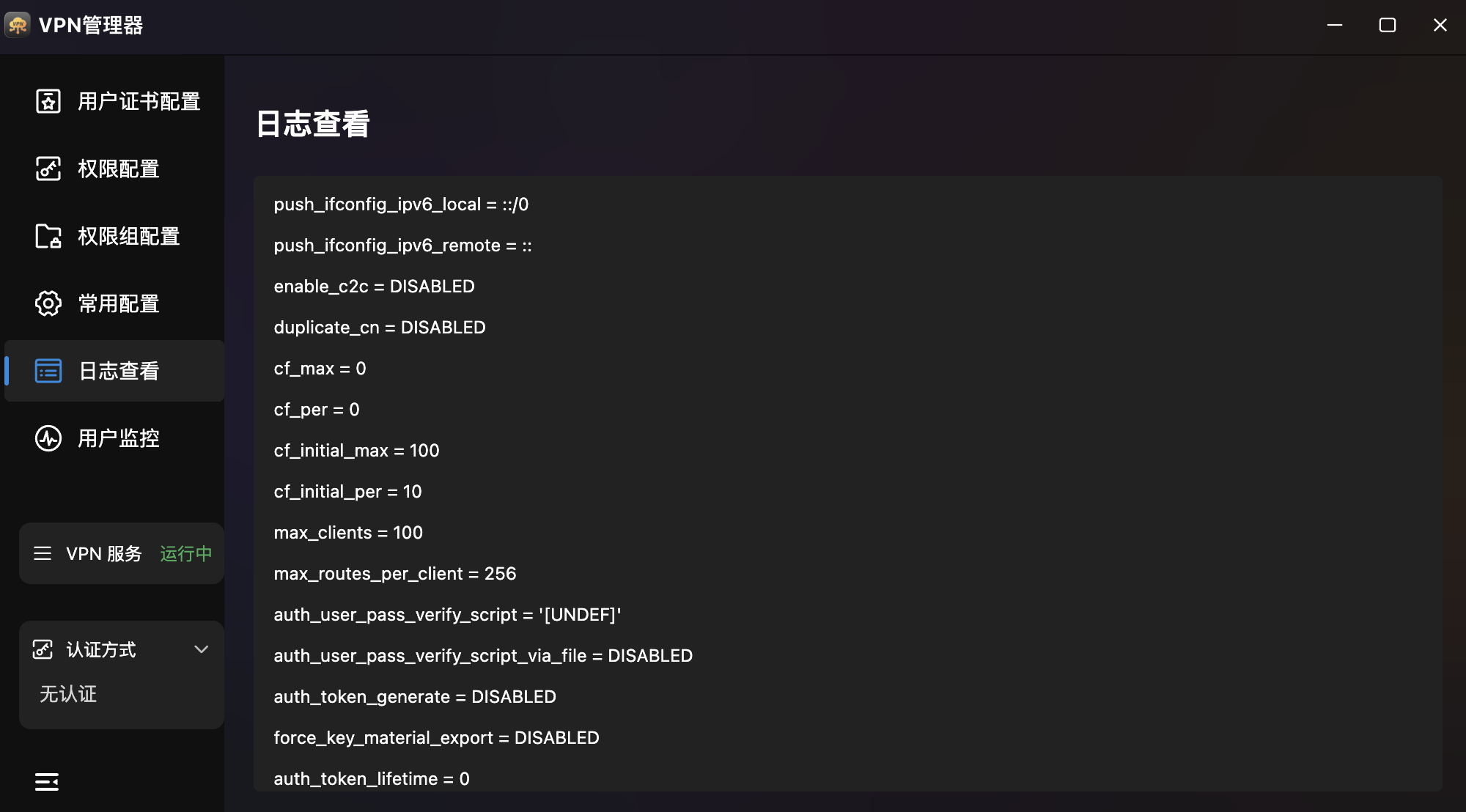
- Log Content: Terminal-style display of VPN runtime parameters — IPv6 config, inter-client communication, rate limiting, max clients, routing restrictions, auth script config, etc.
- Real-Time Refresh: Logs update in real-time as the service runs.
User Monitoring
Real-Time Online User Status. Table display of all currently connected VPN users.
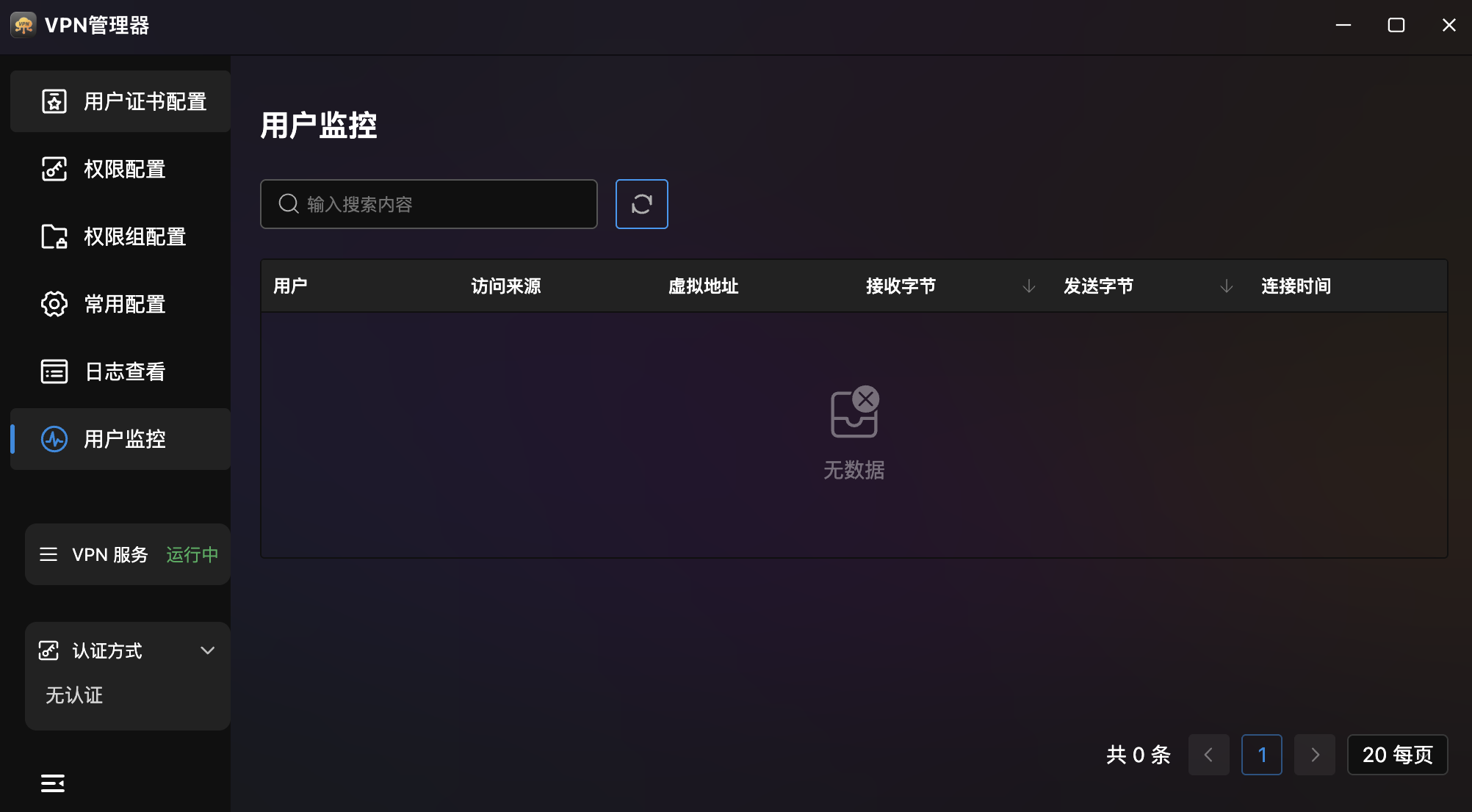
- Monitor Table:
| Column | Description |
|---|---|
| User | Connected client name |
| Source | Client's real IP address |
| Virtual Address | VPN-assigned virtual IP |
| Bytes Received | Total received data |
| Bytes Sent | Total sent data |
| Connected Time | Connection duration |
- Search: Quick user lookup.
- Pagination: Bottom pagination (default 20 per page).