
MySQL Manager
GMSSH MySQL Manager is a visual management tool for MySQL databases on Linux servers. It provides an intuitive graphical interface covering Console, Databases & Users, Configuration, Performance, Logs, and phpMyAdmin.
Core Features
| Module | Purpose | Core Capabilities |
|---|---|---|
| Console | Status Monitor | Service control, real-time status and performance metrics |
| Databases & Users | DB & Permission Mgmt | Create/delete databases, manage users and access permissions |
| Configuration | Parameter Tuning | Visual MySQL core parameter editing |
| Performance | Optimization | Performance parameter tuning and recommendations |
| Logs | Runtime Logs | View and clean MySQL logs |
| phpMyAdmin | Web DB Management | Integrated phpMyAdmin for full web-based database operations |
Initialization
Smart Detection & One-Click Install. On first launch, the system detects MySQL status. If not found, a guide page prompts one-click installation.
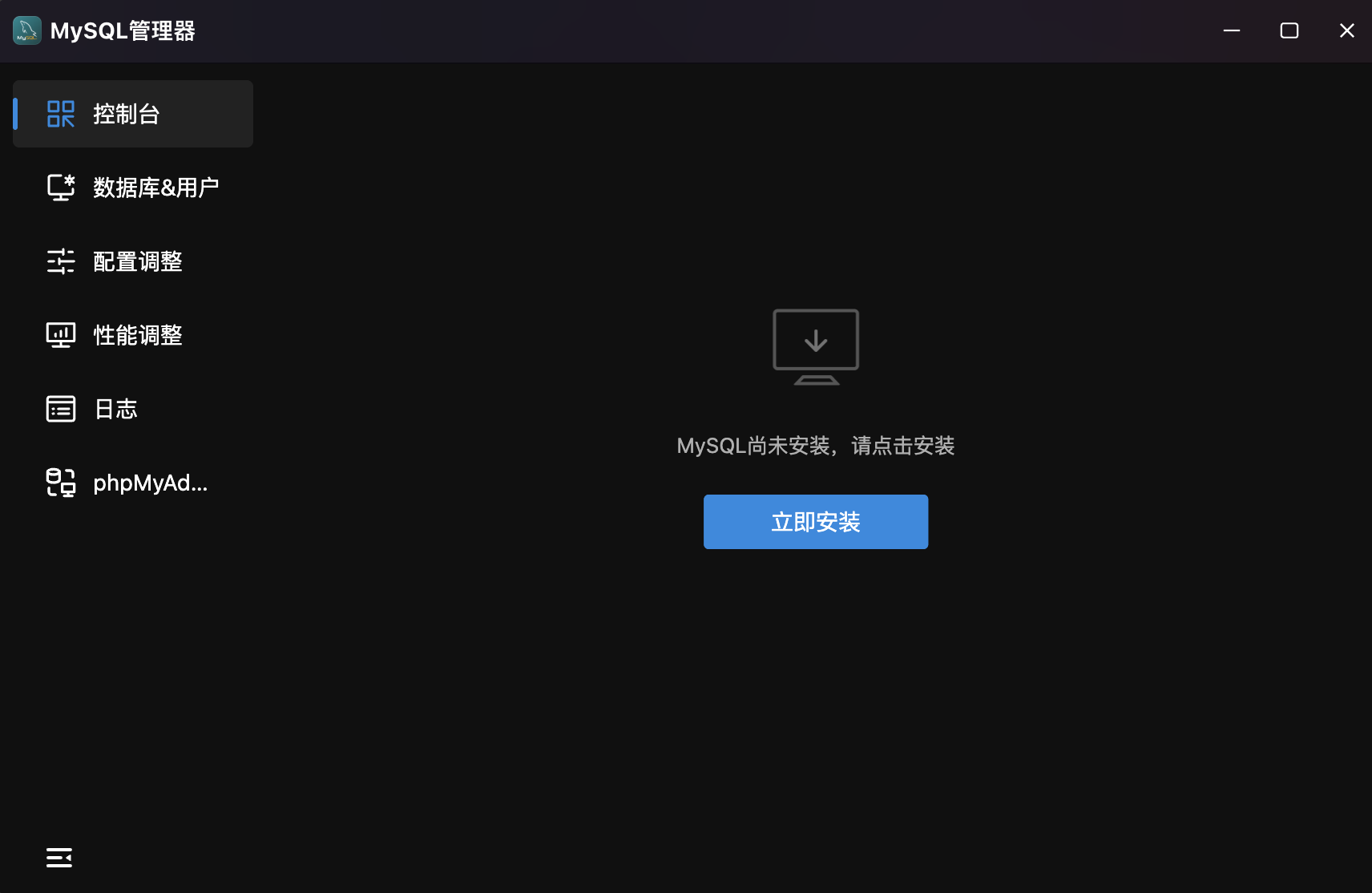
- Auto Detection: Prompts "MySQL not installed, please click to install".
- Install Now: Click to enter the installation wizard.
Install MySQL
Three installation methods:
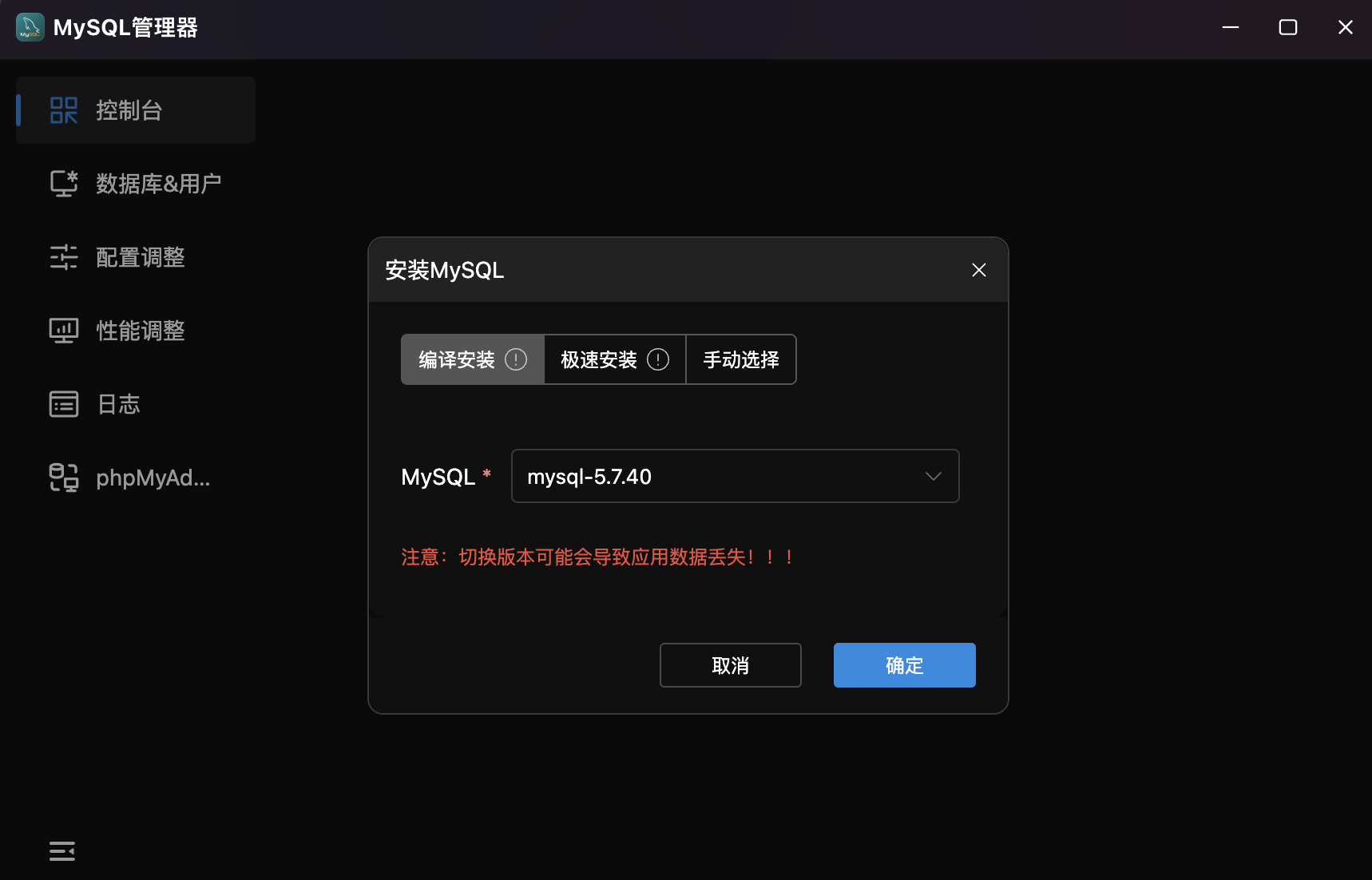
- Compile Install: Build from source with custom parameters.
- Quick Install: Pre-compiled package — fastest option.
- Manual Select: Specify an existing MySQL binary path.
- Version Selection: Dropdown for target version (e.g.,
mysql-5.7.40). - Safety Warning: Warns about potential data loss when switching versions.
Console
Real-Time MySQL Status Monitor. Dashboard display of service status, traffic, logs, load metrics, and performance indicators.
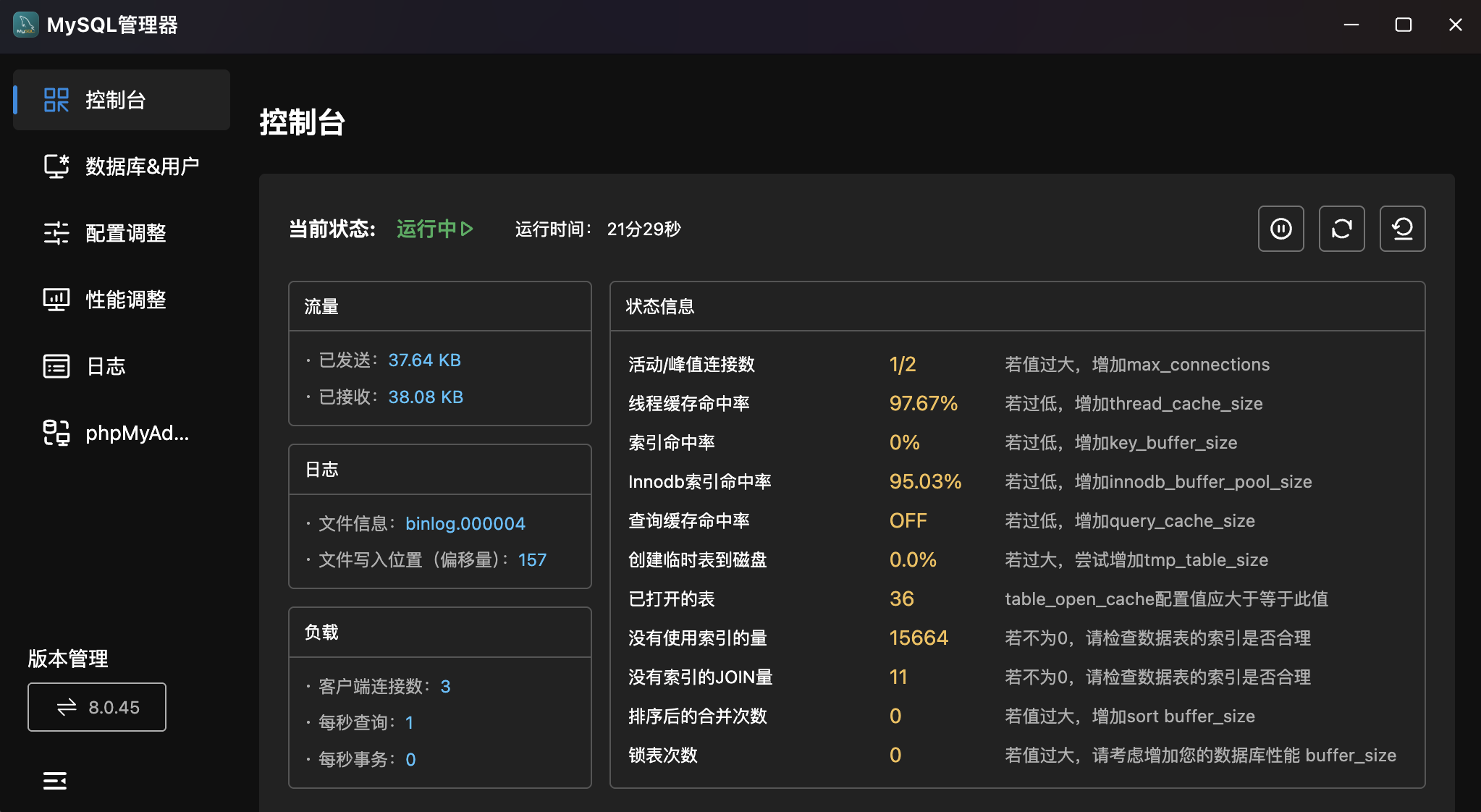
- Status: Header shows service status ("Running ▶") with uptime and green indicator.
- Quick Actions: Three buttons — Stop, Restart, Reload.
- Traffic Monitor:
- Sent: Total data sent by the server.
- Received: Total data received.
- Log Info: Current binlog file and write position (offset) for replication monitoring.
- Load Metrics:
- Client Connections: Current active connections.
- QPS: Queries Per Second.
- TPS: Transactions Per Second.
- Status Info: Performance metrics with tuning recommendations:
| Metric | Description | Tuning Advice |
|---|---|---|
| Active/Peak Connections | Current / historical peak | Increase max_connections if too high |
| Thread Cache Hit Rate | Thread cache reuse efficiency | Increase thread_cache_size if low |
| Index Hit Rate | MyISAM key cache hit rate | Increase key_buffer_size if low |
| InnoDB Index Hit Rate | InnoDB buffer pool hit rate | Increase innodb_buffer_pool_size if low |
| Query Cache Hit Rate | Query result cache hit rate | Increase query_cache_size if low |
| Temp Tables on Disk | Disk temp table ratio | Increase tmp_table_size if high |
| Open Tables | Currently open tables | table_open_cache should exceed this |
| Queries Without Index | Non-indexed queries | Review table index design if non-zero |
| JOINs Without Index | Non-indexed joins | Review table index design if non-zero |
| Sort Merge Passes | Sort overflow to disk | Increase sort_buffer_size if high |
| Table Locks | Table lock waits | Consider optimizing lock strategy |
Databases & Users
Centralized Database & User Management. Two tabs: "Database Management" and "User Management".
Database Management
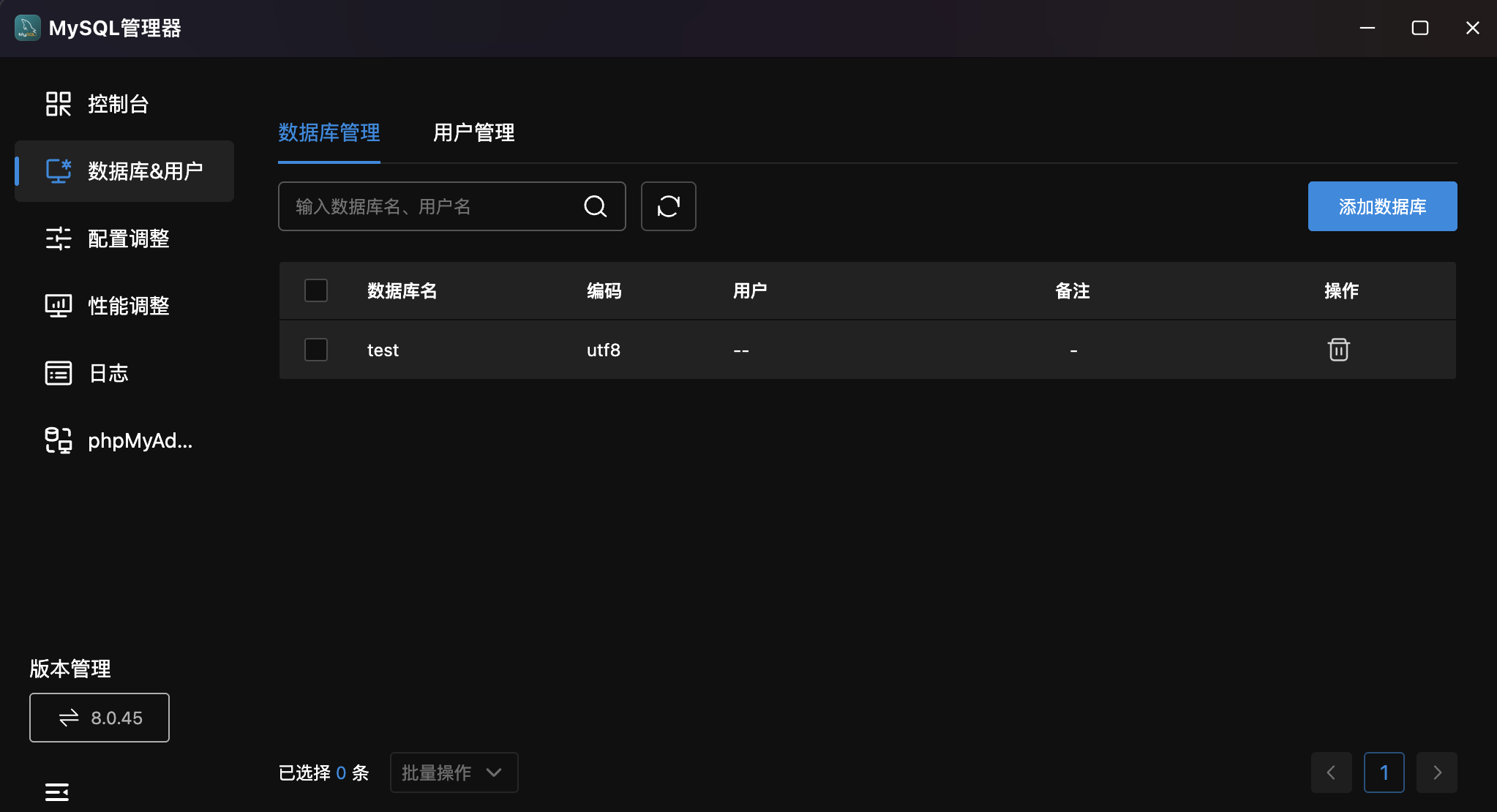
- Database List: Table showing name, encoding (e.g.,
utf8), associated user, notes, and actions. - Search & Refresh: Search by database name or username with refresh button.
- Add Database: Top-right button with form for creating databases with custom encoding and user association.
- Delete: Remove databases no longer needed.
User Management
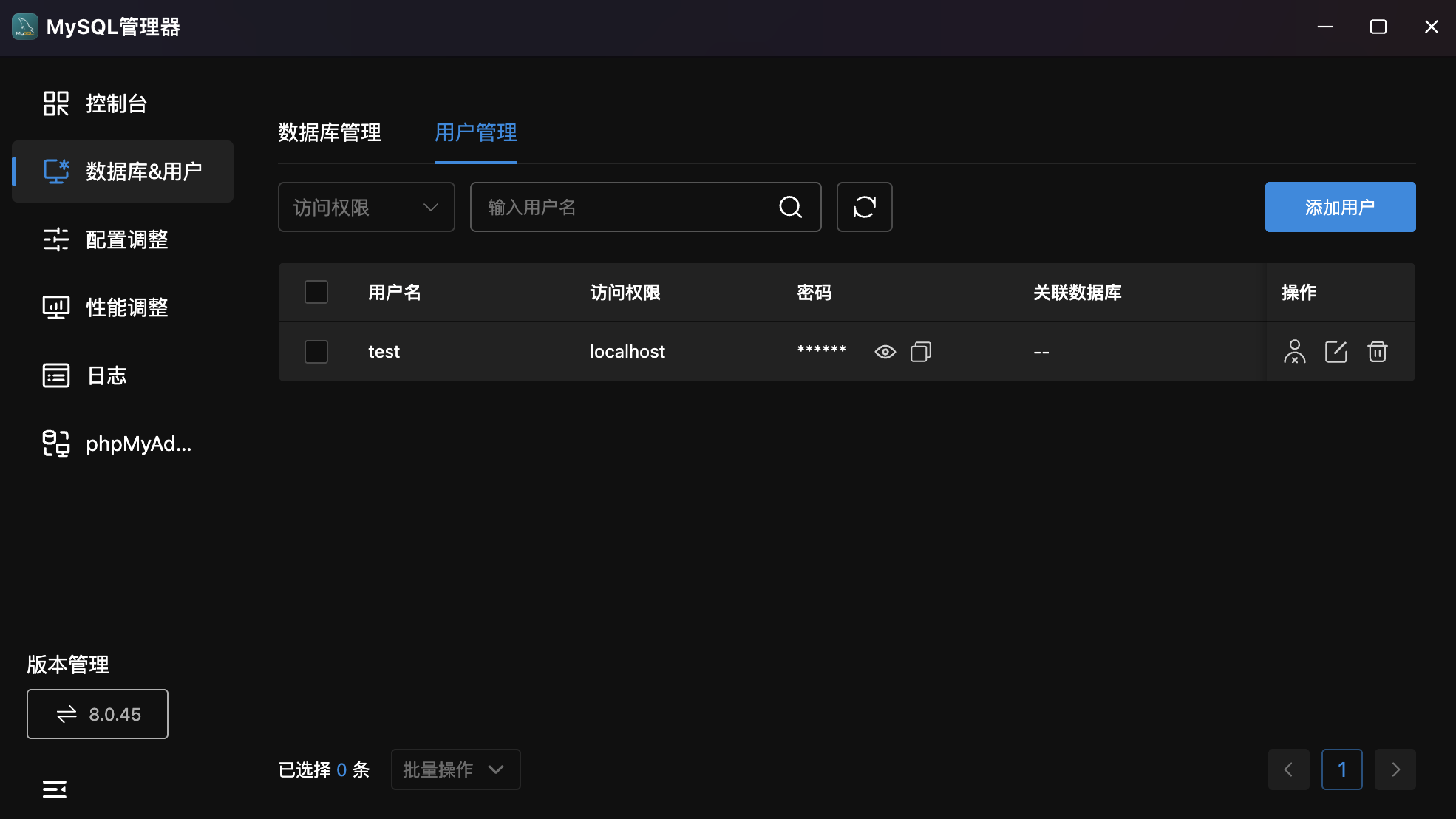
- User List: Table showing username, access permissions (e.g.,
localhost), password (show/hide/copy), associated databases, and actions. - Multi-Filter: Dropdown for access permission filtering plus username search.
- Add User: Top-right button with form for creating users with username, password, and permissions.
- User Actions:
- Permissions: Manage database access permissions.
- Edit: Modify user info and password.
- Delete: Remove user and associated permissions.
Configuration
Visual MySQL Parameter Tuning. Graphical editing without manually editing my.cnf.
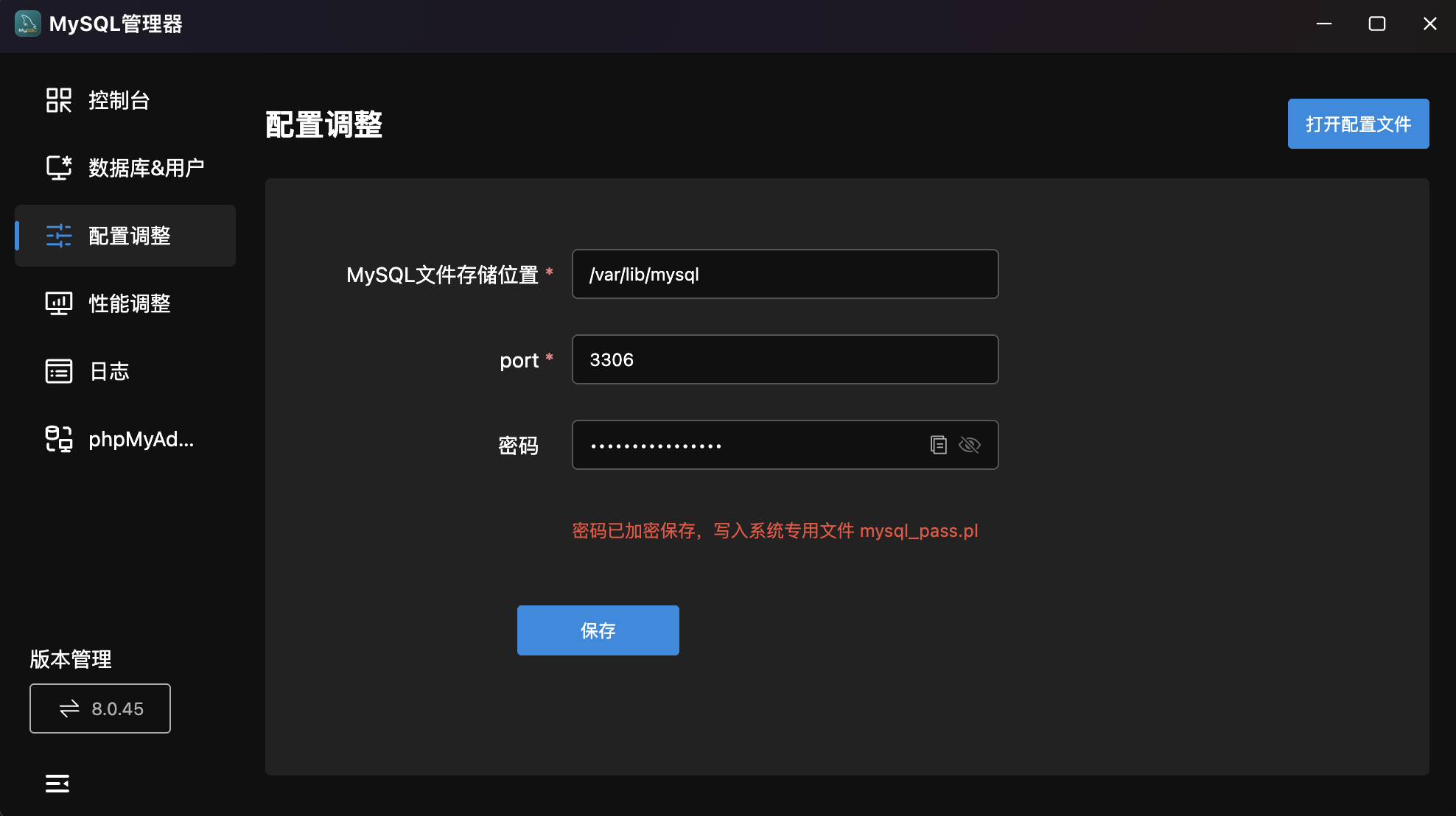
- Common Parameters:
| Parameter | Example | Description |
|---|---|---|
MySQL Data Path | /var/lib/mysql | Data file storage path |
port | 3306 | MySQL listen port |
Password | •••••••• | Root password with copy/show/hide toggle |
- Password Management: Encrypted storage in
mysql_pass.pl. Supports random password generation. - Save: Click "Save" to apply.
- Open Config File: Top-right button for direct config file editing.
Performance
Deep MySQL Performance Tuning. Centralized performance parameter configuration with preset optimization plans.
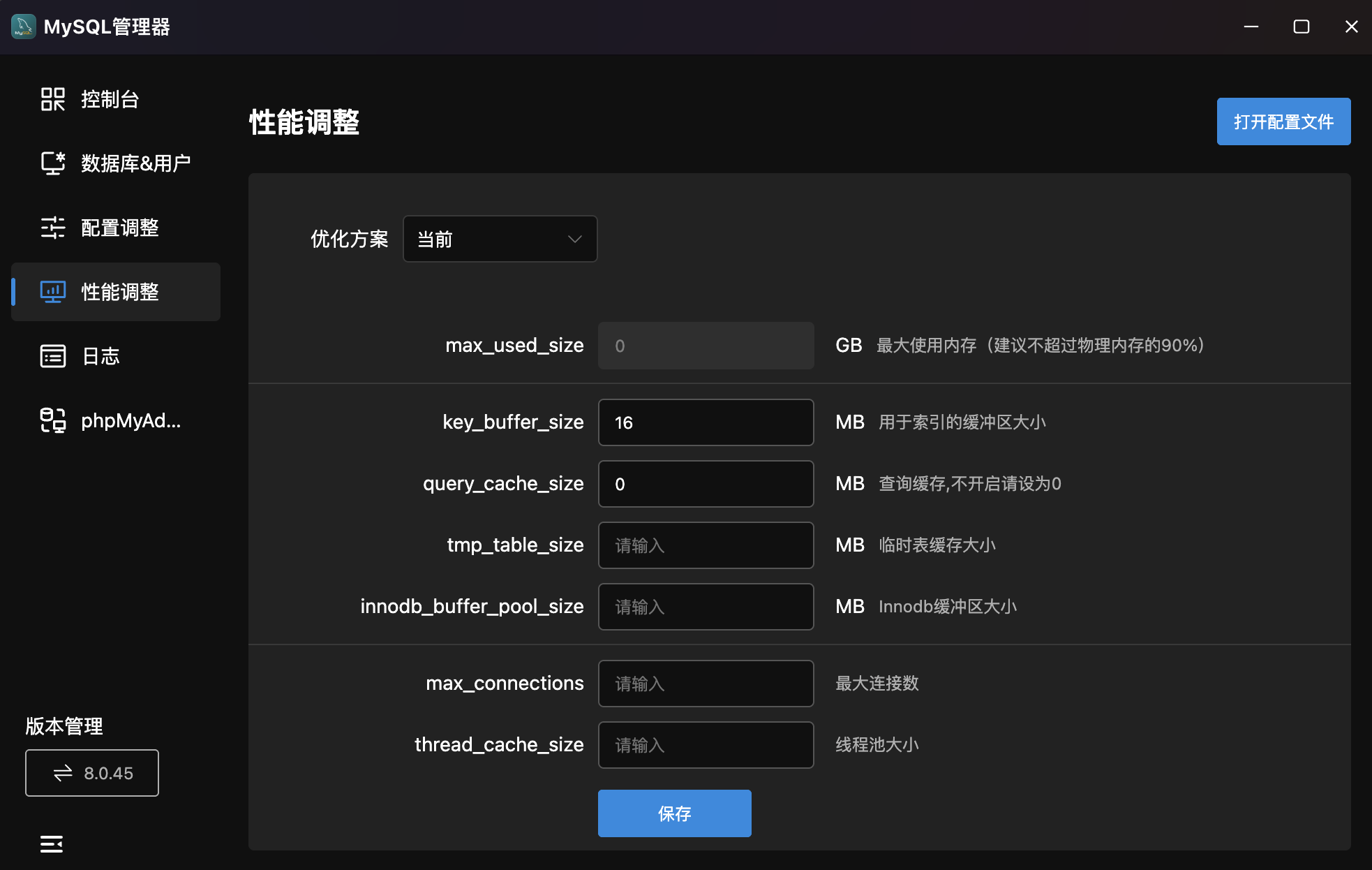
- Optimization Plan: Dropdown for preset plans based on server specs.
- Tunable Parameters:
| Parameter | Unit | Description |
|---|---|---|
max_used_size | GB | Max memory usage (recommend ≤ 90% of physical RAM) |
key_buffer_size | MB | Index buffer size |
query_cache_size | MB | Query cache (set to 0 to disable) |
tmp_table_size | MB | Temp table cache size |
innodb_buffer_pool_size | MB | InnoDB buffer pool size |
max_connections | — | Maximum connections |
thread_cache_size | — | Thread pool size |
thread_stack | KB | Per-thread stack size |
sort_buffer_size | KB | Per-thread sort buffer |
read_buffer_size | KB | Read buffer size |
join_buffer_size | KB | Join buffer size |
read_rnd_buffer_size | KB | Random read buffer size |
binlog_cache_size | KB | Binary log cache (multiple of 4096) |
table_open_cache | — | Table cache |
- Save: Click "Save" to apply.
- Open Config File: Top-right button for direct editing.
Logs
MySQL Runtime & Slow Query Logs. Two tabs: "Logs" and "Slow Logs".
Runtime Logs
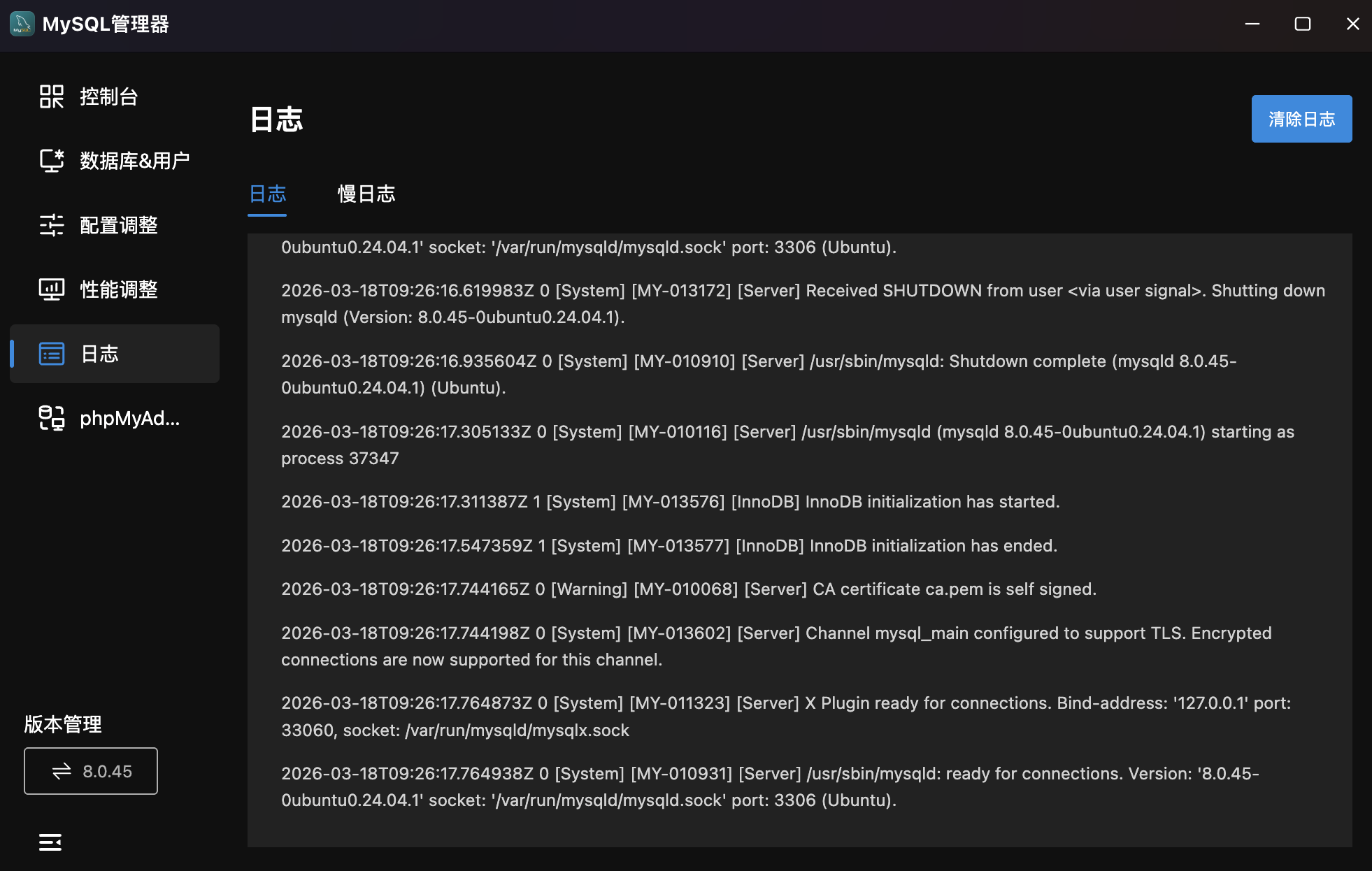
- Log Viewer: Timeline display of MySQL logs including startup, InnoDB initialization, TLS config, connection events with timestamps.
- Clear Logs: Top-right button to clean logs.
Slow Logs
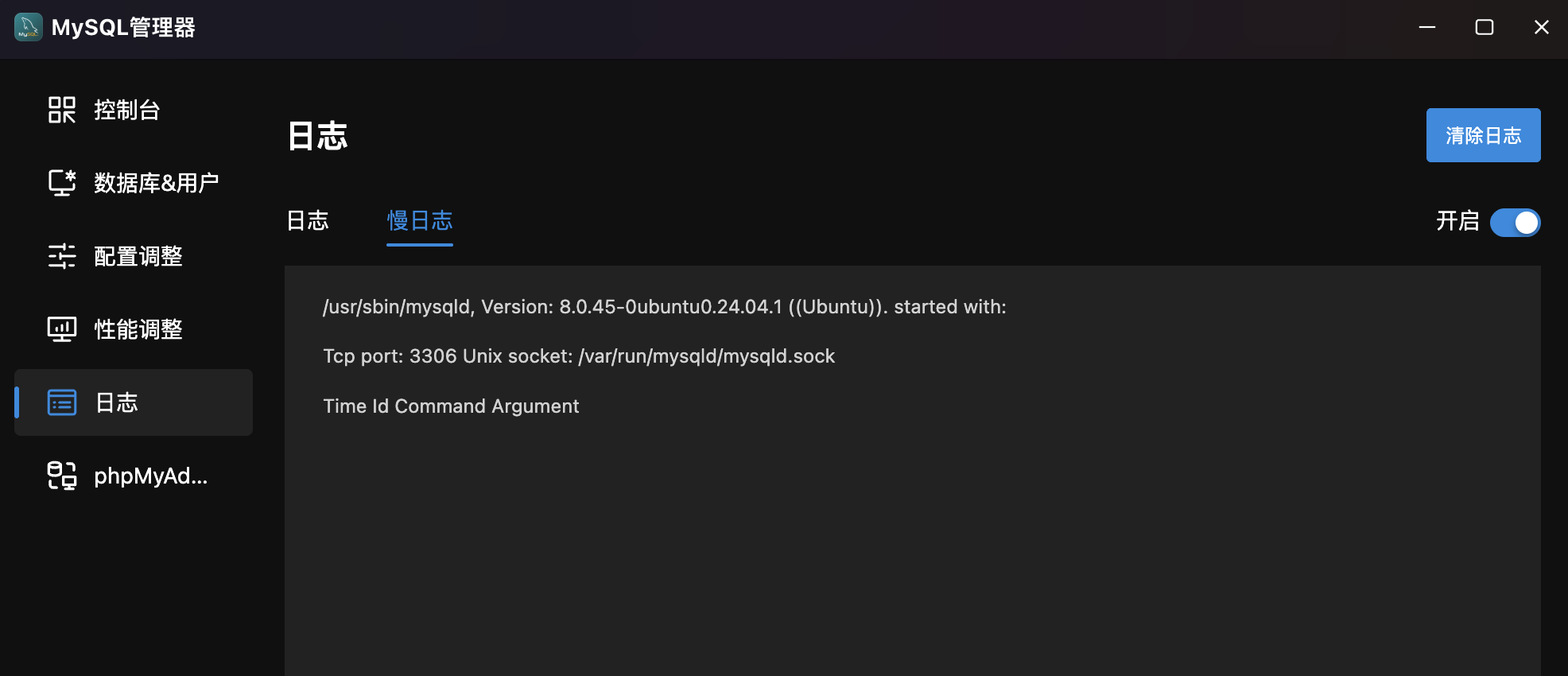
- Slow Query Log: Displays slow query records with mysqld version, port, socket path, and query details (Time, Id, Command, Argument).
- Enable/Disable: Top-right toggle to enable/disable slow query logging.
phpMyAdmin
Web Database Management Tool. Integrated phpMyAdmin with environment detection and one-click deployment.
Environment Detection
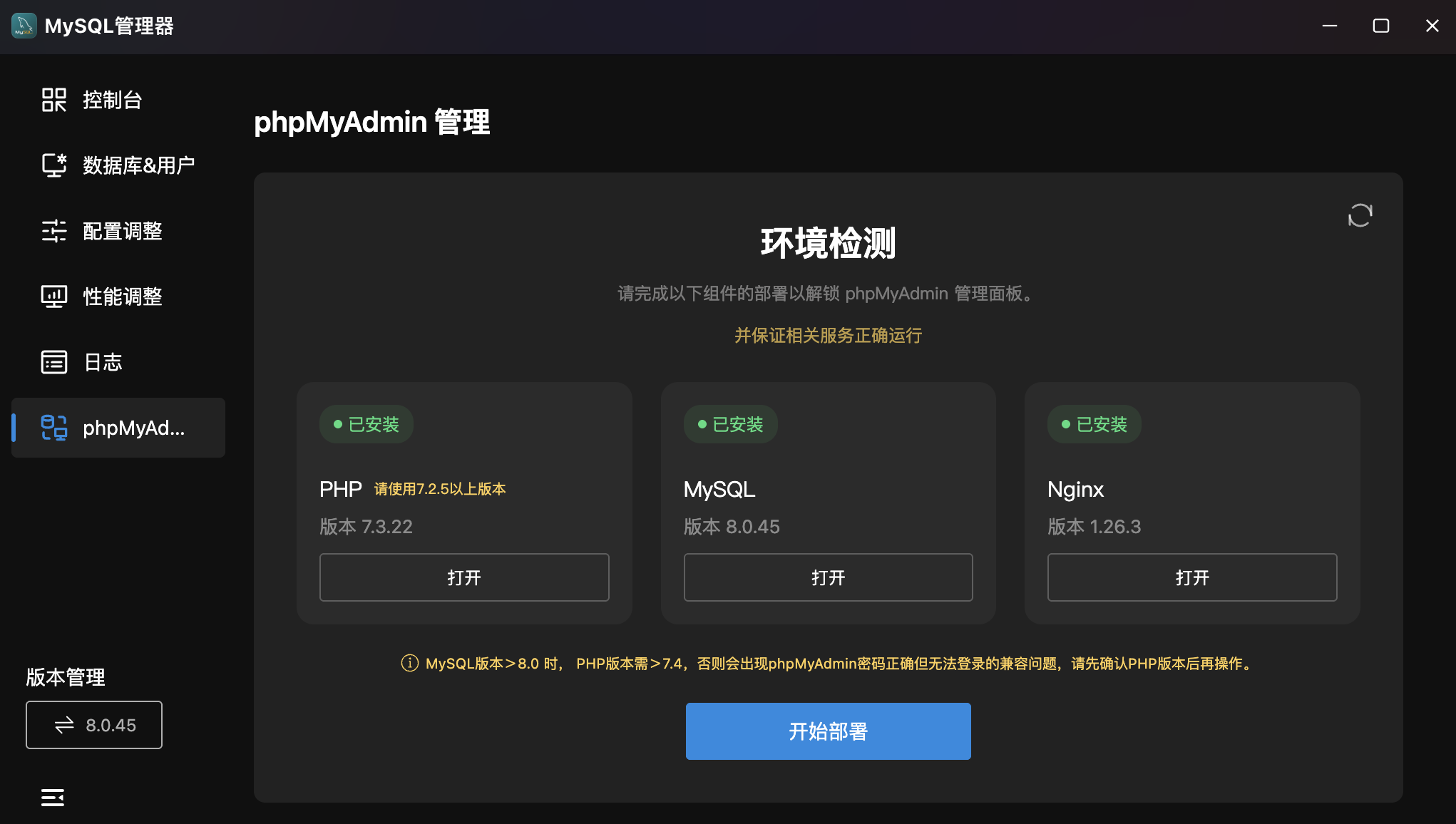
- Dependency Check: Cards showing installation status of three dependencies:
- PHP: Version 7.2.5+ required. Click "Open" to jump to PHP Manager.
- MySQL: Current version display. Click "Open" for MySQL Console.
- Nginx: Current version display. Click "Open" for Nginx Manager.
- Compatibility Notice: MySQL > 8.0 requires PHP > 7.4 to avoid login issues.
- Deploy: Click "Start Deploy" when all dependencies are ready.
Management Panel
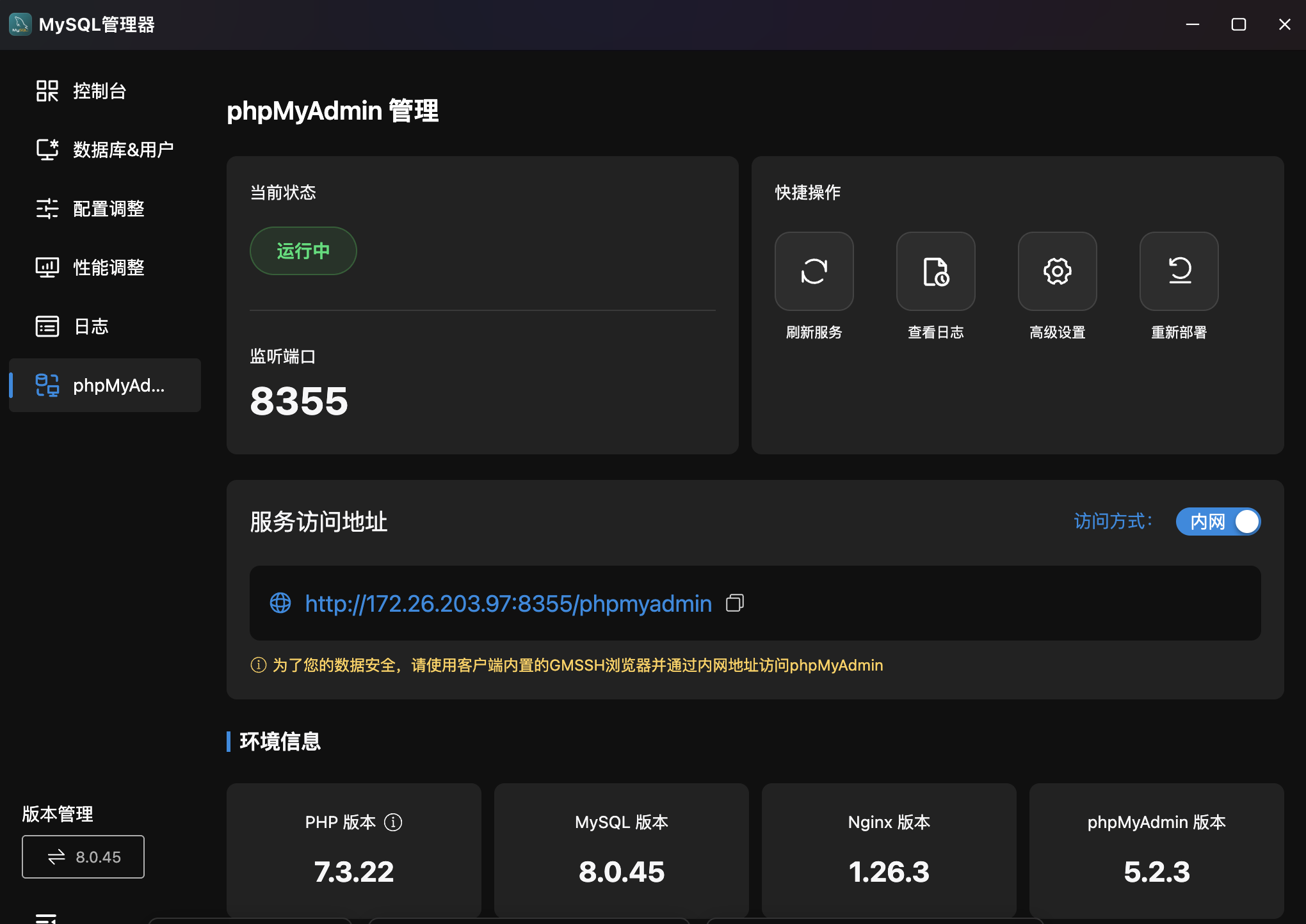
- Status: Shows service status ("Running") and listen port (e.g.,
8355). - Quick Actions: Refresh Service, View Logs, Advanced Settings, Redeploy.
- Access URL: phpMyAdmin web URL (e.g.,
http://172.26.203.97:8355/phpmyadmin) with copy support and internal/external access switching. - Security Note: Recommended to use the built-in GMSSH browser via internal network.
- Environment Info: Bottom cards showing PHP, MySQL, Nginx, and phpMyAdmin versions.
Version Management
Multi-Version MySQL Management. Bottom-left shows current version (e.g., 8.0.45).
- Current Version: Click to enter version switching interface.
- Version Switch: Switch between installed versions for testing or upgrades.
FAQ
MySQL Connection Failed — Password Sync Required
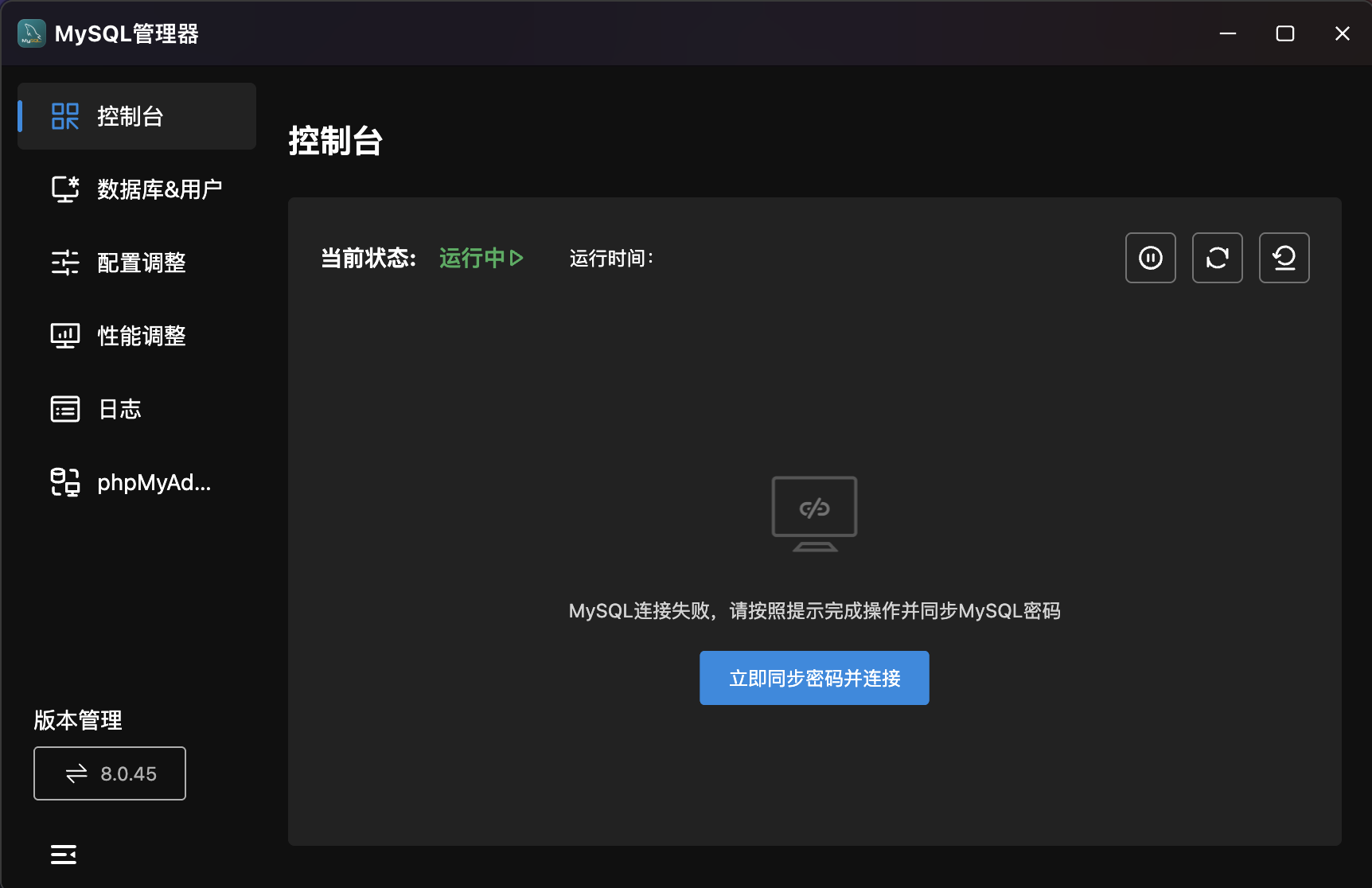
Symptom: MySQL shows "Running ▶" but Console prompts "MySQL connection failed, please sync MySQL password".
Cause: The root password stored in GMSSH differs from the actual MySQL password. Common scenarios:
- First connection after installing MySQL outside GMSSH.
- Root password was manually changed via command line.
- Password policy changed after version upgrade.
Solution: Click "Sync Password & Connect Now" and follow the prompts to enter the current MySQL root password.