
Firewall Manager
GMSSH Firewall Manager is a visual system-level firewall management tool for Linux servers. It provides an intuitive graphical interface covering Port Rules, IP Rules, Inbound Forwarding, and Outbound Forwarding, with a global firewall toggle and Ping blocking control.
Core Features
| Module | Purpose | Core Capabilities |
|---|---|---|
| Port Rules | Port Access Control | Allow/deny rules by protocol, port, and direction |
| IP Rules | IP Access Control | Allow/deny rules by IP for inbound/outbound |
| Inbound Forwarding | Inbound Traffic Forward | Forward local port traffic to target IP and port |
| Outbound Forwarding | Outbound Traffic Forward | Custom protocol, source IP, source port outbound rules |
Initialization
Zero-Barrier Firewall Setup. If the firewall is not running on first launch, a guide page prompts one-click activation.
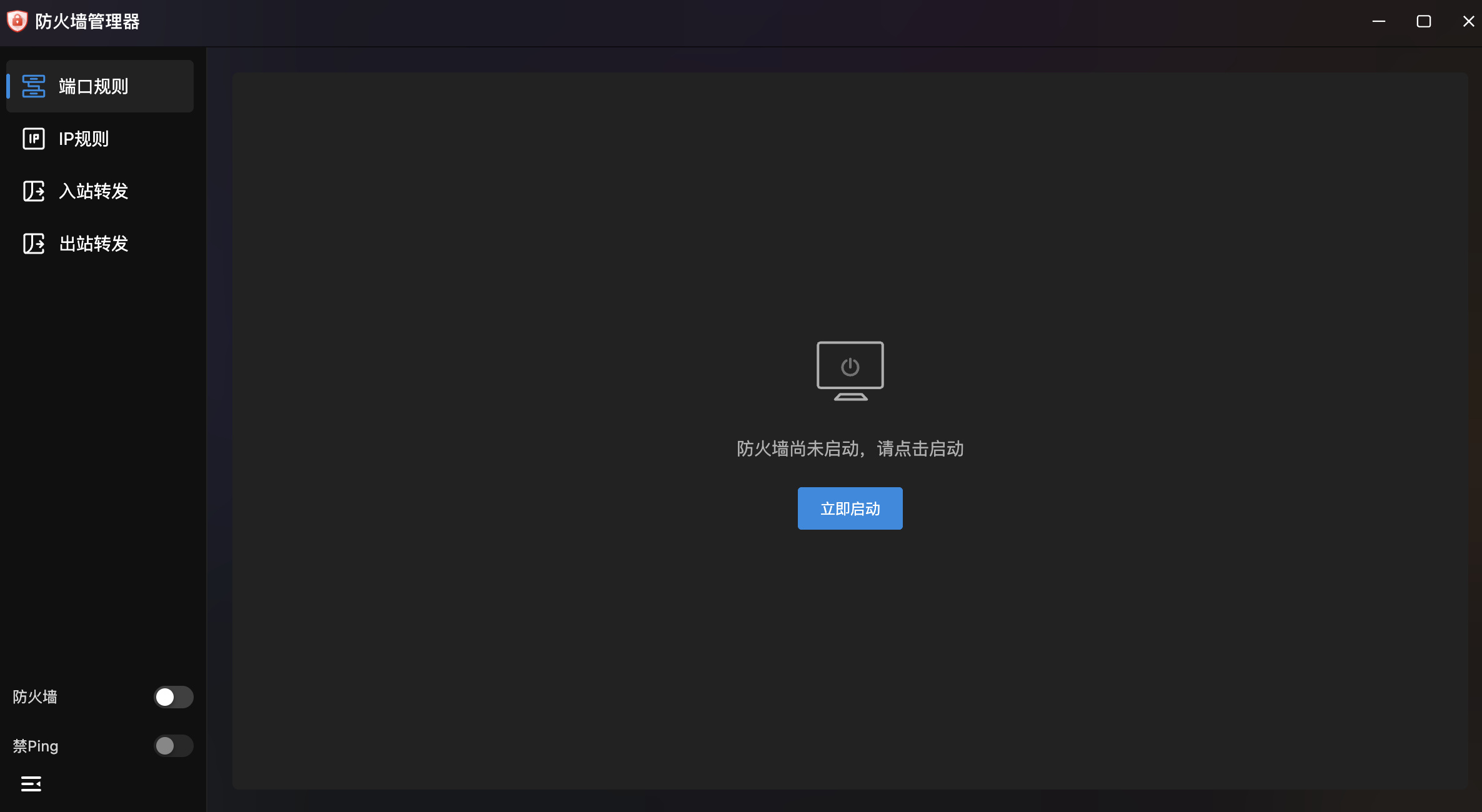
- Startup Guide: Center prompt "Firewall not started, please click to start" with "Start Now" button.
- Firewall Toggle: Bottom-left global on/off switch.
- Block Ping Toggle: Bottom-left toggle — when enabled, the server won't respond to ICMP Ping requests for enhanced stealth.
Port Rules
Server Port Access Policy Center. Manages port access policies with fine-grained control by protocol, port range, direction, and source IP.
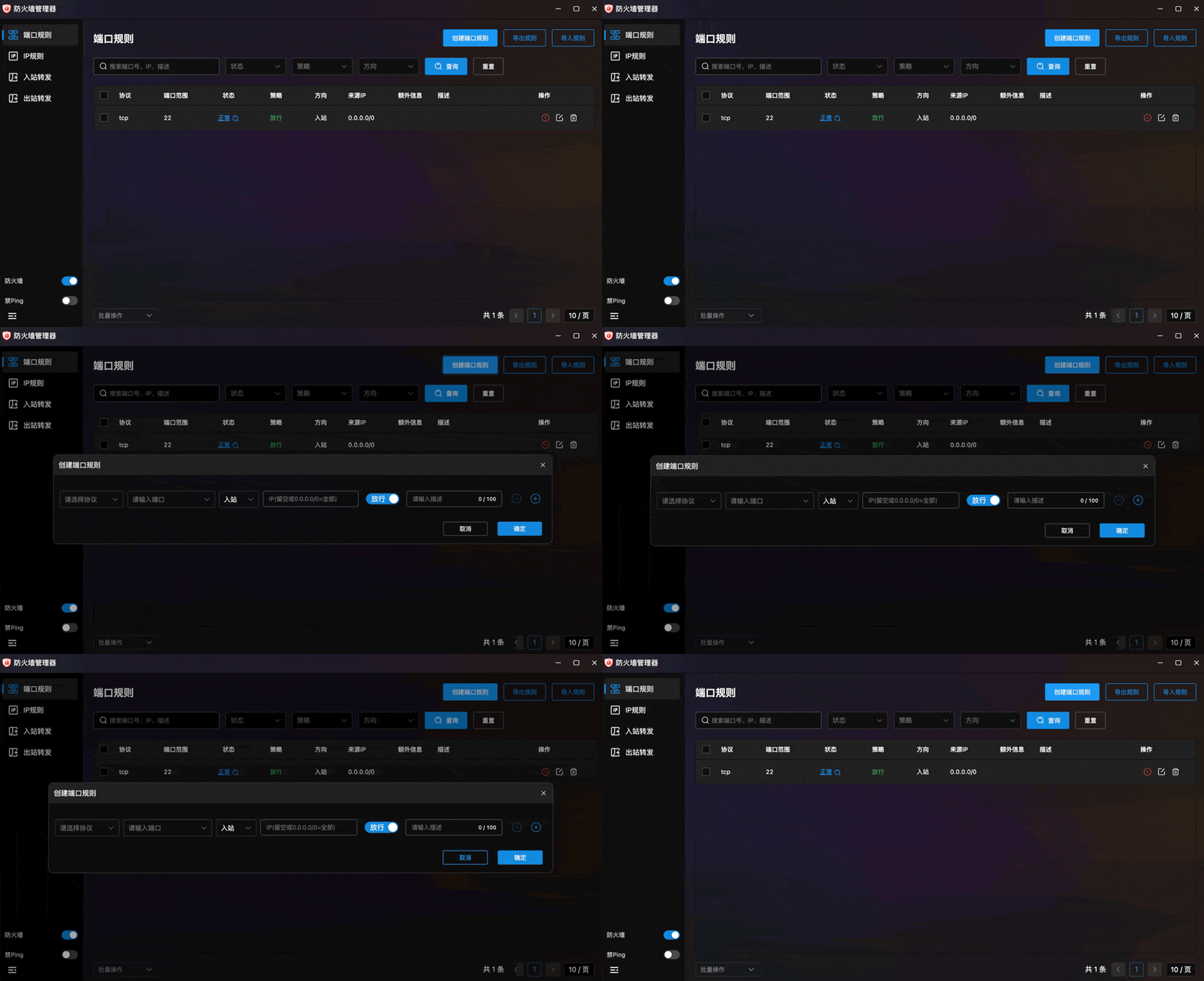
- Rule List: Table showing protocol (TCP/UDP), port range, status, policy (Allow/Deny), direction (Inbound/Outbound), source IP, extra info, and description.
- Multi-Filter: Search box (port, IP, description) with status, policy, and direction filters.
- Create Port Rule: Top-right button with form:
- Protocol: TCP, UDP, or other.
- Port: Target port or port range.
- Direction: Inbound or Outbound.
- Source IP: Allowed source IP (empty or
0.0.0.0/0for all). - Policy: Toggle Allow/Deny.
- Description: Rule notes (max 100 characters).
- Batch Create: ⊕/⊖ buttons to create multiple rules at once.
- Rule Actions: Each row has disable, edit, and delete buttons.
- Export Rules: Export current rules to file for backup or migration.
- Import Rules: Import rules from file for batch configuration.
IP Rules
IP Access Control Policy Management. Fine-grained access control by IP address with inbound/outbound allow/deny policies.
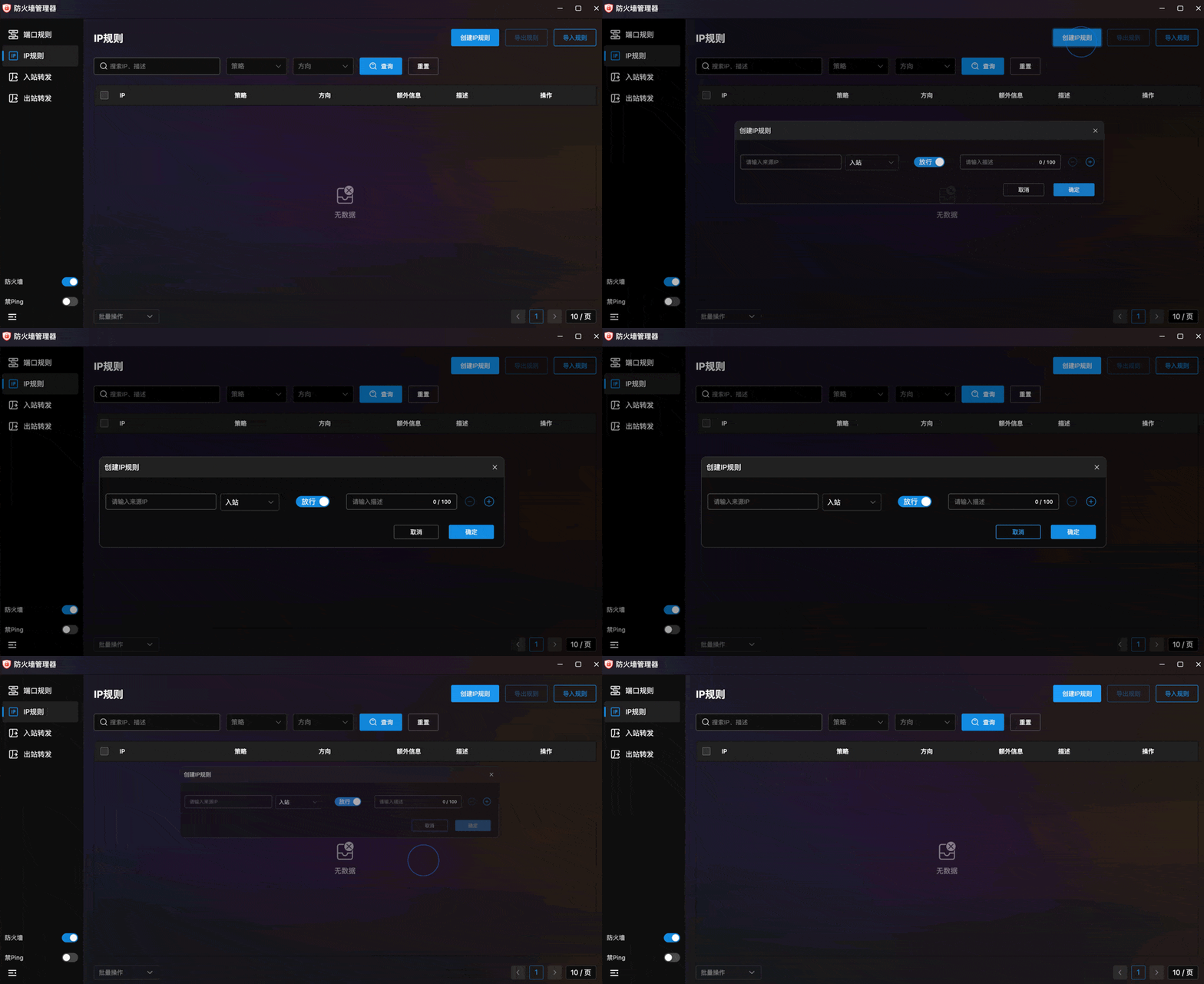
- Rule List: Table showing IP address, policy, direction, extra info, and description.
- Multi-Filter: Search by IP or description with policy and direction filters.
- Create IP Rule: Top-right button with form:
- Source IP: Target IP address.
- Direction: Inbound or Outbound.
- Policy: Toggle Allow/Deny.
- Description: Rule notes (max 100 characters).
- Batch Create: ⊕/⊖ buttons for multiple rules.
- Export/Import Rules: File-based backup and batch import.
Inbound Forwarding
Inbound Traffic Forwarding. Forward external requests through local ports to target servers — for NAT traversal, port mapping, and similar scenarios.
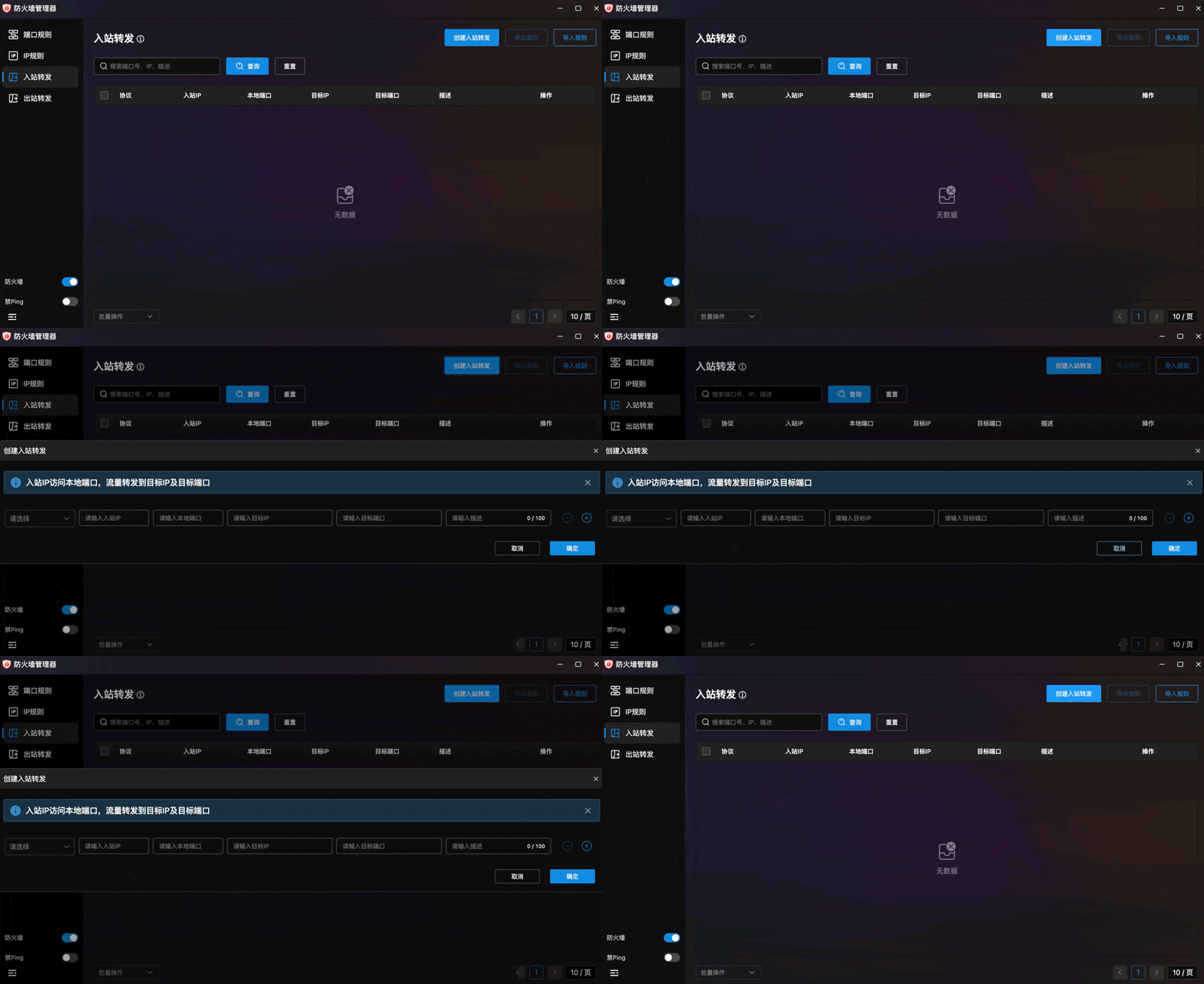
- Forwarding List: Table showing protocol, inbound IP, local port, target IP, target port, and description.
- Search: Search by port, IP, or description.
- Create Inbound Forward: Top-right button with config panel. Logic: "Inbound IP accesses local port, traffic forwards to target IP and target port".
- Protocol: Forwarding protocol type.
- Inbound IP: Source IP of inbound requests.
- Local Port: Port receiving traffic.
- Target IP: Forward destination IP.
- Target Port: Forward destination port.
- Description: Rule notes (max 100 characters).
- Batch Create: ⊕/⊖ buttons for multiple rules.
- Export/Import: File-based backup and import.
Outbound Forwarding
Outbound Traffic Forwarding. Advanced outbound traffic control with custom protocol, source IP, and source port rules.
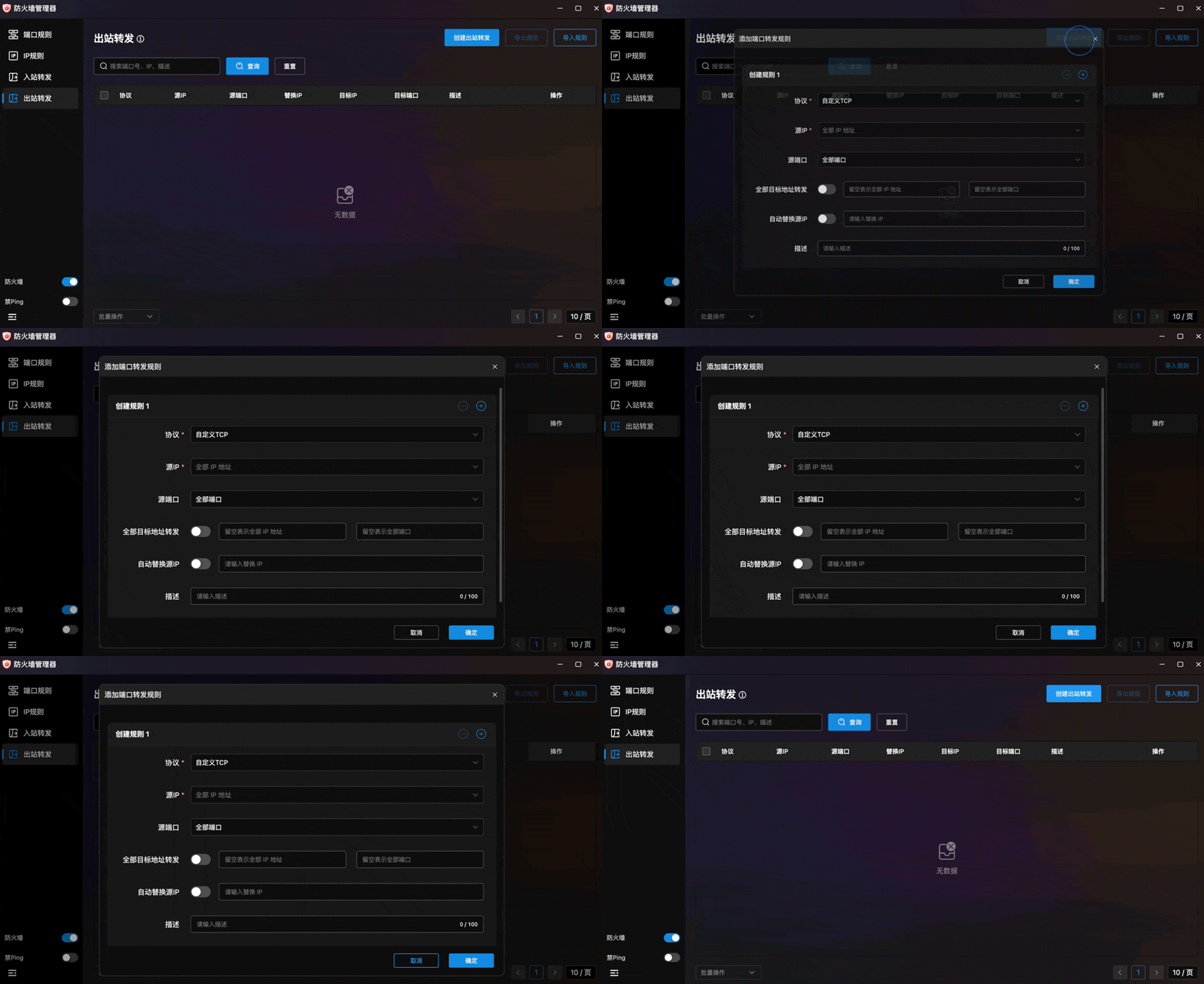
- Forwarding List: Table showing all outbound forwarding rules.
- Add Port Forward Rule: Form with:
- Protocol: Protocol type (custom TCP, etc.) dropdown.
- Source IP: Source IP (supports "All IP addresses").
- Source Port: Source port (supports "All Ports").
- Forward All Destinations: Toggle to specify target IP and port (empty = all).
- Auto Replace Source IP: Toggle for source address masquerading.
- Description: Rule notes (max 100 characters).
- Multi-Rule Create: ⊕/⊖ buttons for batch creation.
- Export/Import: File-based backup and import.
Global Controls
Two global control toggles in the bottom-left corner:
- Firewall Toggle: One-click enable/disable with blue (on) / gray (off) visual indicators.
- Block Ping Toggle: When enabled, the server won't respond to ICMP Ping requests, hiding online status for enhanced security.