
Nginx Manager
GMSSH Nginx Manager is a visual management tool for Nginx web servers on Linux. It provides an intuitive graphical interface covering Console, Configuration, and Logs, with version management capabilities.
Core Features
| Module | Purpose | Core Capabilities |
|---|---|---|
| Console | Status Monitor | Service start/stop, real-time load info |
| Configuration | Parameter Tuning | Visual core parameter editing, raw config file access |
| Logs | Runtime Logs | View and clean Nginx logs |
| Version Mgmt | Version Control | Install and switch Nginx versions |
Initialization
Smart Detection & One-Click Install. On first launch, the system scans for Nginx. If not found, a panel guides you through installation.
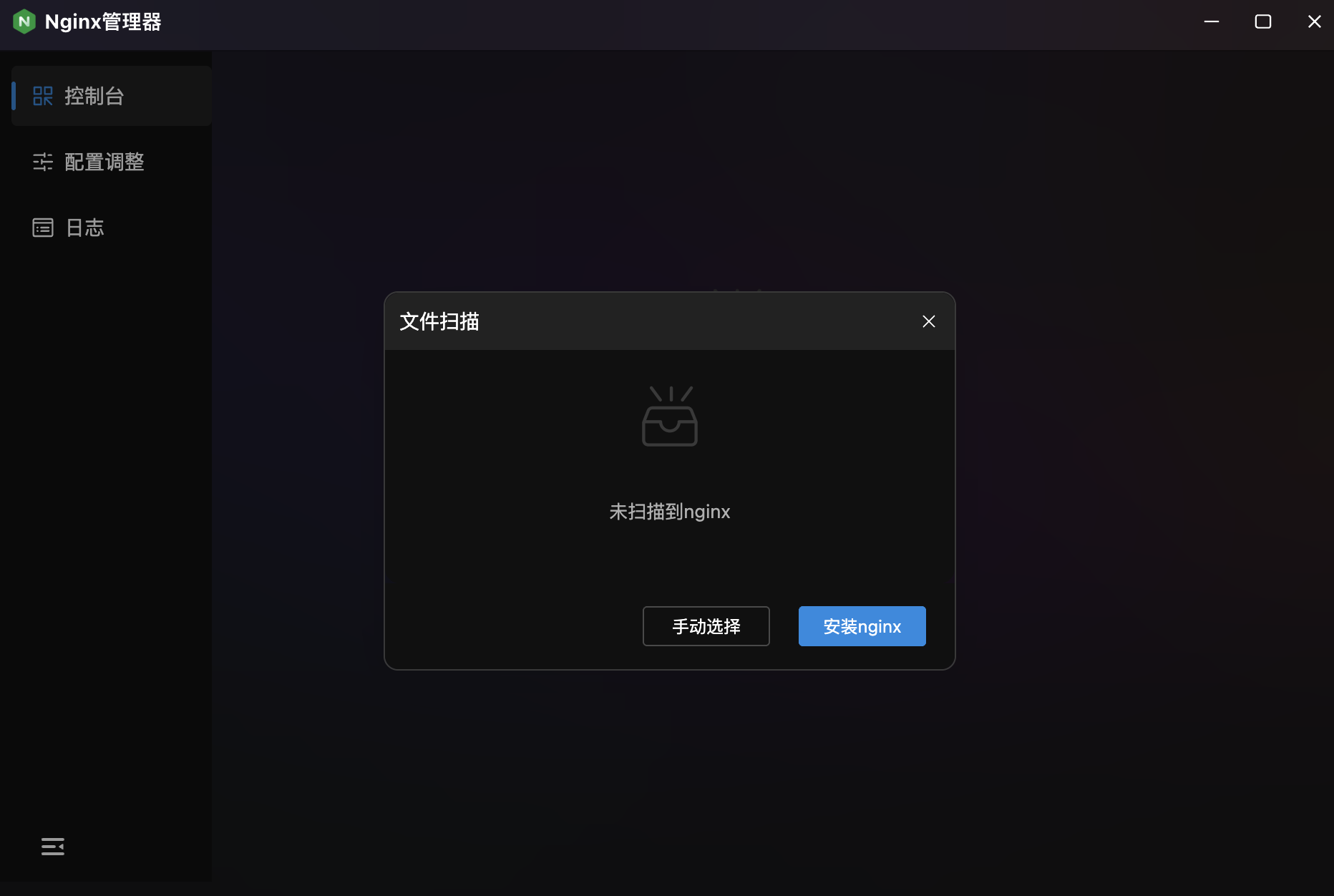
- Auto Scan: Automatically detects Nginx installation on launch.
- Manual Select: Click "Manual Select" to specify a custom Nginx binary path.
- Install Nginx: Click "Install Nginx" to enter the installation wizard.
Install Nginx
Three flexible installation methods:
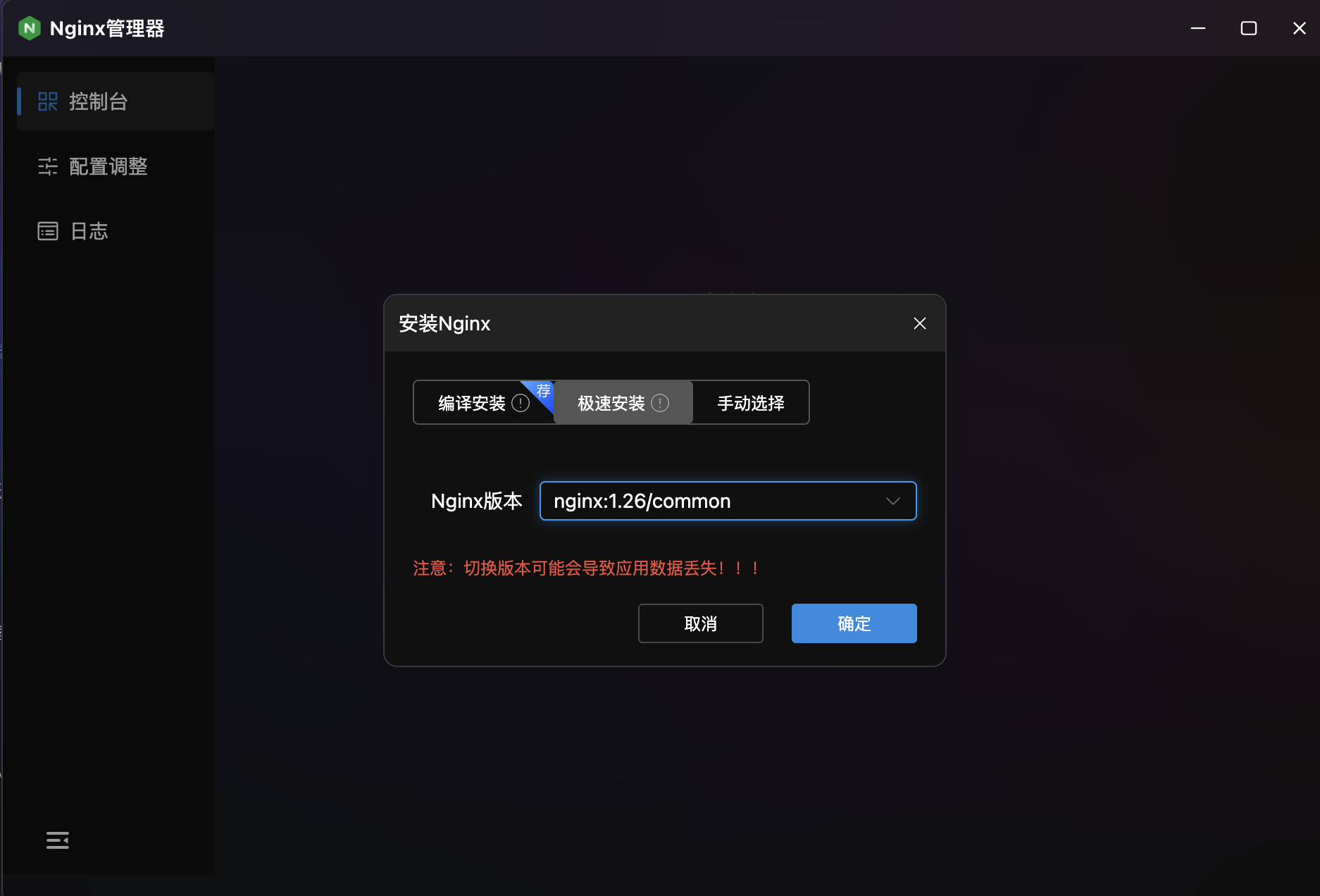
- Compile Install (Recommended): Compile from source with custom modules and parameters.
- Quick Install: Install pre-compiled version via package manager — fastest option.
- Manual Select: Specify an existing Nginx binary path.
- Version Selection: Dropdown menu for target version (e.g.,
nginx:1.26/common). - Safety Warning: Switching versions warns about potential data loss.
Console
Real-Time Nginx Status Monitor. Displays service status and load information with one-click controls.
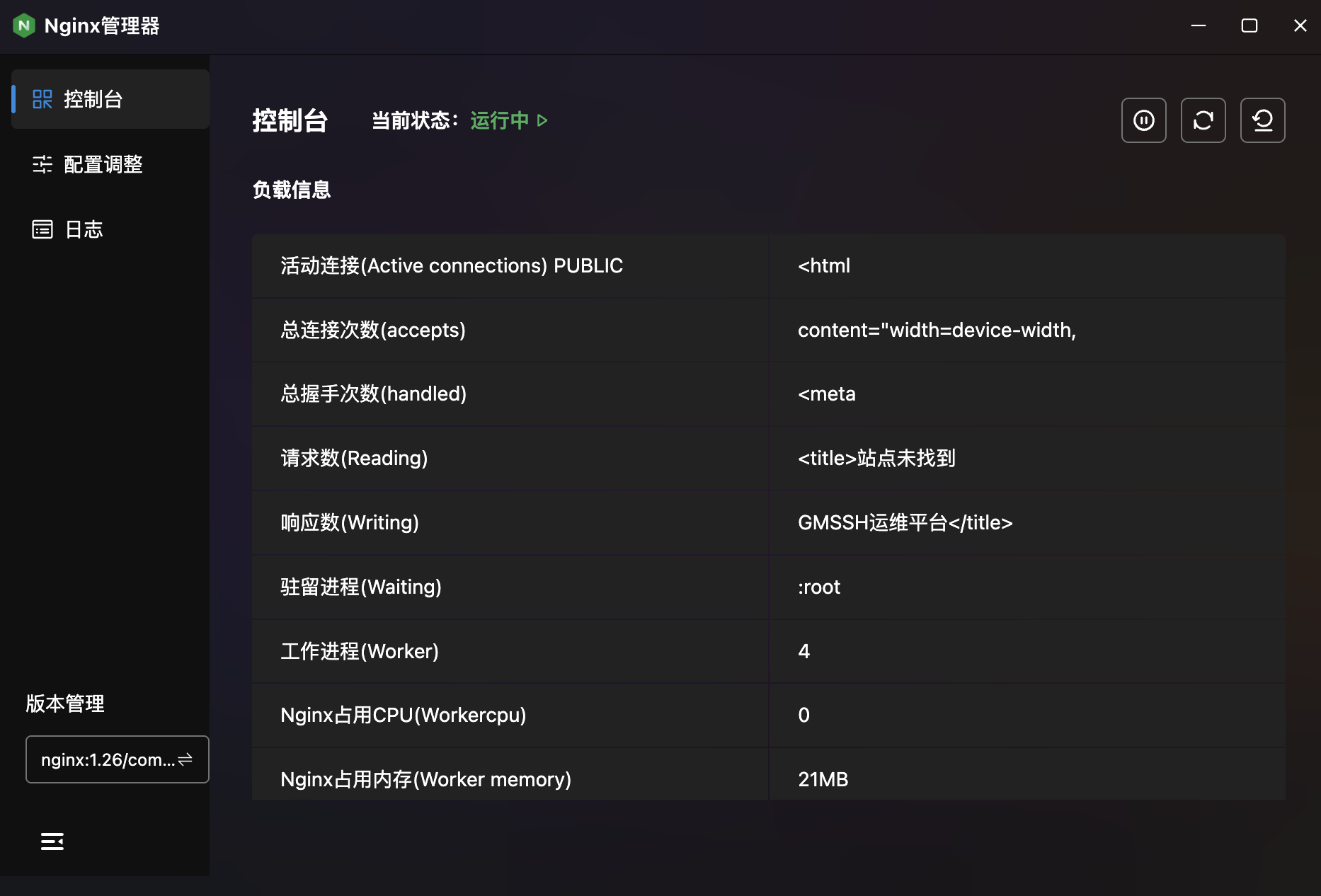
- Status: Top header shows current status (e.g., "Running ▶") with green indicator.
- Quick Actions: Three buttons — Stop, Restart, Reload (graceful config reload without dropping connections).
- Load Info:
| Metric | Description |
|---|---|
| Active Connections | Current active client connections |
| Accepts | Total connections accepted since startup |
| Handled | Total successful handshakes |
| Reading | Connections currently reading request headers |
| Writing | Connections currently writing responses |
| Waiting | Idle keep-alive connections |
| Worker | Current worker process count |
| Worker CPU | Worker process CPU usage |
| Worker Memory | Worker process memory usage |
Configuration
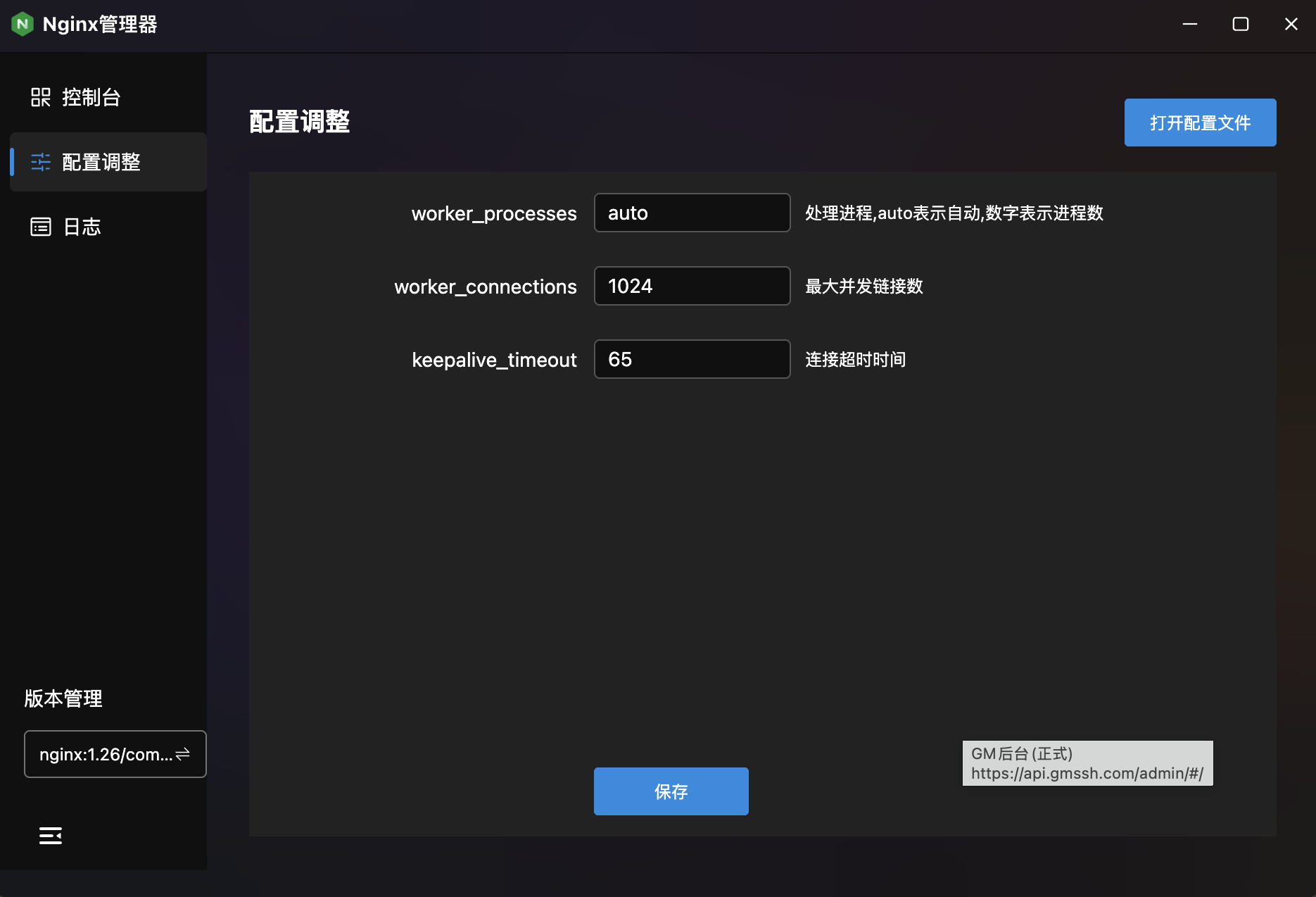
Visual Nginx Parameter Tuning. Graphical editing of key performance parameters without manually editing nginx.conf.
- Common Parameters:
| Parameter | Default | Description |
|---|---|---|
worker_processes | auto | Worker processes; auto for automatic, number for fixed count |
worker_connections | 1024 | Maximum concurrent connections |
keepalive_timeout | 65 | Connection timeout in seconds |
- Save: Click "Save" to apply changes immediately.
- Open Config File: Top-right button to directly edit
nginx.conffor advanced tuning.
Logs
Nginx Log Viewer & Management. Online viewing of Nginx runtime logs for troubleshooting and performance analysis.
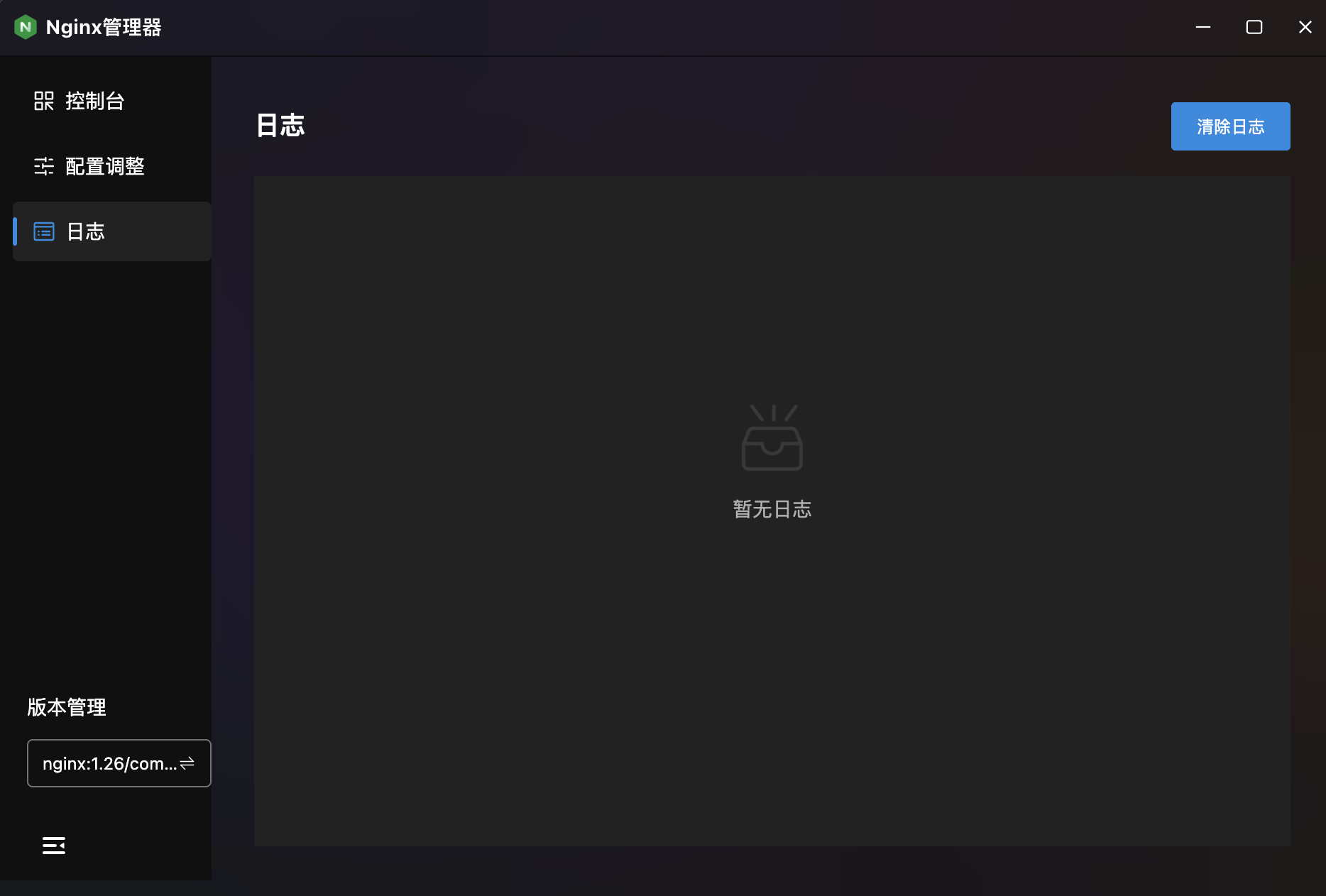
- Log Viewer: Real-time display of Nginx runtime log content.
- Clear Logs: Top-right button to clean log history and free disk space.
Version Management
Multi-Version Nginx Management. Bottom-left shows the current Nginx version (e.g., nginx:1.26/common).
- Current Version: Always displays the active version; click to enter version management.
- Version Switching: Switch between installed versions for compatibility testing or upgrades.