
Built-in Apps
GMSSH abstracts complex Linux operations into intuitive desktop applications, enabling efficient graphical management without memorizing tedious commands. Below are the core built-in features.
This PC
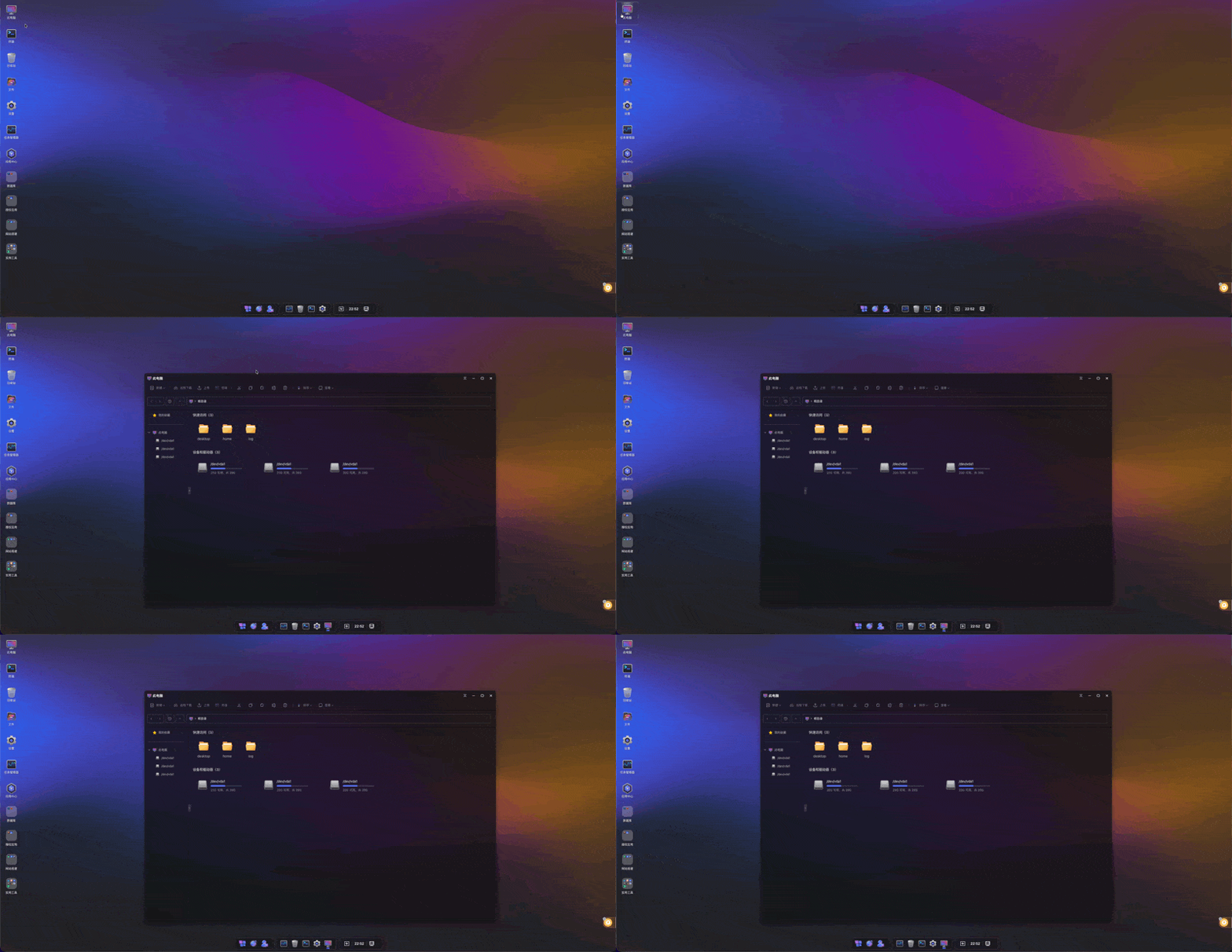 Visual Disk Management Center. Displays the server's partition mount points (e.g., /dev/vda1) and disk usage at a glance. Supports quick access to common directories, with integrated shortcuts for remote download, file upload, and terminal launch.
Terminal
Immersive AI-Powered Terminal. While maintaining the native SSH experience, it integrates multiple productivity-enhancing features: 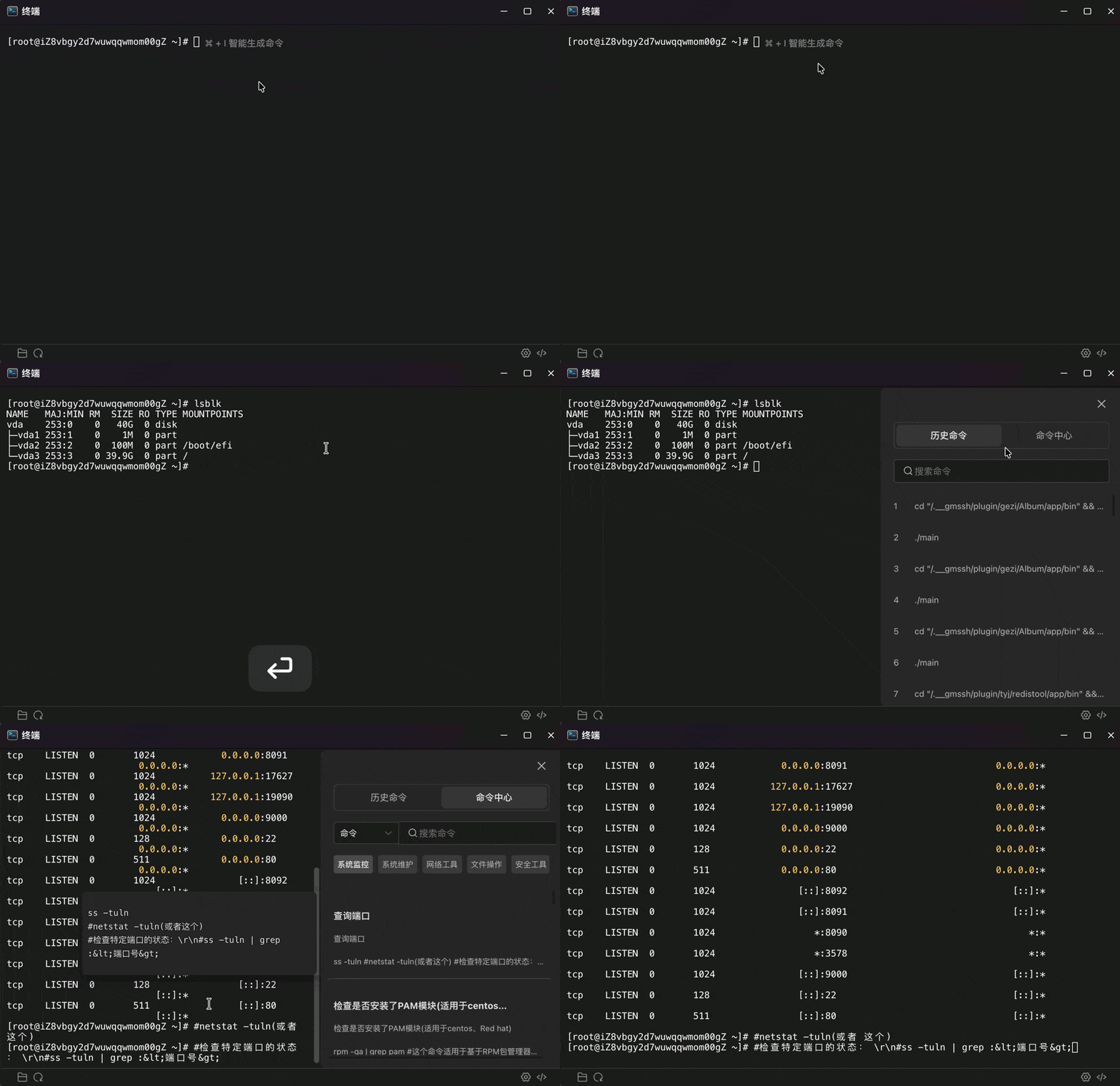
- AI Smart Command Generation: Press
Command/Ctrl + Ito invoke the AI assistant. Simply describe what you need in natural language, and AI will generate the precise Linux command for you. - Quick Directory Sync: Click the folder icon in the bottom-left to jump to the visual directory corresponding to the current terminal path, enabling real-time sync between CLI and GUI.
- One-Click Reconnect: Click the refresh icon in the bottom-left to quickly reset and reconnect the terminal, easily handling connection drops from network fluctuations.
- Terminal Personalization:
- Auto Right-Click: Middle mouse button support for quick execution or pasting.
- Terminal Suggestions: Intelligent prediction of your next command, greatly improving typing efficiency.
- Quick Copy: Selected text is automatically copied, reducing extra operations.
- Font Scaling: Freely adjust font size to accommodate different screen resolutions.
- Command Center & History: Built-in powerful command center with categorized storage for system monitoring, network tools, security tools, and other common commands, supporting one-click recall of execution history.
Files
Full-Featured Visual File Manager. Say goodbye to tedious command-line operations with a file management experience comparable to your local OS: 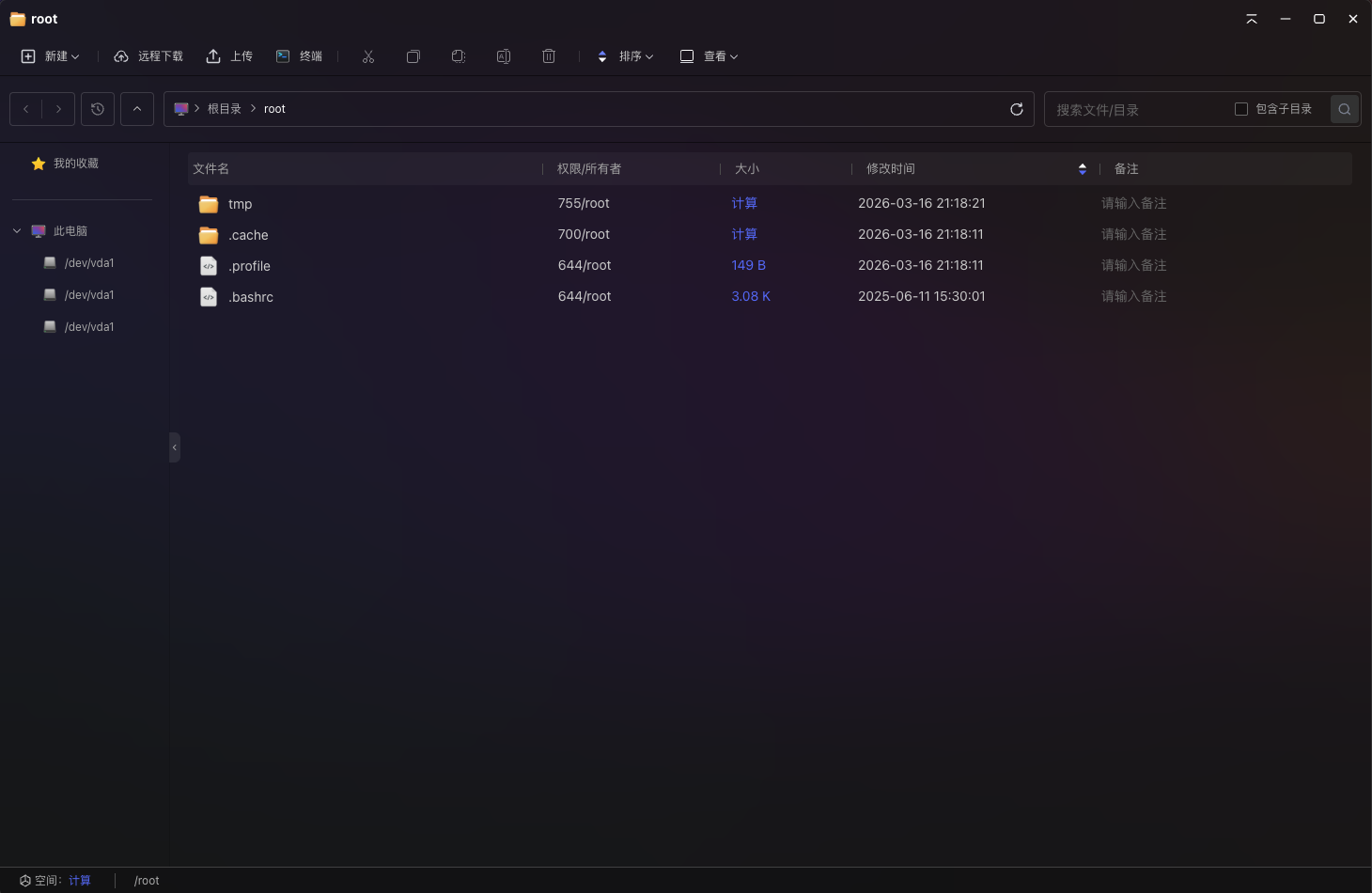
- Rapid Resource Management: Supports drag-and-drop upload and bidirectional download. Whether syncing large log files or distributing configuration packages, operations are intuitive and efficient.
- Visual Compression & Extraction: No need to memorize complex command parameters. Compress or extract files/folders with one click via the toolbar or context menu, supporting mainstream formats like tar.gz, zip, etc.
- Online Editing & Preview: Built-in high-performance text editor — double-click any code file to start online editing with syntax highlighting and auto-save. Edit configurations without leaving the page.
- Permission & Ownership Control: File permissions (chmod) and ownership (chown) are displayed in real-time. Click to quickly modify via the graphical interface, ensuring secure and compliant system environments.
- Smart Search & Notes: Quickly locate target files within the current directory and subdirectories. The unique notes feature allows you to tag specific system files with descriptions for long-term maintenance.
- Path Quick Navigation: Top breadcrumb navigation supports click-to-jump, and the sidebar favorites provide one-click access to core production directories.
Recycle Bin
Operations Safety Center. The Recycle Bin is a deletion-protection mechanism tailored for Linux operations, effectively preventing data loss from accidental rm commands: 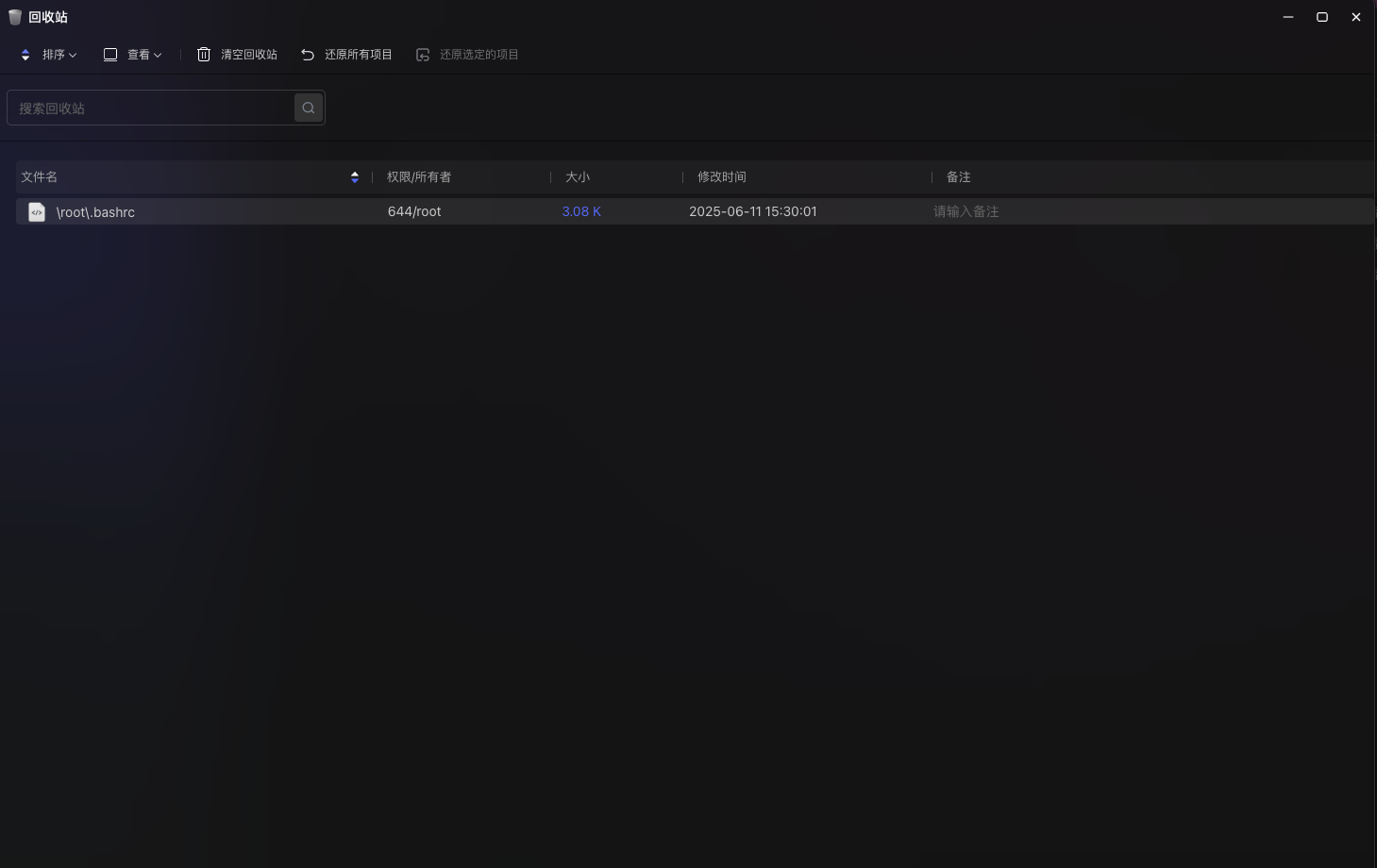
- Data Staging Mechanism: Items deleted through the GMSSH file manager or This PC are not immediately erased from disk — they are first moved to the Recycle Bin. This provides a valuable "undo" opportunity for accidental operations on critical production data.
- One-Click Restore: Restore selected items or all items at once. The system automatically returns files to their original paths — no need to manually remember file locations.
- Fine-Grained Management: The Recycle Bin list clearly displays the original path, permissions, ownership, and file size of deleted items, helping you make final confirmations before clearing.
- Complete Cleanup: Supports emptying the Recycle Bin to free physical disk space after confirming items are no longer needed.
- Search & Notes: Supports full-text search of deleted items and preserves any notes marked before deletion, ensuring operations context is never lost.
Settings
Global Management & Personalization Center. System settings provide deep server information viewing and environment customization, making your operations workspace fit your workflow: 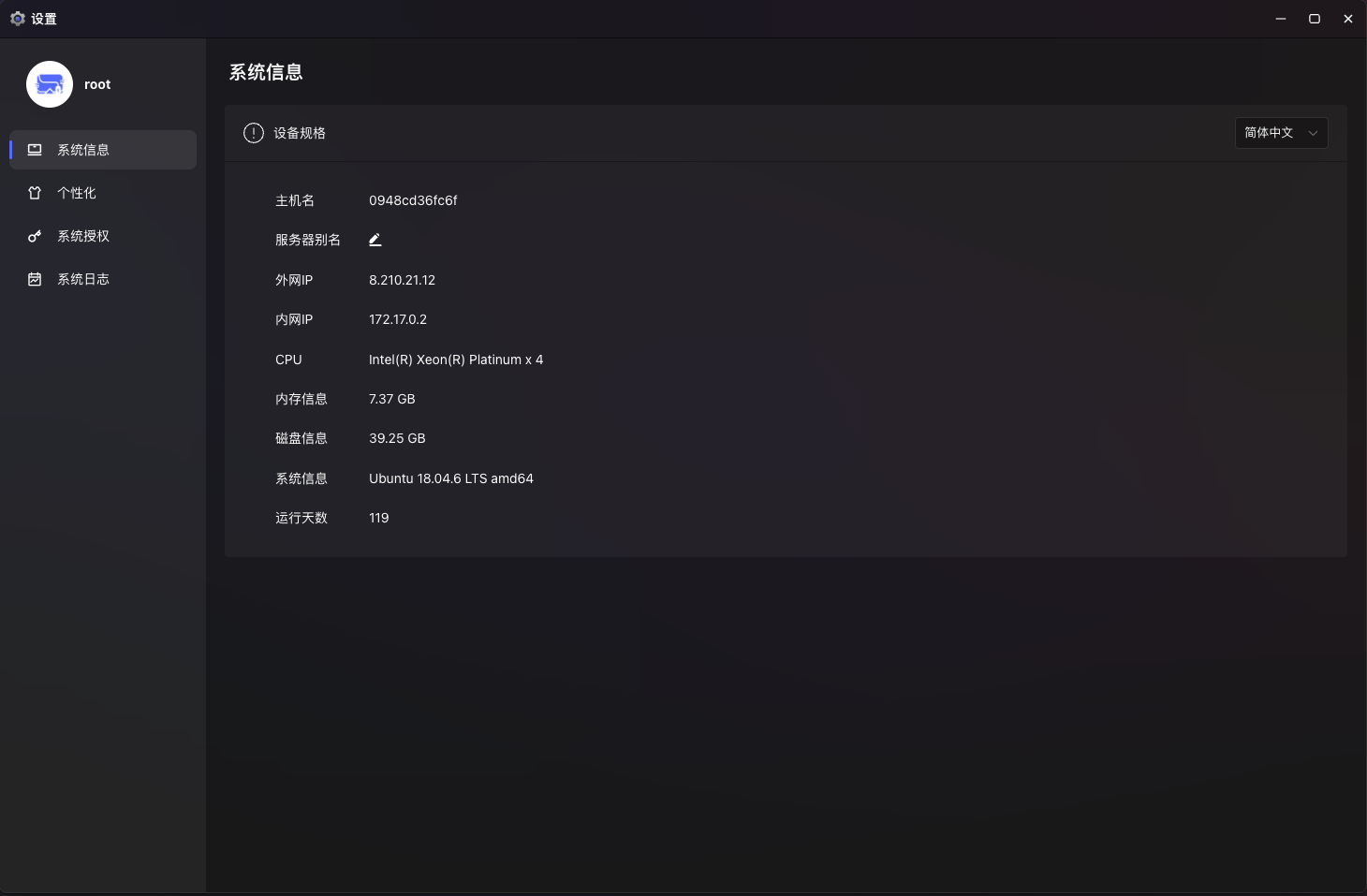
System Information Overview:
- Device Specs: One-stop display of hostname, internal/external IPs, CPU architecture, total memory, and disk capacity.
- Environment Recognition: Clearly shows the current OS version (e.g., Ubuntu 18.04 LTS) and system uptime, facilitating maintenance planning.
- Server Alias: Supports custom server names for quick identification during multi-server management.
Personalization:
- Mouse Control: Choose between "single-click" or "double-click" to open apps, optimizing interaction preferences.
Desktop & Dock:
- Window Management: Configure multi-window display modes (cascade or tile) for improved multitasking efficiency.
- Fullscreen Mode: Choose between immersive fullscreen or taskbar-retained mode, adapting to different monitor sizes.
Visual Appearance: Built-in geek-style wallpapers and solid color backgrounds, with support for custom image uploads (png/jpg/gif/webp formats) to create your personalized cloud desktop.
System Authorization & Logs:
- Authorization Management: View and manage the current system's license status.
- System Logs: Records key platform operation logs for troubleshooting and security auditing.
Task Manager
Full-Dimension Real-Time Performance Monitor. The Task Manager provides fine-grained resource monitoring and process management without requiring third-party agents: 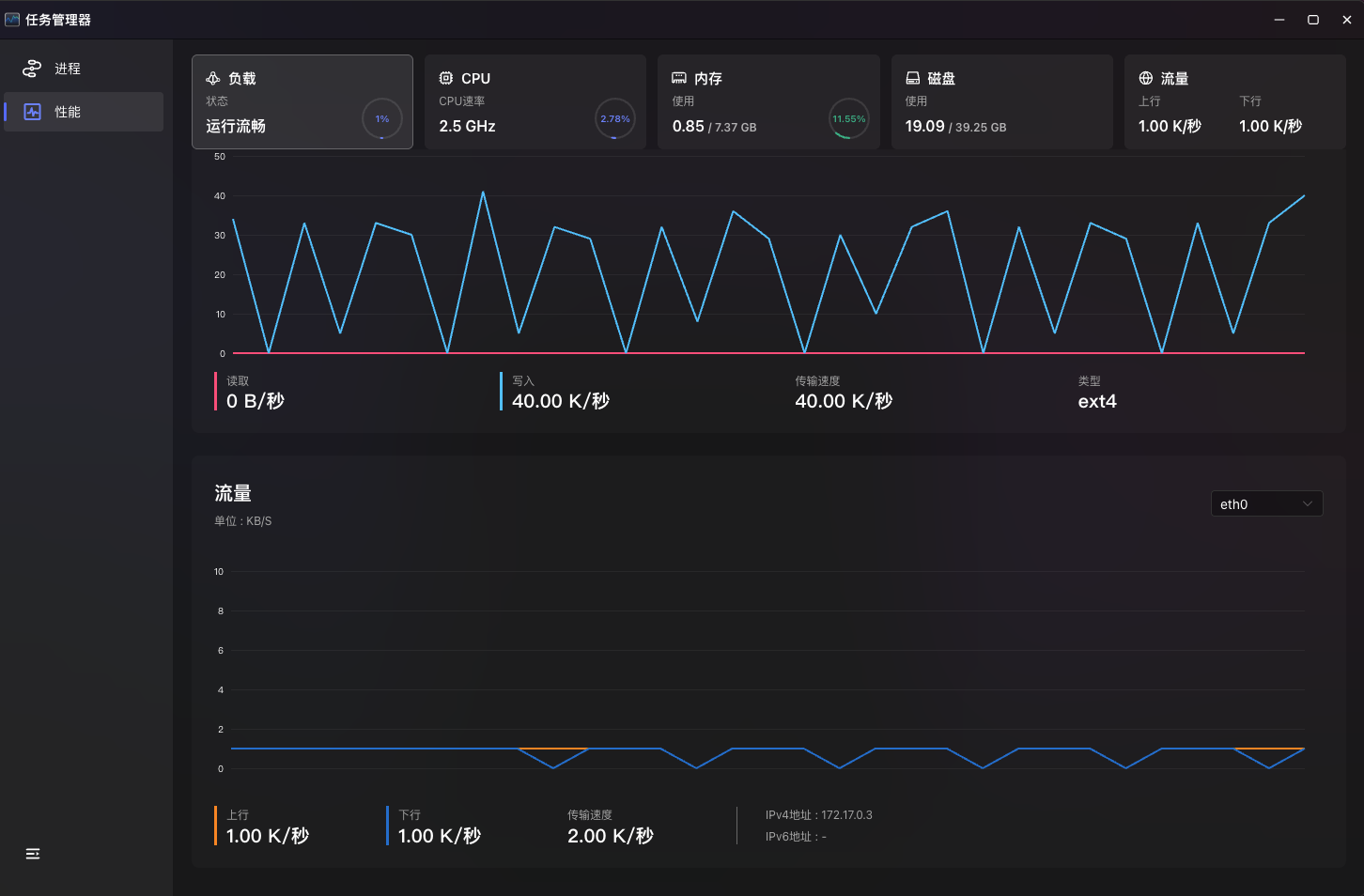
Performance Dashboard:
- Multi-Dimension Monitoring: Real-time tracking of load status, CPU usage, memory usage, disk I/O speed, and network bandwidth.
- Historical Trend Charts: Dynamic charts display resource fluctuation trends, helping you quickly identify performance bottlenecks.
- Hardware Deep Scan: Displays CPU model, frequency, core count, L1/L2/L3 cache, and system uptime.
Process Management:
- Real-Time Process List: Lists all running processes with PID, status, and real-time CPU/memory usage.
- Detail Inspection: View specific process properties including basic info, memory maps, open files, environment variables, and network connections.
- Anomaly Handling: When abnormal resource consumption is detected, perform management operations on processes in real-time to ensure system stability.
Special Features:
- Load Status Diagnosis: Automatically calculates 1/5/15-minute load averages and provides an intuitive system health assessment.
- Quick Memory Release: Integrated "one-click memory release" to address temporary memory shortages.
- Multi-NIC/Multi-Disk Switching: Switch between different NICs (e.g., eth0) and disk partitions (e.g., vda1) for more granular monitoring.