
Site Manager
GMSSH Site Manager is a visual website management tool for Linux servers. It covers Website Management, Certificate Management, and Settings, supporting PHP sites, static sites, and reverse proxy sites with full lifecycle management.
Core Features
| Module | Purpose | Core Capabilities |
|---|---|---|
| Website Management | Site Creation & Mgmt | Create/configure/manage PHP, static, and reverse proxy sites |
| Certificate Management | SSL Certificate Mgmt | SSL/TLS certificate upload, deployment, and management |
| Settings | Global Config | Site manager global parameter settings |
Initialization
Nginx Dependency Detection. Site Manager requires Nginx. On first launch, it auto-detects Nginx status.
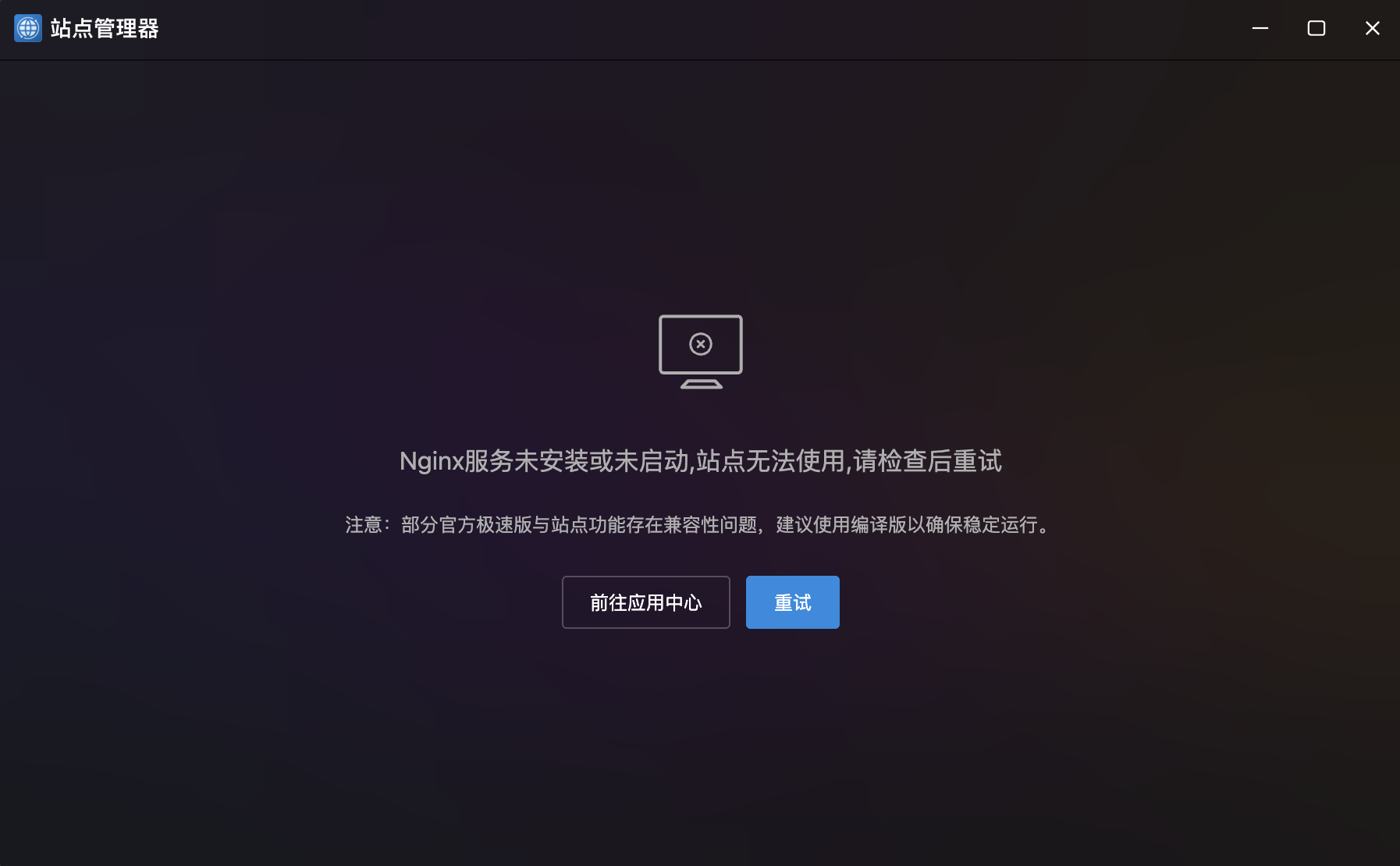
- Auto Detection: If Nginx is not installed or running, prompts "Nginx service not installed or not running".
- Compatibility Note: Recommends compiled version over quick-install for stability.
- Quick Actions:
- Go to App Center: Navigate to install Nginx.
- Retry: Click after Nginx is ready.
Website Management
Multi-Type Site Management. Tab-based support for three site types with independent lists and creation flows.
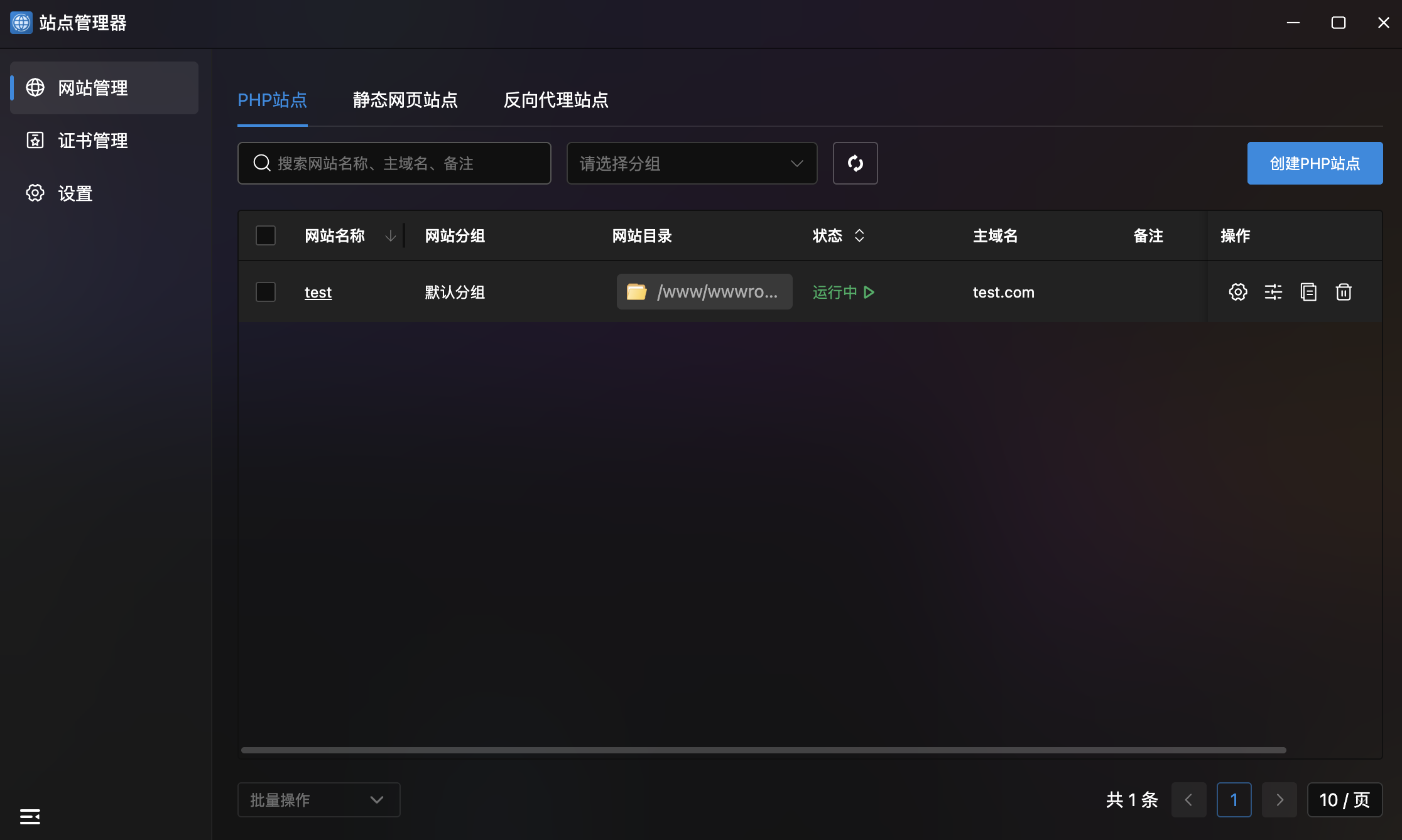
Site Types
| Type | Description |
|---|---|
| PHP Site | Dynamic website running PHP applications |
| Static Site | Pure HTML/CSS/JS static website |
| Reverse Proxy Site | Reverse proxy forwarding site |
Site List
- Site Table: Table showing site name, group, directory, status, and actions.
- Search & Filter: Search by name, domain, or notes with group dropdown.
- Batch Operations: Bottom batch action dropdown.
- Pagination: Bottom pagination with page size config.
- Site Actions: Four buttons per row:
- Details: Enter site detail page.
- Config File: Modal showing Nginx config with syntax-highlighted editor.
- Logs: Modal with "Access Log" and "Error Log" tabs.
- Delete: Remove the site.
Create PHP Site
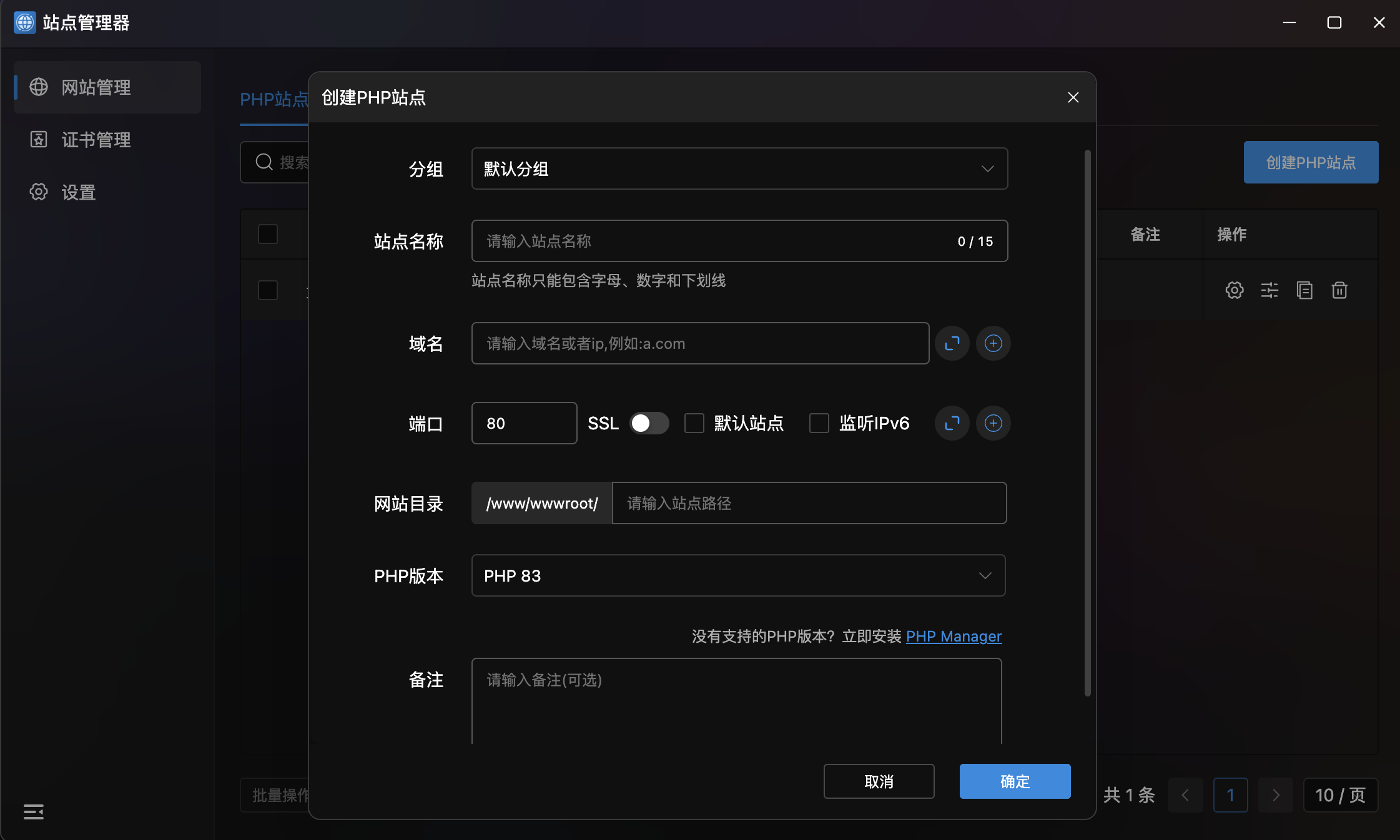
| Field | Description |
|---|---|
| Group | Select site group (e.g., "Default Group") |
| Site Name | Name (max 15 chars), letters/numbers/underscores only |
| Domain | Domain or IP (e.g., a.com), supports multiple |
| Port | Listen port (default 80), SSL/default site/IPv6 options |
| Site Directory | File storage path, base: /www/wwwroot/ |
| PHP Version | Select PHP version (e.g., PHP 83) |
Site Details
Click a site name to enter details with four configuration tabs:
| Tab | Purpose |
|---|---|
| Basic Settings | Site address, directory, default documents, runtime |
| Traffic & Proxy | Traffic management, reverse proxy configuration |
| Access Restrictions | Access control and permission management |
| Resource Control | Resource limits and quota management |
Basic Settings
Site Address Settings
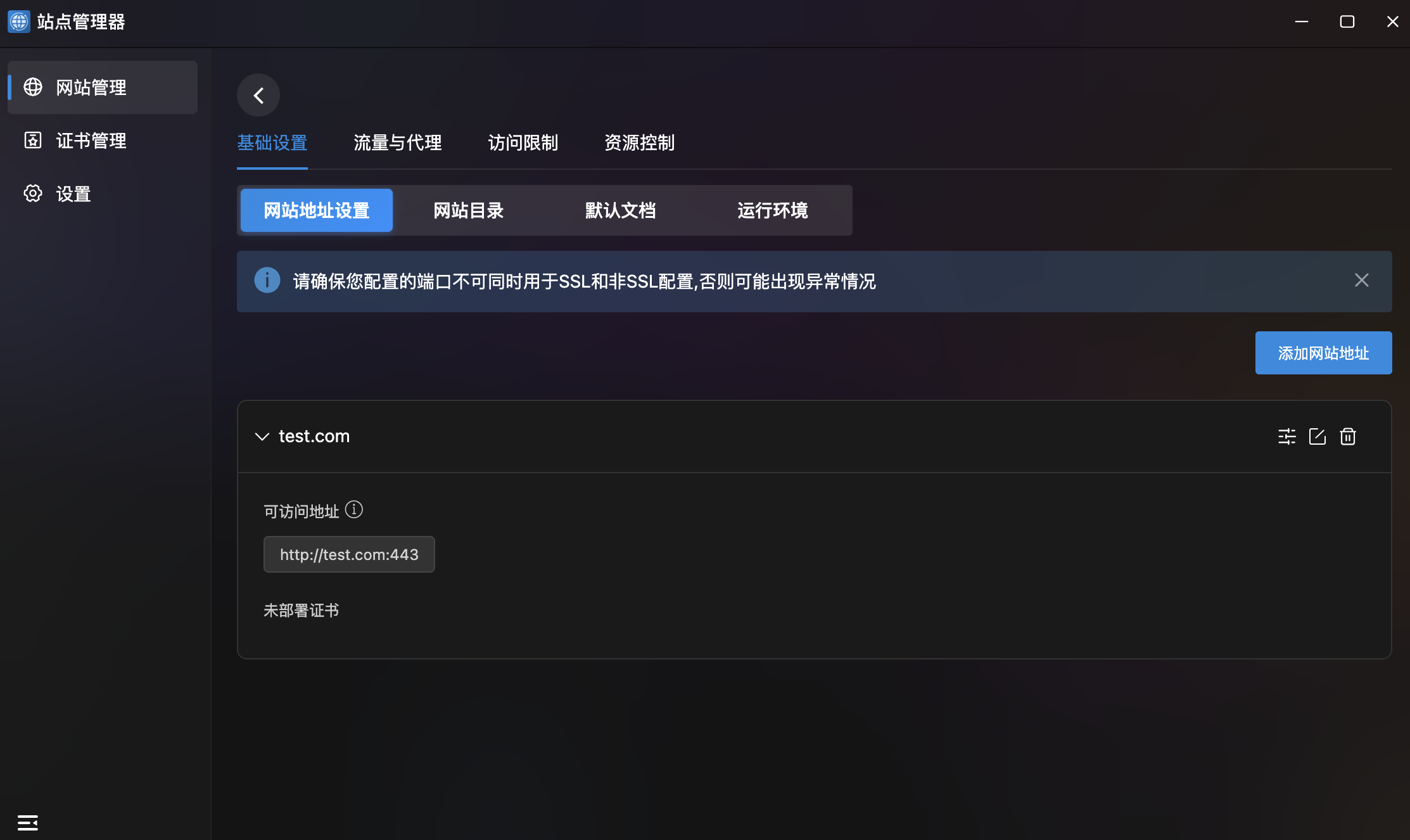
- Domain Management: Collapsible cards showing bound domains with accessible URLs and certificate status.
- Add Site Address: Top-right button to bind new domains.
- Domain Actions: Config, edit, and delete per domain.
- Security Note: "Ports cannot be used for both SSL and non-SSL simultaneously."
Site Directory
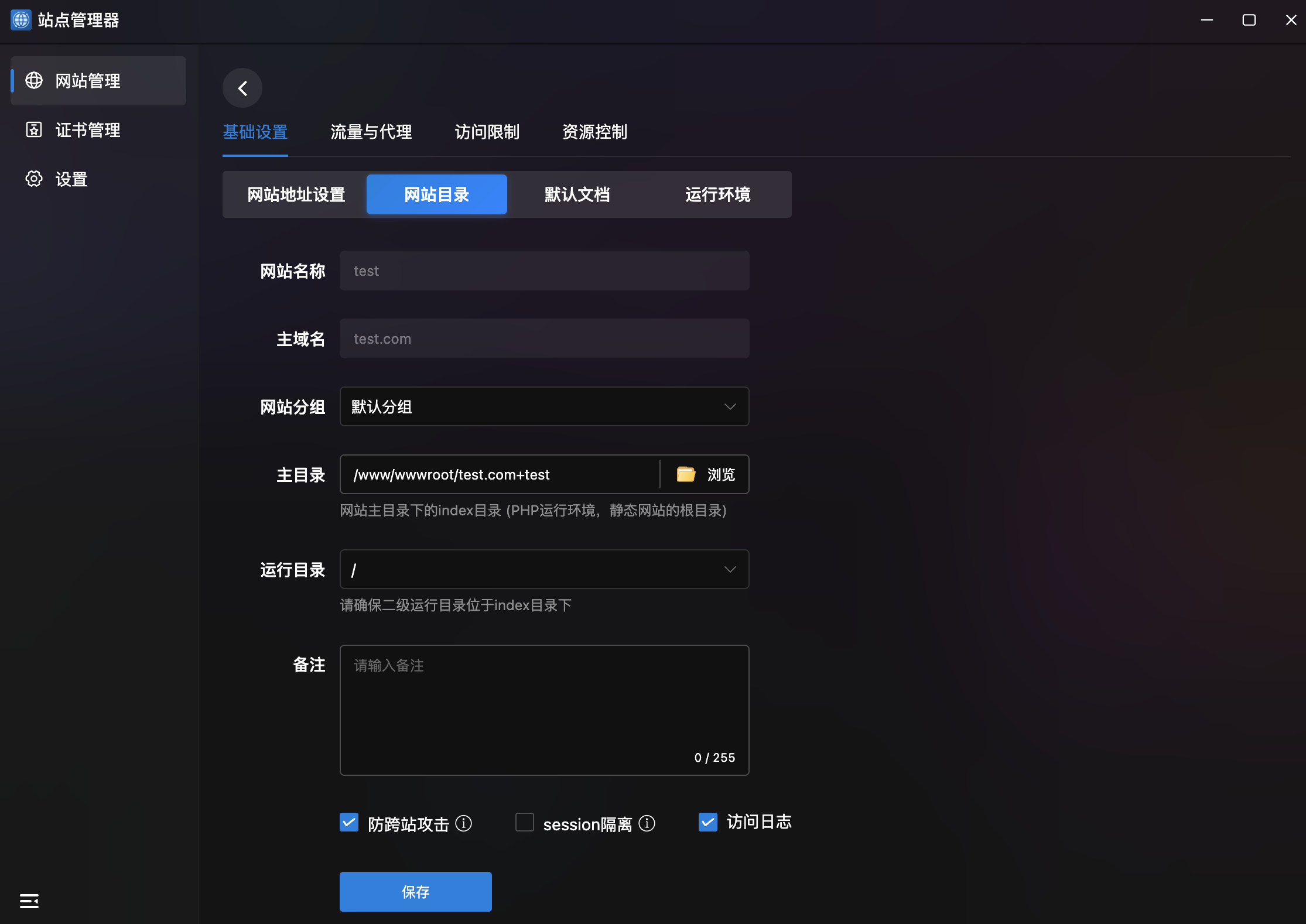
- Basic Info: Site name and primary domain (read-only).
- Configuration:
| Setting | Description |
|---|---|
| Site Group | Dropdown to change group |
| Root Directory | File storage path, browse-selectable |
| Run Directory | Secondary run directory under index folder |
| Notes | Site notes (max 255 characters) |
- Security Options:
- Anti-XSS: Cross-site request protection (default on).
- Session Isolation: Isolate sessions between sites.
- Access Log: Record access logs (default on).
Default Documents
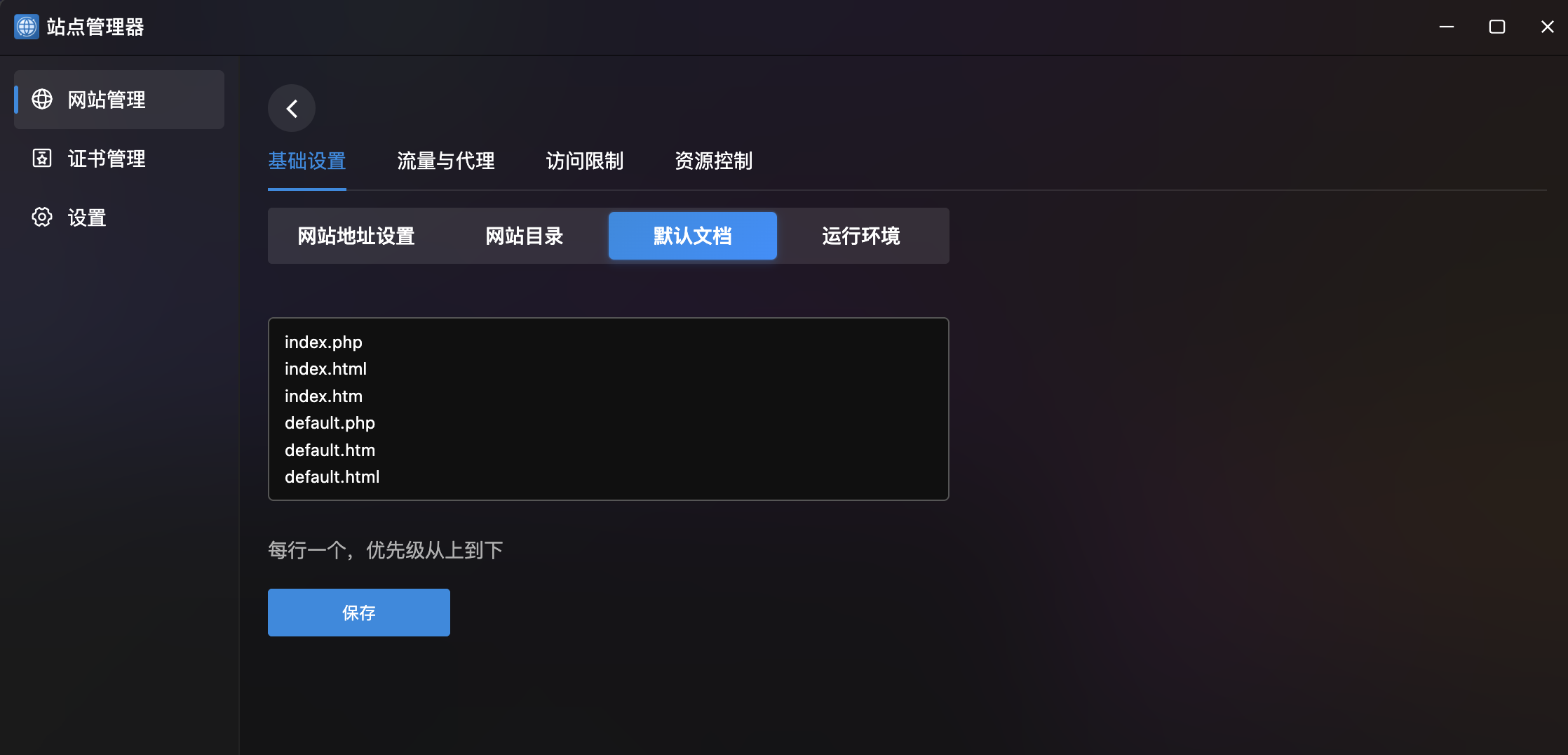
- Document List: Code editor showing default index file priority, one per line.
- Default Config:
index.php
index.html
index.htm
default.php
default.htm
default.html
Runtime Environment
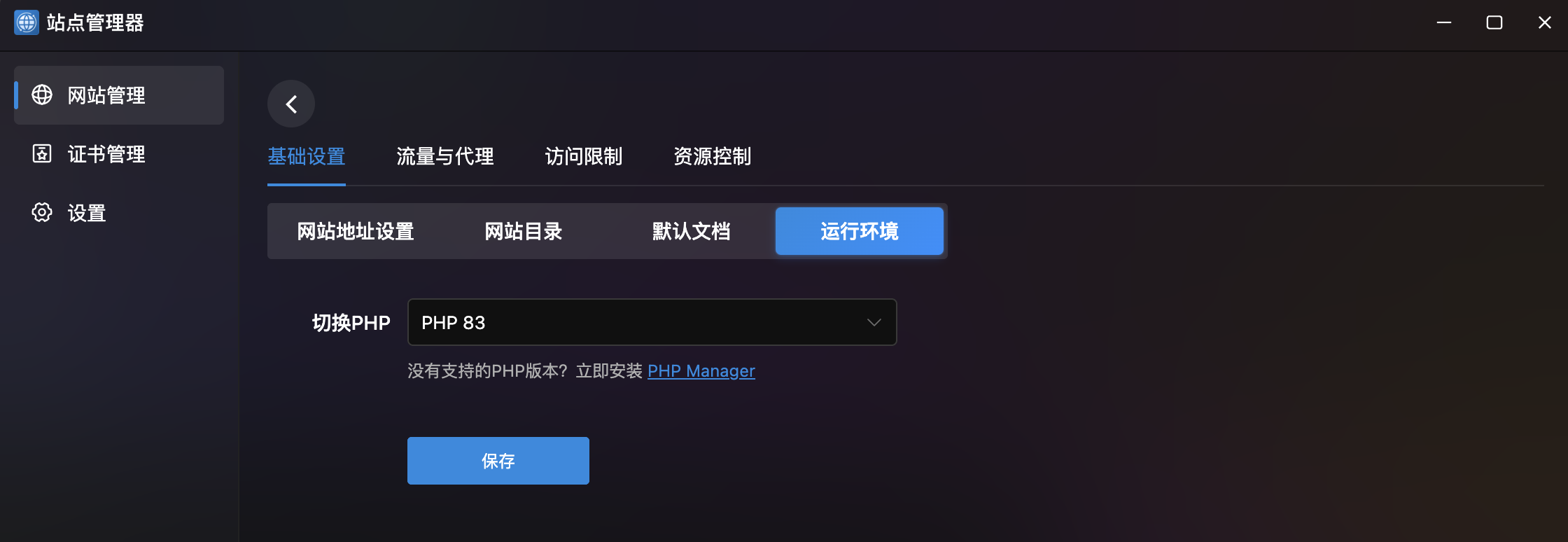
- Switch PHP: Dropdown to change PHP version.
- Quick Install: Link to PHP Manager if no version is available.
Traffic & Proxy
Traffic Limits
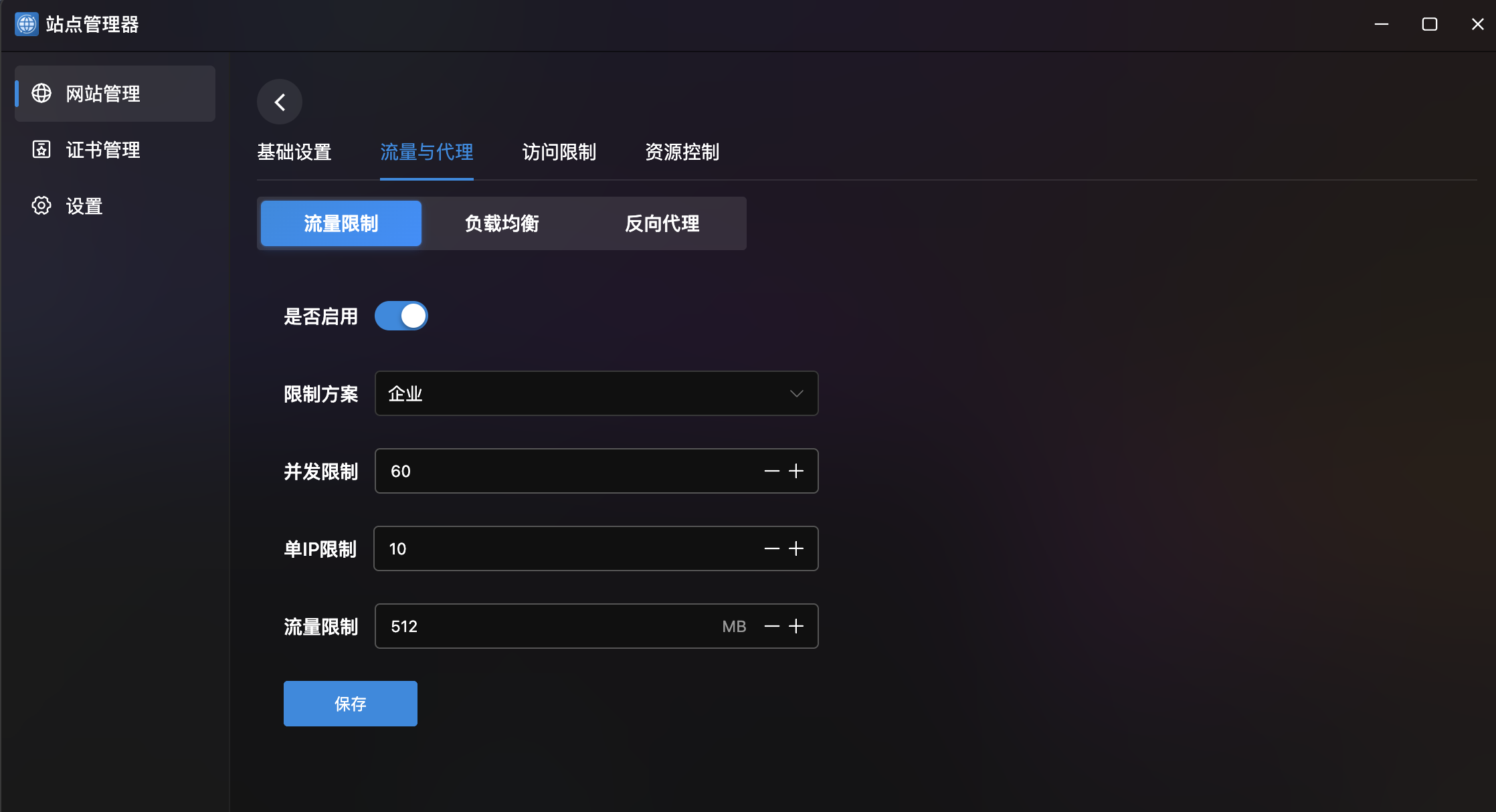
- Enable Toggle: One-click enable/disable.
- Plan: Dropdown presets (e.g., "Enterprise").
- Parameters:
| Parameter | Example | Description |
|---|---|---|
| Concurrency Limit | 60 | Max concurrent connections |
| Per-IP Limit | 10 | Max connections per IP |
| Traffic Limit | 512 MB | Max traffic limit |
Load Balancing
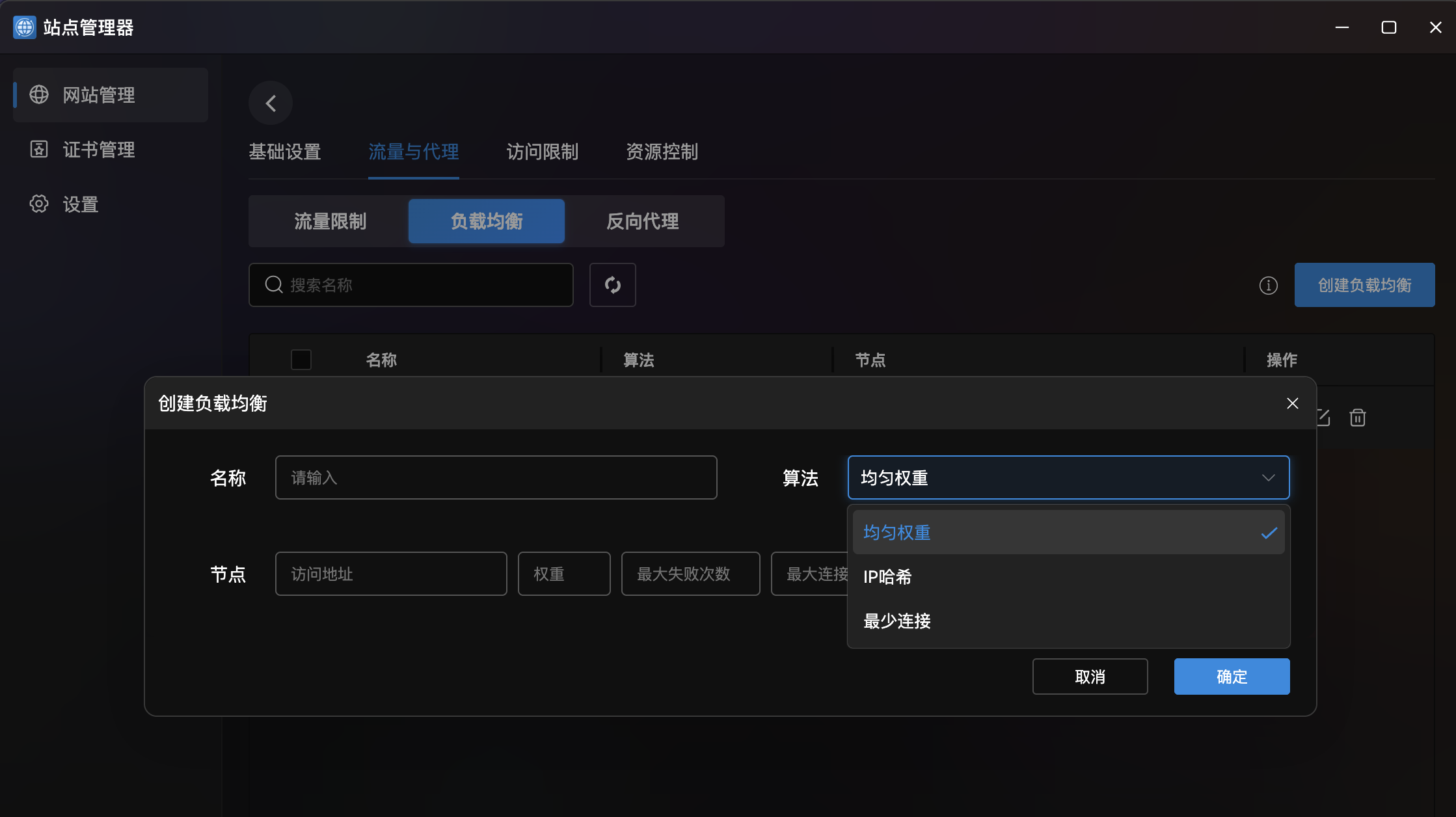
- Balance List: Table with name, algorithm, nodes, and actions.
- Create Load Balancer:
| Field | Description |
|---|---|
| Name | Load balancer name |
| Algorithm | Equal Weight / IP Hash / Least Connections |
| Nodes | Backend node config list |
- Node Config: Address, weight, max failures, max connections, status (enabled/disabled/backup).
Reverse Proxy
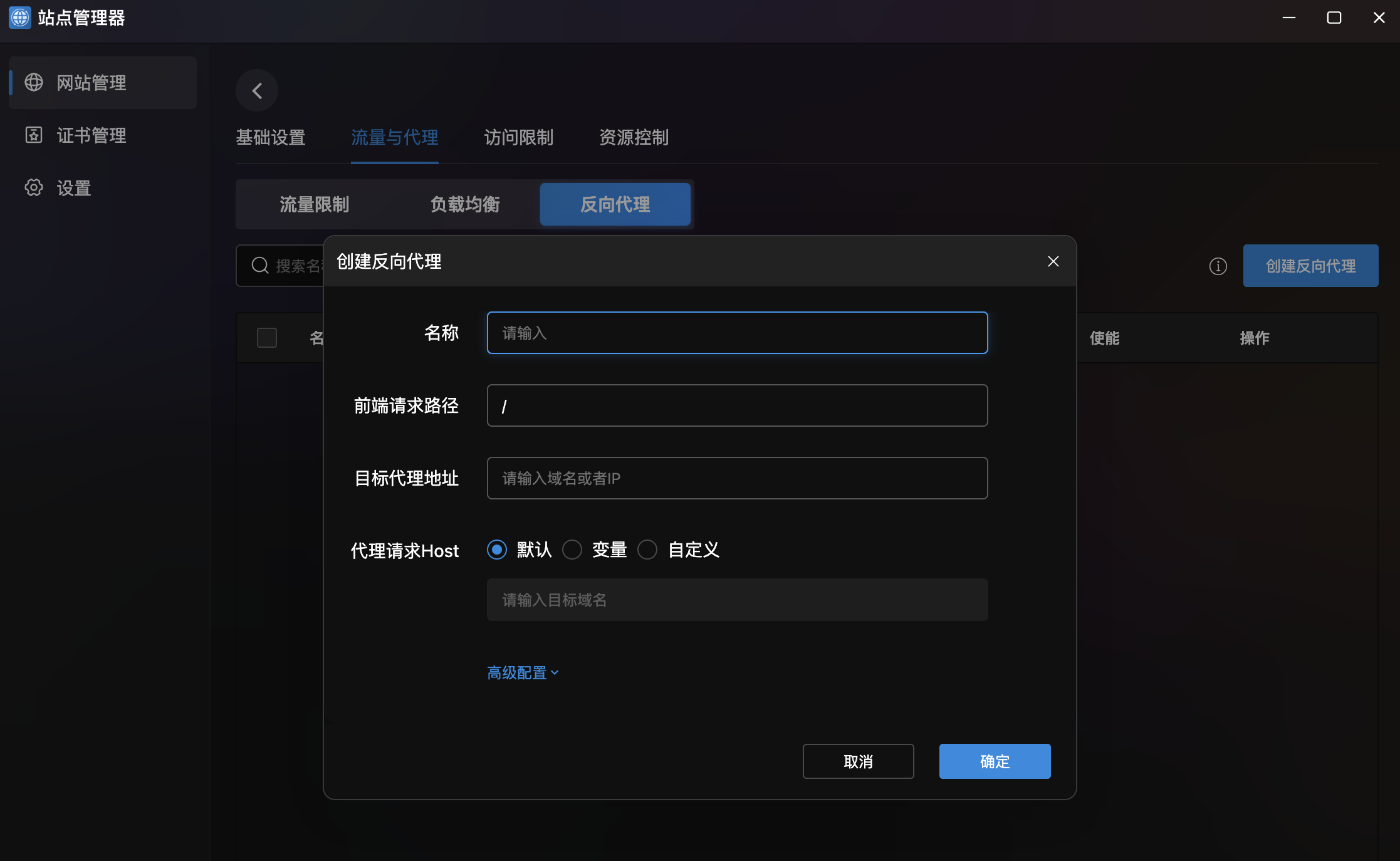
- Proxy List: Table with search support.
- Create Reverse Proxy:
| Field | Description |
|---|---|
| Name | Proxy config name |
| Frontend Path | Matching request path (default /) |
| Target Address | Backend server domain or IP |
| Proxy Host | Host header setting: Default / Variable / Custom |
- Advanced Config: Expandable panel for fine-tuned proxy parameters.
Access Restrictions
Password Protection
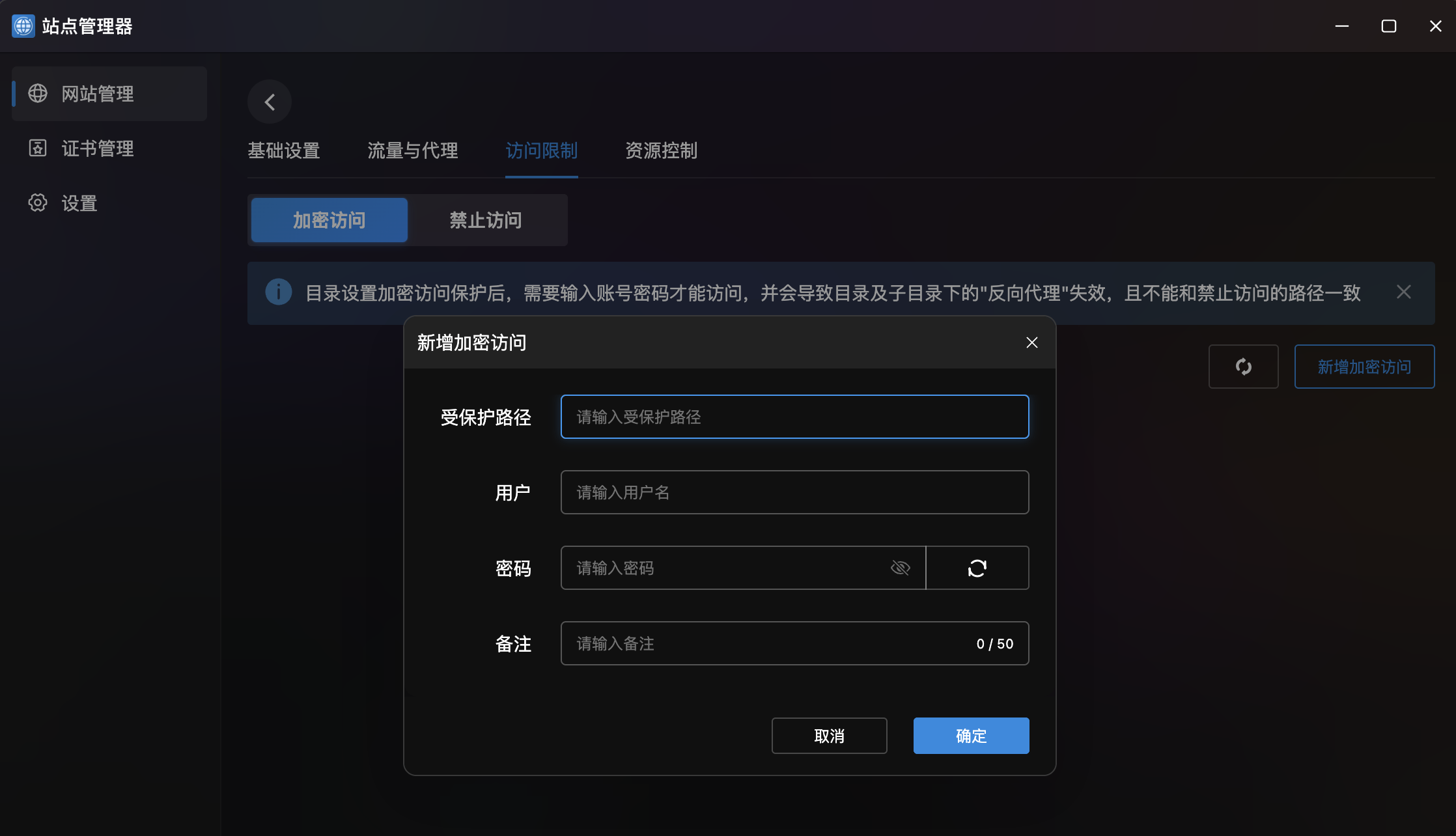
- Description: Set username/password protection on specific directories.
- Note: Enabling password protection will disable reverse proxy for that directory.
- Create:
| Field | Description |
|---|---|
| Protected Path | Directory to protect |
| User | Username for access |
| Password | Password with show/hide and random generation |
| Notes | Notes (max 50 characters) |
Access Deny
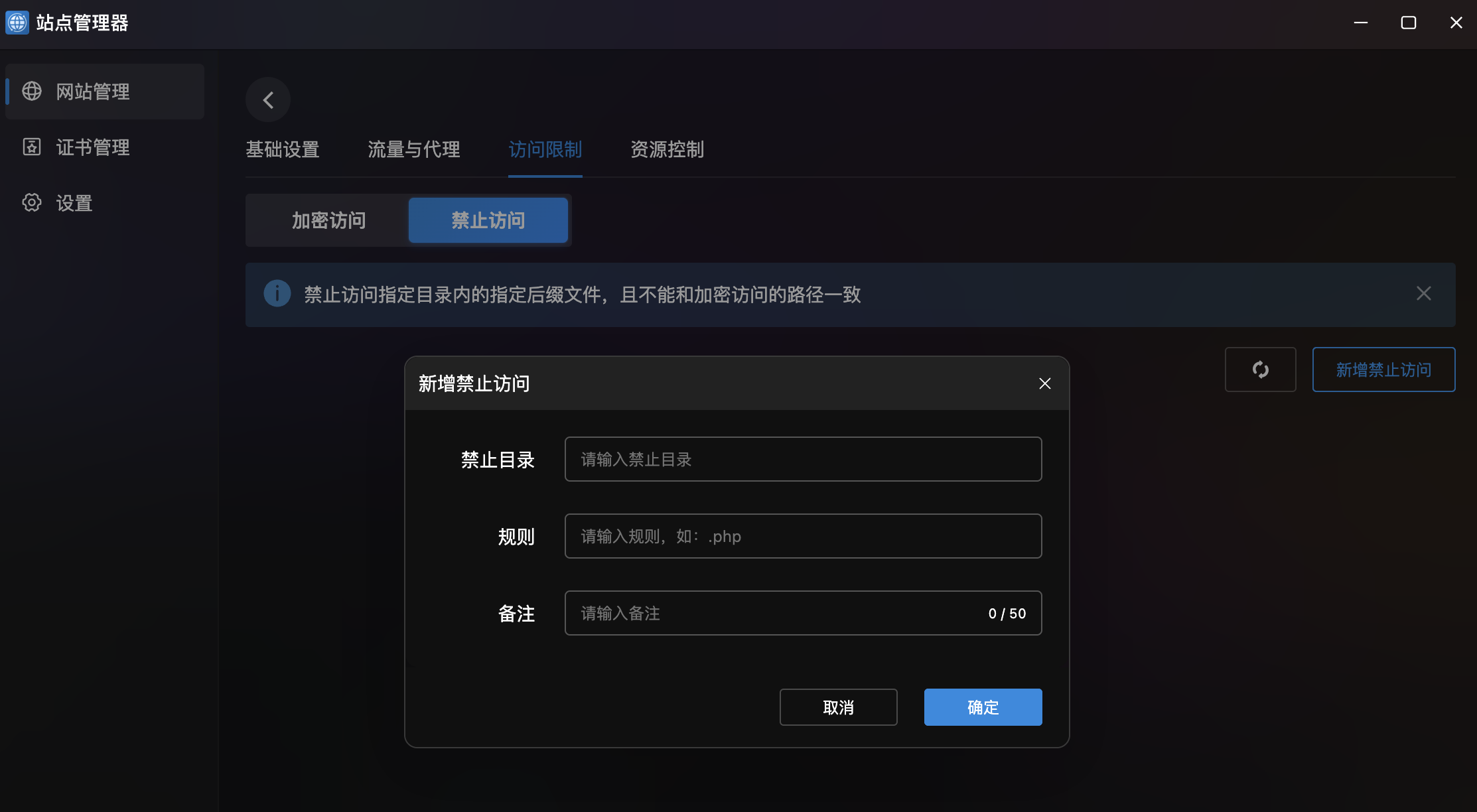
- Description: Block access to files with specific extensions in a directory.
- Create:
| Field | Description |
|---|---|
| Deny Directory | Directory to restrict |
| Rule | File extension pattern (e.g., .php) |
| Notes | Notes (max 50 characters) |
Resource Control
URL Rewrite
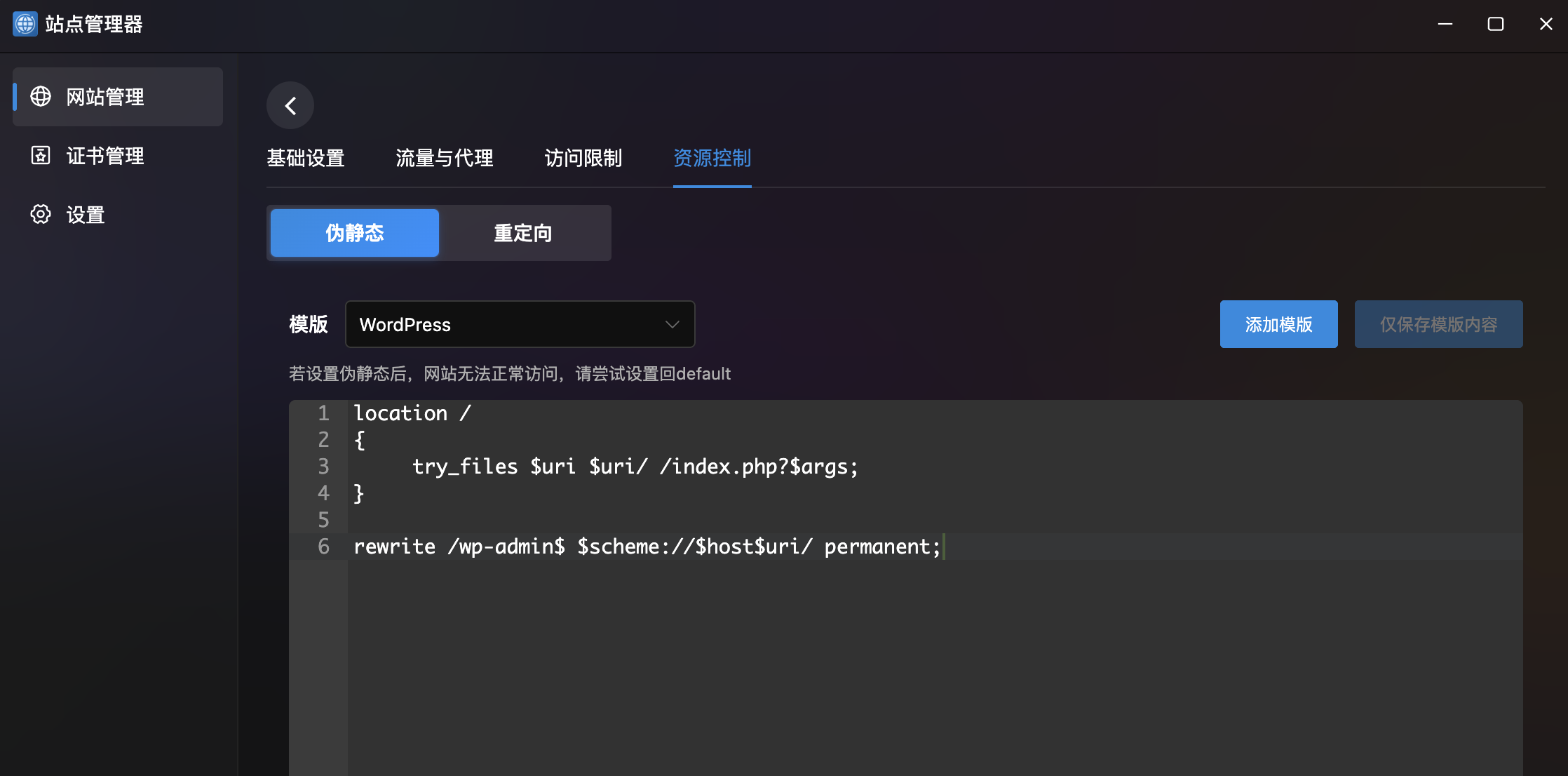
- Template Select: Dropdown presets (e.g.,
WordPress) with auto-filled Nginx rewrite rules. - Code Editor: Edit rewrite rules with syntax highlighting.
- Template Management: Save as new template, save template only.
- Save & Apply: Apply rules to site Nginx config.
- Rollback Note: If site becomes inaccessible, set back to
default.
Redirects
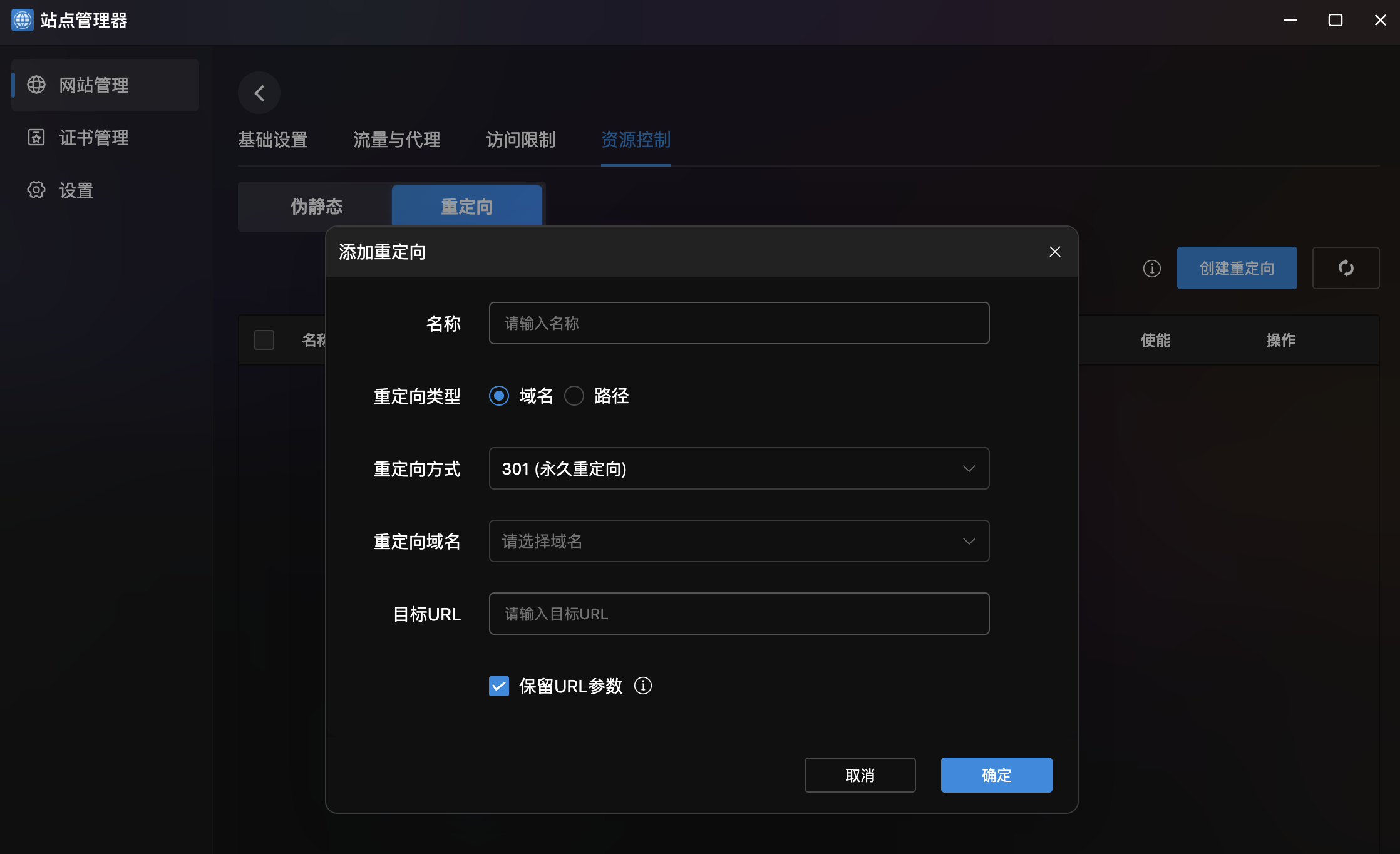
- Redirect List: Table with enable/disable toggle.
- Create Redirect:
| Field | Description |
|---|---|
| Name | Redirect rule name |
| Type | Domain redirect or Path redirect |
| Method | 301 (permanent) or 302 (temporary) |
| Source Domain | Dropdown for source domain |
| Target URL | Redirect destination |
| Keep Parameters | Whether to preserve original URL parameters |
Create Static Site
Under the "Static Sites" tab:
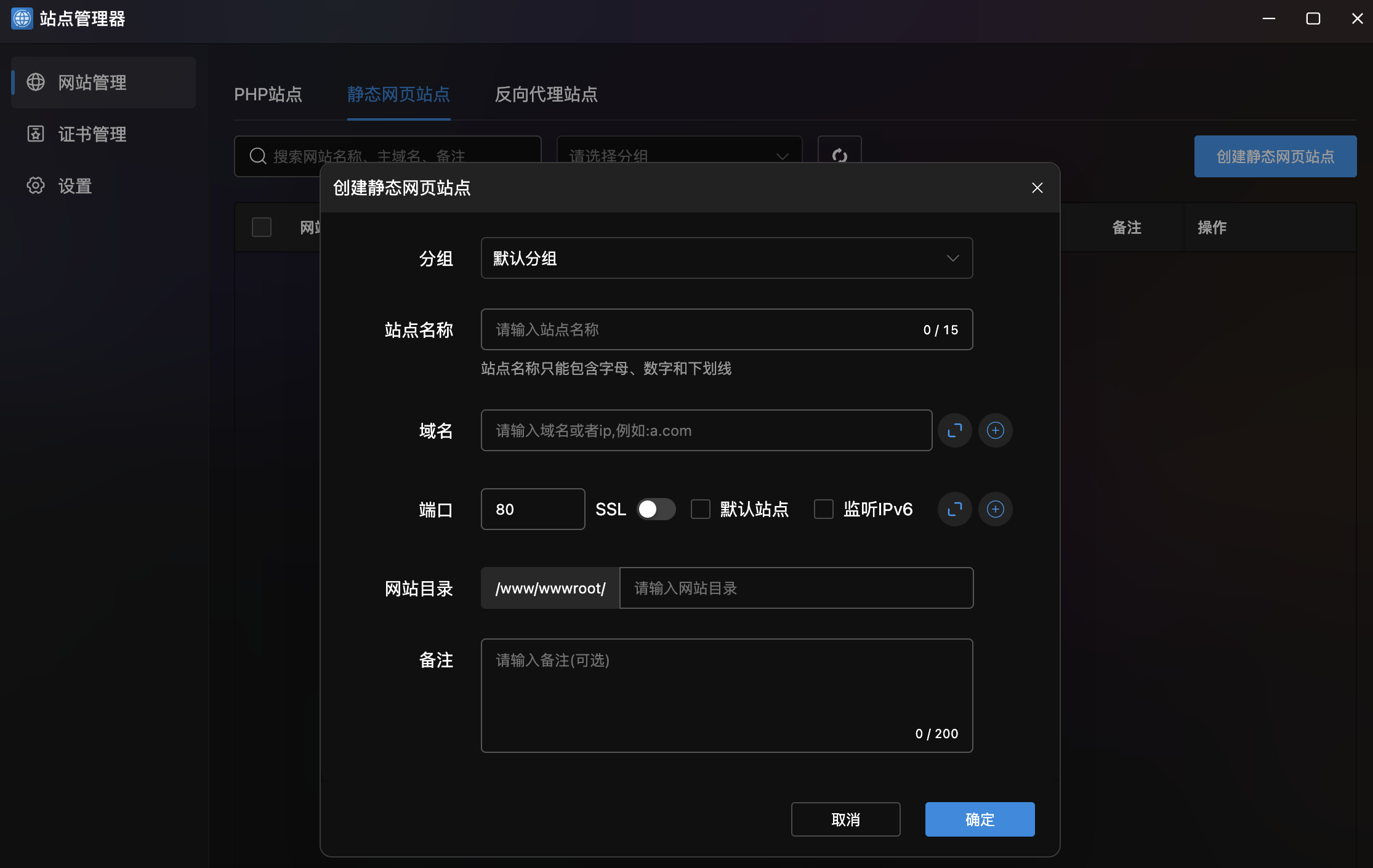
| Field | Description |
|---|---|
| Group | Site group |
| Site Name | Name (max 15 chars) |
| Domain | Domain or IP, multi-domain support |
| Port | Listen port (default 80), SSL/IPv6 options |
| Site Directory | Static file storage path |
| Notes | Notes (max 200 characters, optional) |
Create Reverse Proxy Site
Under the "Reverse Proxy Sites" tab:
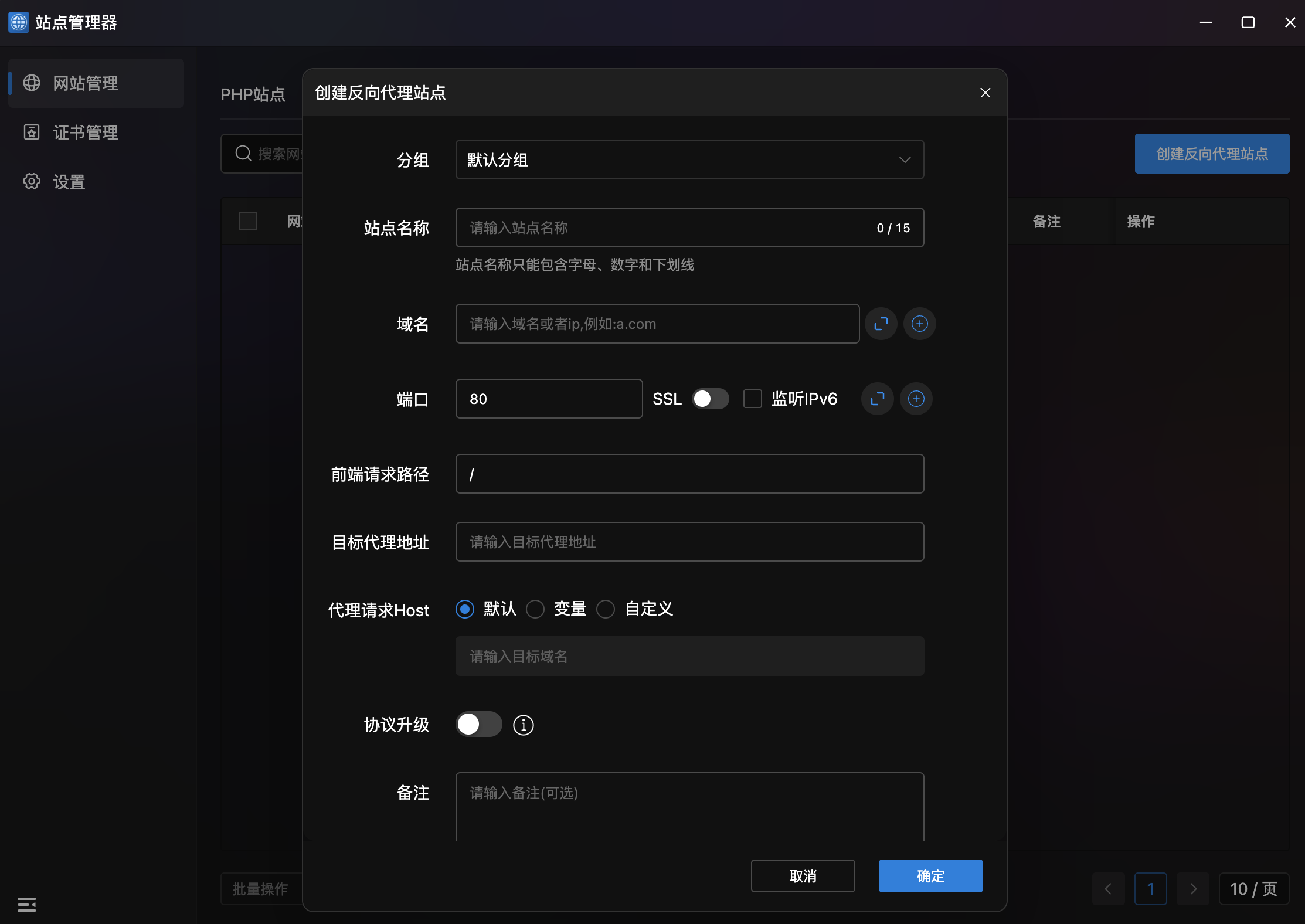
| Field | Description |
|---|---|
| Group | Site group |
| Site Name | Name (max 15 chars) |
| Domain | Domain or IP, multi-domain support |
| Port | Listen port (default 80), SSL/IPv6 options |
| Frontend Path | Matching request path (default /) |
| Target Address | Backend server domain or IP |
| Proxy Host | Host header (Default / Variable / Custom) |
| Protocol Upgrade | Enable WebSocket support |
| Notes | Notes (optional) |
Certificate Management
SSL/TLS Certificate Management. Upload, view, and manage certificates for HTTPS.
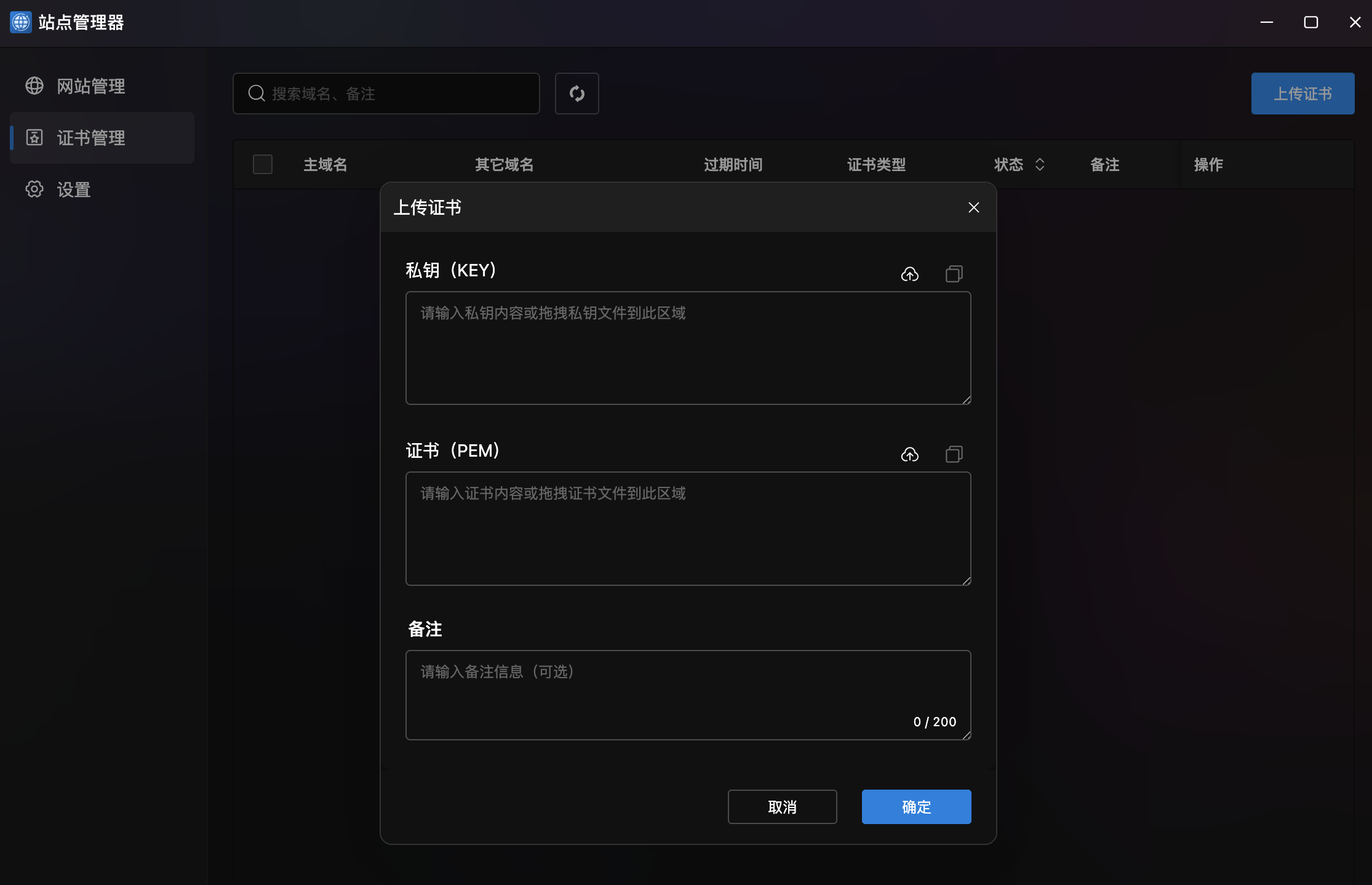
- Certificate List: Table showing primary domain, other domains, expiry, type, and actions.
- Search: Search by domain or notes.
- Batch Operations: Bottom batch dropdown with pagination.
- Upload Certificate: Top-right button with form:
| Field | Description |
|---|---|
| Private Key (KEY) | Enter or drag-upload SSL private key |
| Certificate (PEM) | Enter or drag-upload SSL certificate |
| Notes | Notes (max 200 characters, optional) |
Settings
Site Default Page Template Management. Customize default pages with code editor.
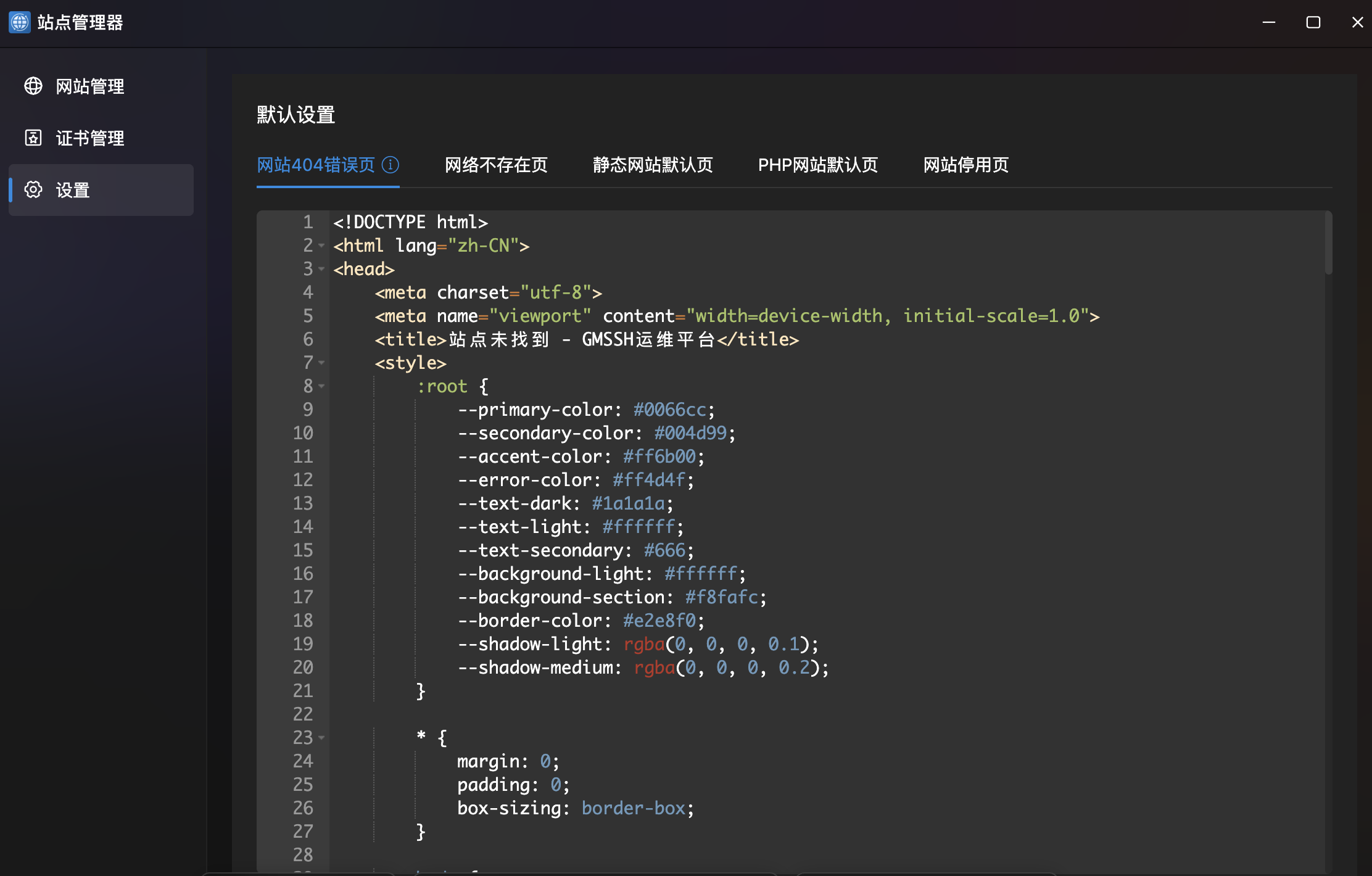
| Template | Description |
|---|---|
| 404 Error Page | Page shown for missing resources |
| Network Error Page | Page shown for network issues |
| Static Site Default | Default homepage for static sites |
| PHP Site Default | Default homepage for PHP sites |
| Site Disabled Page | Page shown when site is disabled |
- Code Editor: Full HTML source with line numbers and syntax highlighting.
- Save: Click "Save" to apply to all sites.